WATER RECYCLING SYSTEM
Publication: 0028607 5-9
5
Clean Filter Procedure
1. Navigate to the RECYCLE INFO menu on the front
control panel HMI screen by pressing the menu
button one time.
2. Select CLEAN FILTER.
3. Once the system has started the CLEAN FILTER
procedure, the front control panel HMI screen will
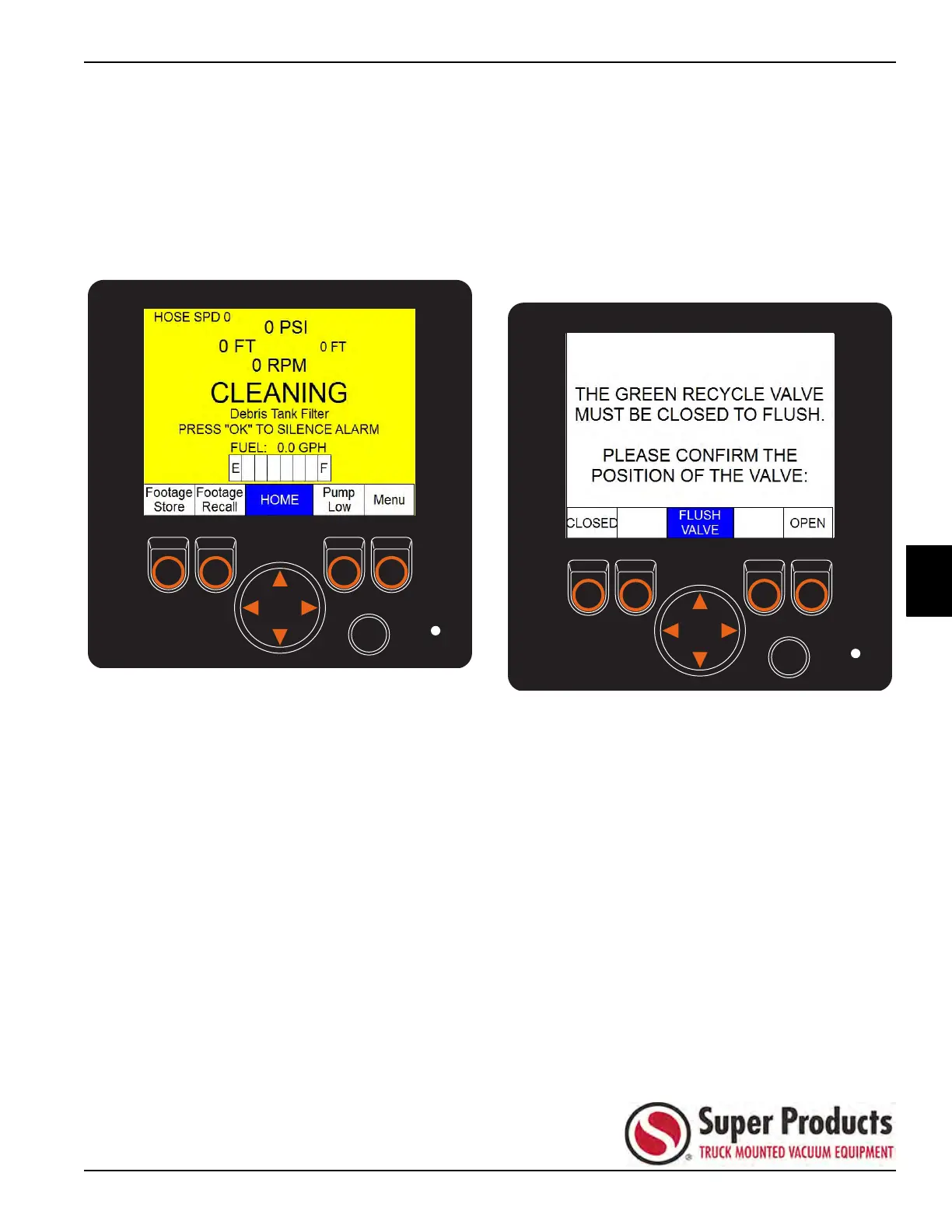
display a CLEANING Debris Tank Filter message.
Figure 5-17
Fresh Flush Procedure
1. Navigate to the RECYCLE INFO menu on the front
control panel HMI screen by pressing the menu
button one time. See Figure 5-16.
2. Select FRESH FLUSH.
3. Close the recycle valve.
4. A confirmation screen will be displayed when you
select the FRESH FLUSH option, making sure that
the recycle valve is closed.
Figure 5-18


 To Next Page