3-10 Publication: 0028607
CONTROL SYSTEM OPERATION
3
Hose Reel Memory Store and Storage
Recall
The footage store function will store in memory the hose
footage monitored at any given time for future use.
1. To store hose footage information, select Footage
Store on the home screen. See Figure 3-12.
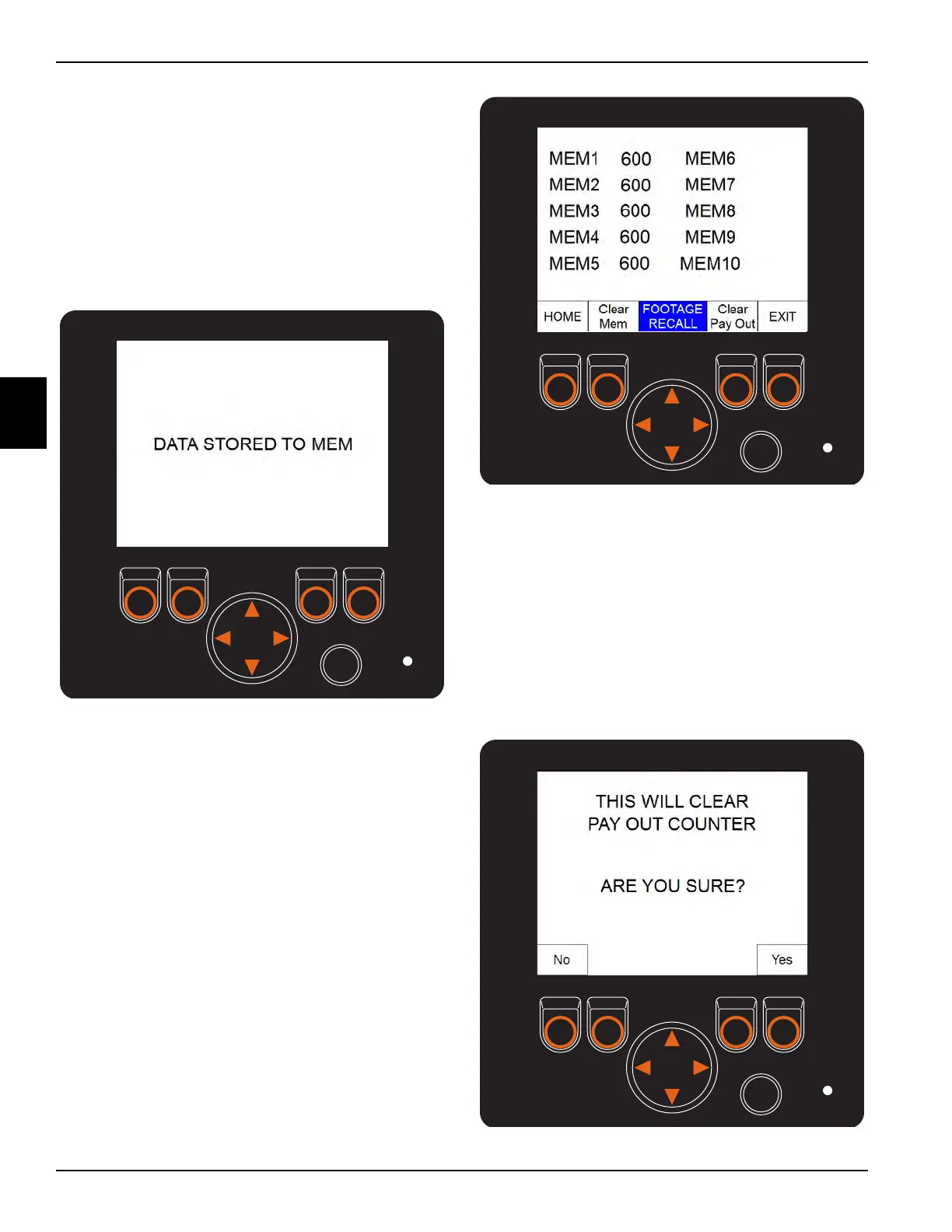
2. After you select Footage Store, the HMI screen will
display the DATA STORED TO MEM confirmation
screen.
Figure 3-15
To access the footage recall screen, select Footage
Recall on the home screen. See Figure 3-12.
Figure 3-16
Zero the Payout Counter
1. Select Footage Recall on the home screen. See
Figure 3-12.
2. Select Clear Pay Out on the second screen. See
Figure 3-16.
3. After selecting Clear Pay Out, a confirmation screen
will be displayed. Confirm your selection by selecting
Yes.
Figure 3-17
Footage Store Confirmation Screen
Footage Recall Screen



 To Next Page