7-16 Publication: 0028607
TROUBLESHOOTING
7
Electrical
troubleshooting
basics
(Continued)
Electrical connection
failed
Loss of electrical
connection
Power, signal, or ground return wire
failure.
Cut, broken, or dislodged
wire
Locate and repair or replace.
Connector pin not fully
seated inside connector
Reseat pin into connector.
Wire pulled out of
crimped pin
Locate and repair or replace.
I/O module has failed to
operate
Check module power or power input
LEDs.
Analog signal not working Special control signal not
readable with a voltmeter
• Check the diagnostic screens to
view input and output status.
• Green indicates on; white
indicates off.
Wires connected to
wrong pin location
Check wiring against the drawing to
determine where the signal is lost.
Loose wire connection • Connect an incandescent lamp to
the circuit and wiggle wires.
Device failed • Using wire jumpers, temporarily
connect power and ground to get
device to work.
CAUTION: Incorrect wiring may
damage device.
• Check LEDs on device.
• Replace device.
• LED light on proximity sensor
should light up when it senses
steel.
• Ensure that LED light polarity is
connected correctly.
Function will not work
using wired or wireless
pendants
Electrical coil failure If the directional solenoid LEDs are lit
but function does not move, try again
by setting the manual override on the
proportional valve.
Electrical malfunction. If
at least one of the control
devices makes the
function work properly,
the root cause is not
hydraulic
If the function works with manual
override, and the LED light on the coil
connector lights up, the solenoid coil
may have failed and will need to be
replaced.
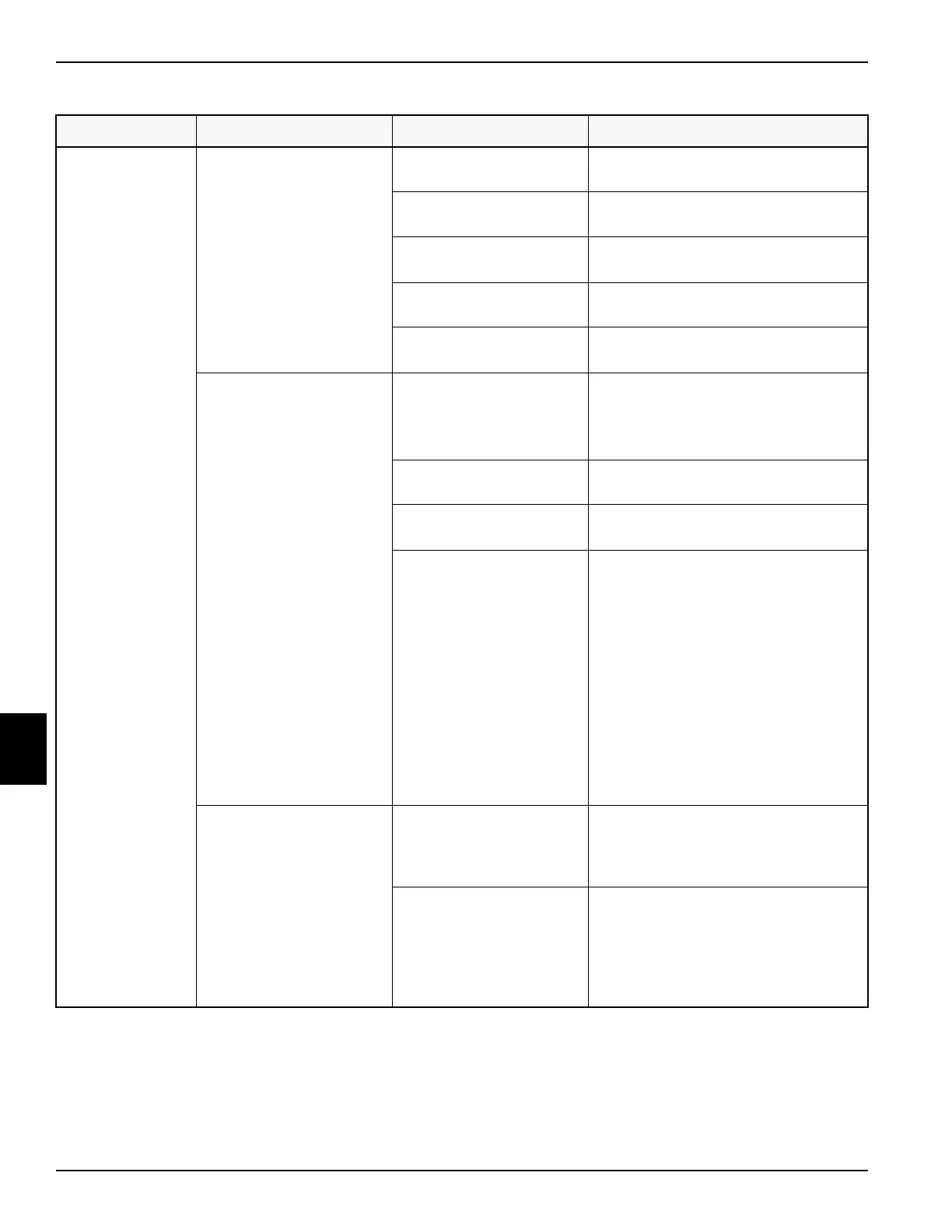
Table 7-2: Electrical Troubleshooting (Continued)
Function Symptom Probable Cause Solution


 To Next Page