OPERATING YOUR SUPERBRUSH 9
Before using your SUPERBRUSH, review the previous
pages in this manual on initial set-up and adjustment.
In this section, you will learn how to operate the
machine. Note that connecting the machine to an
adequate dust collection system is necessary before
operating the unit.
The S
UPERBRUSH offers considerable control
and versatility through infinitely variable brush
speed and feed rate. Experiment with both to find the
proper sander performance for a given application.
Varying the brush speed makes the brush more or
less aggressive. Too aggressive on the brush may
tend to raise the grain or round edges. Sometimes
it may be better to make two or more passes with a
less aggressive brush or setting.
The brush is rotating against the direction of
feed; therefore, the leading edges of contours will
receive more sanding than trailing edges. Stock
should be reversed on subsequent passes to sand all
surfaces. Stock may also be fed at an angle to allow
more brush penetration on the sides.
BASIC OPERATING PROCEDURES
After you have connected the machine to a dust
collection system, you are ready to begin to use the
SUPERBRUSH. The basic operating procedure for
the S
UPERBRUSH models is as follows (Fig. 10):
1. Set depth of cut/bristle contact (page 10).
2. Set tension rollers to type of stock being sanded
(See Tension Roller Adjustment below and Fig.
11)
3. Start sanding brush and select slow brush speed
(page 8).
4. Start conveyor and select feed rate (page 10)
5. Start dust collector system.
6. Feed stock through unit.
7. Gradually increase brush speed until the desired
finish is achieved (Fig. 8).
To feed stock through the S
UPERBRUSH, rest
and hold the stock to be sanded on the conveyor
table,
allowing the conveyor belt to carry the stock
into the brush. Once the stock is halfway through,
reposition yourself to the outfeed side of the
machine to receive and control the stock as it exits
the unit.
TENSION ROLLER ADJUSTMENT
Spring loaded infeed and outfeed Tension Rollers
(Fig. 11) are provided to maintain downward
pressure on stock being sanded and to prevent
slippage of the stock on the feed conveyor. When
properly set, the Tension Rollers should engage or
raise up about 1/8
˝
to accommodate the stock
being brushed.
The Tension Rollers can and must be adjusted
to accommodate flat surfaced stock vs highly
contoured surface stock. If the Depth Gauge is
properly calibrated (page 11), Tension Roller
height is adjusted as follows: Note: Make sure brush
head is appropriate for application and contact.
Flat Surfaced Stock: Set the bottom of the
tension rollers even with the bottom of the brush.
Loosen the four Tension Roller locking knobs (Fig.
11). Raise the table to the “0” mark on the Depth
Gauge. At this position, the brush and Tension
Rollers are resting on the table surface. Lock all
four Tension Roller knobs. For example, to brush a
3/4
˝
thick flat board, lower the table to 5/8
˝
on the
Depth Gauge. This allows 1/8
˝
for Tension Roller
engagement and 1/8
˝
brush penetration.
OPERATING YOUR SUPERBRUSH
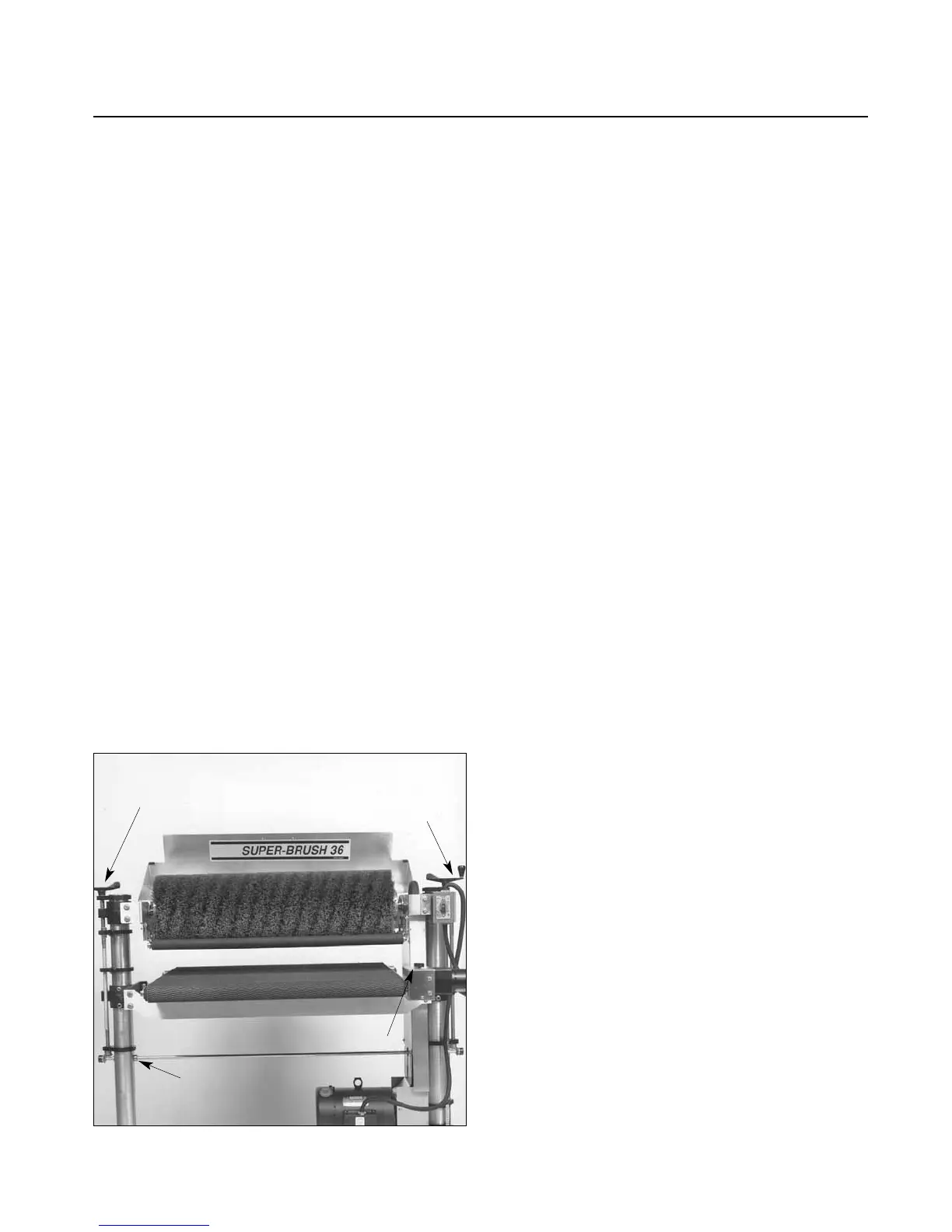
Fig. 10. Operating controls.
SHAFT
COLLAR
HEIGHT
ADJUSTMENT
BRUSH
SPEED
CONTROL
CONVEYOR
CONTROL


 To Next Page