User manual [English]
15
2 On the “Video PID”, “Audio PID” and “PCR
PID” items, you can input numerals to
modify the according item’s value.
3 After modification, move highlight to “Save”
item and press[OK]key can save the
modified value and exit “Edit” mode.
Otherwise, move highlight to [Exit]item and
press[OK]key can exit “Edit” mode and
won’t save any modification.
7.1.3.4 Lock
Press [Blue] key can make a “lock mark” in
the right side of the highlighted channel.
After save and exit the menu, STB will
request you to input the password while you
want to watch the locked channel.
7.1.3.5 Move
1 In this menu, press [White] key can make a
moving mark in the right side of the
highlighted channel.
2 Press [Up/Down] key to move the channel
3 Press [OK] key to put the channel to the
target place.
4 When exit the menu, it will ask you whether
to save the change. Select “Yes” to save
the change.
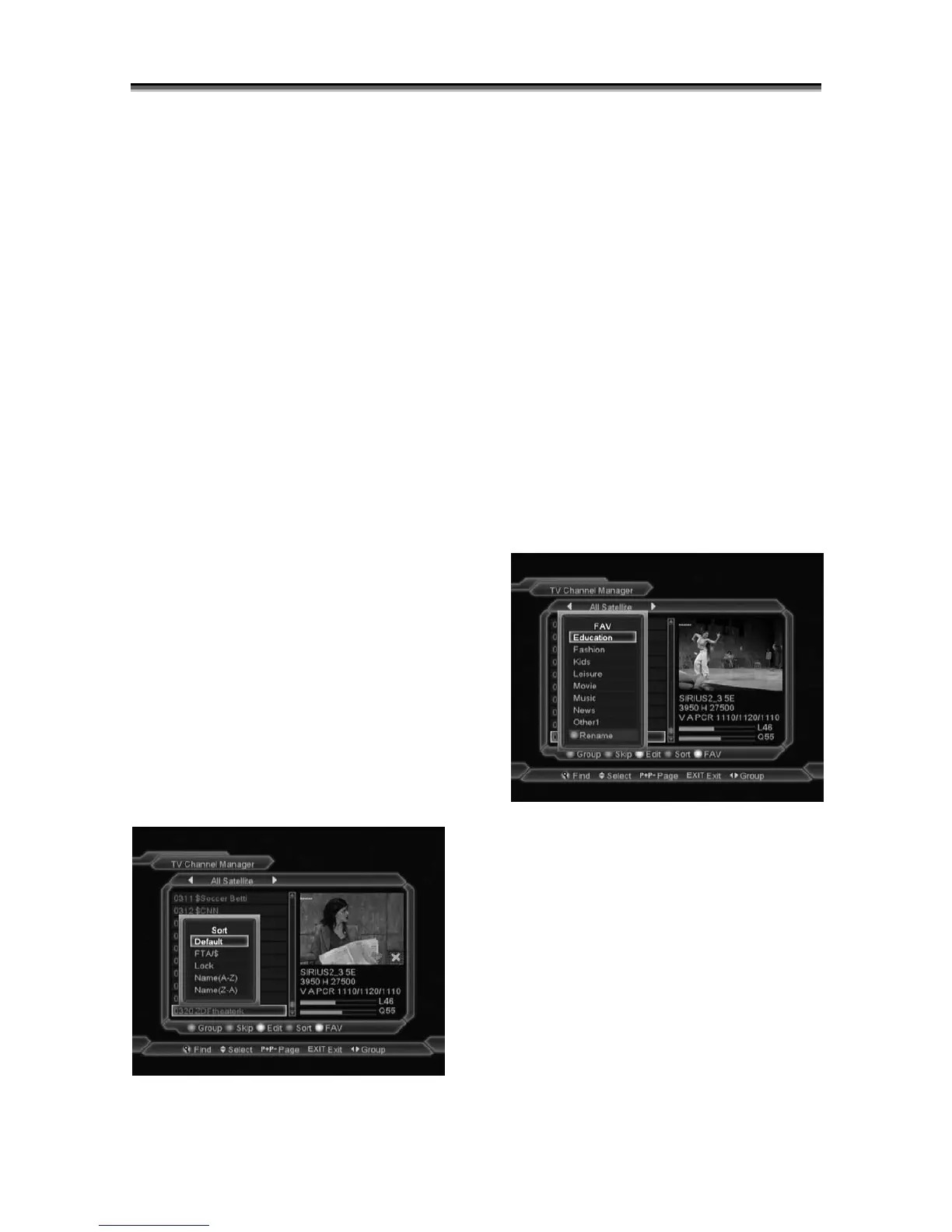
7.1.4 Sort
1
Press [Blue] key can open the “Sort”
window like above. There are five kinds of
sorting ways. You can press[Channel
Up/Channel Down]key to move highlight
and press[OK]key to confirm you selection
2 The five kinds of sorting way are:
Default: Sorting by scanning result.
Name (A-Z): Sorting in Alphabetical
Order, ignore “$” symbol.
Name (Z-A): Sorting in Alphabetical
Order, ignore “$” symbol.
FTA: Sort channel by free and scramble
sequence. Free channel will be displayed
at the beginning of channels list and
scramble channel will be at the end of
channels list
Lock: Accumulated all locked channels
and list in the front of TV Channel List.
7.1.5 Favorite
1 Press [White]key can open the “Favorite”
window like above
2 You can move highlight between 8 favorite
groups by press[Channel Up/Channel
Down]key and press[OK]key to make a
favorite mark in the right side of the
selected Favorite group.
3 Press[OK]key on the marked Favorite
group can cancel the exist favorite mark.
4 After marking, press[Exit]key can back to
“TV Channel List” , there will show a
favorite mark beside the marked channel.



 To Next Page