User manual [English]
29
This function is optional, available only in
receivers PVR Ready.
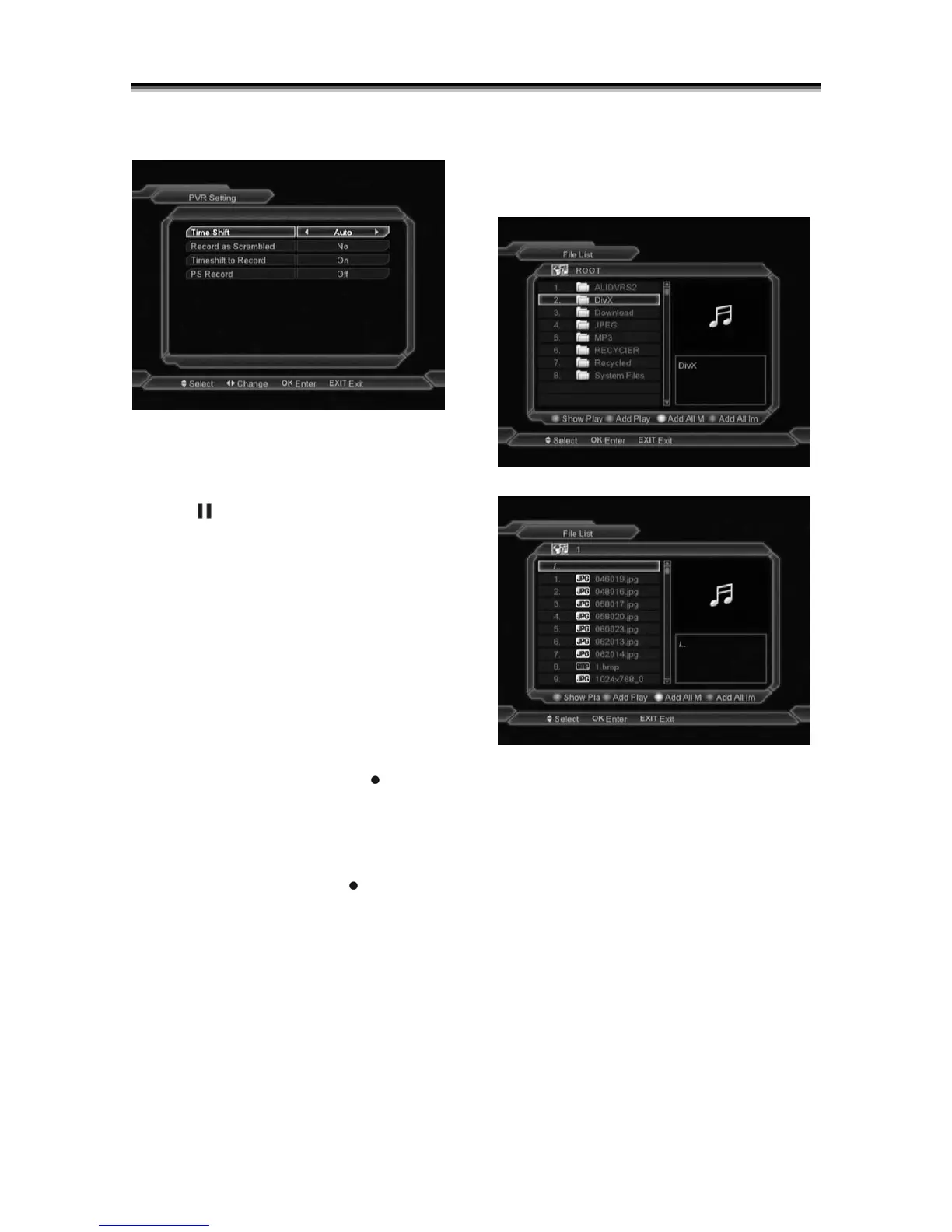
Time Shift:
Auto: The Time Shift function is auto startup.
Manual: The Time Shift function must pressing
[Tms] or [
] is start.
Record as Scrambled
NO: Means you can play the record file (Free)
without the CI module and the card.
YES: Means when you play the record file
(Scrambled) you must insert the CI module
and the smart card.
TimeShift to Record
ON: Means when you press the "
" Button to
record the program, it will merging the TimeShift
files and the record files.
OFF: Means when you record the program, it
just start when you press "
" button, not
include the TimeShift files.
PS Record:
ON: Enable the function to record the file for PS
format.
OFF: Disable the function to record the file for
PS format.
12.5 File list
In this menu you can check the files and folders
of the USB storage, and you can play
MP3 ,JPEG and Divx video files..
In this menu you can manage the play list.
Press 'OK' button on the selected files to play
the single file. File will be displayed in full
window mode. After viewing press Exit to leave.
Press 'green' button to add the selected file to
the play list.
Press 'blue' button to add all Image
files(belonged to the current folder) to the
Image play list.
Press 'yellow' button to add all MP3
files(belonged to the current folder) to the MP3
play list.
Press 'red' button to show play list
.



 To Next Page