User manual [English]
25
screen will calculate the corresponding value
automatically.
3 Orientation means the angle between north
and satellite.
4 Press [menu] key to draw back to “Tools”
menu.
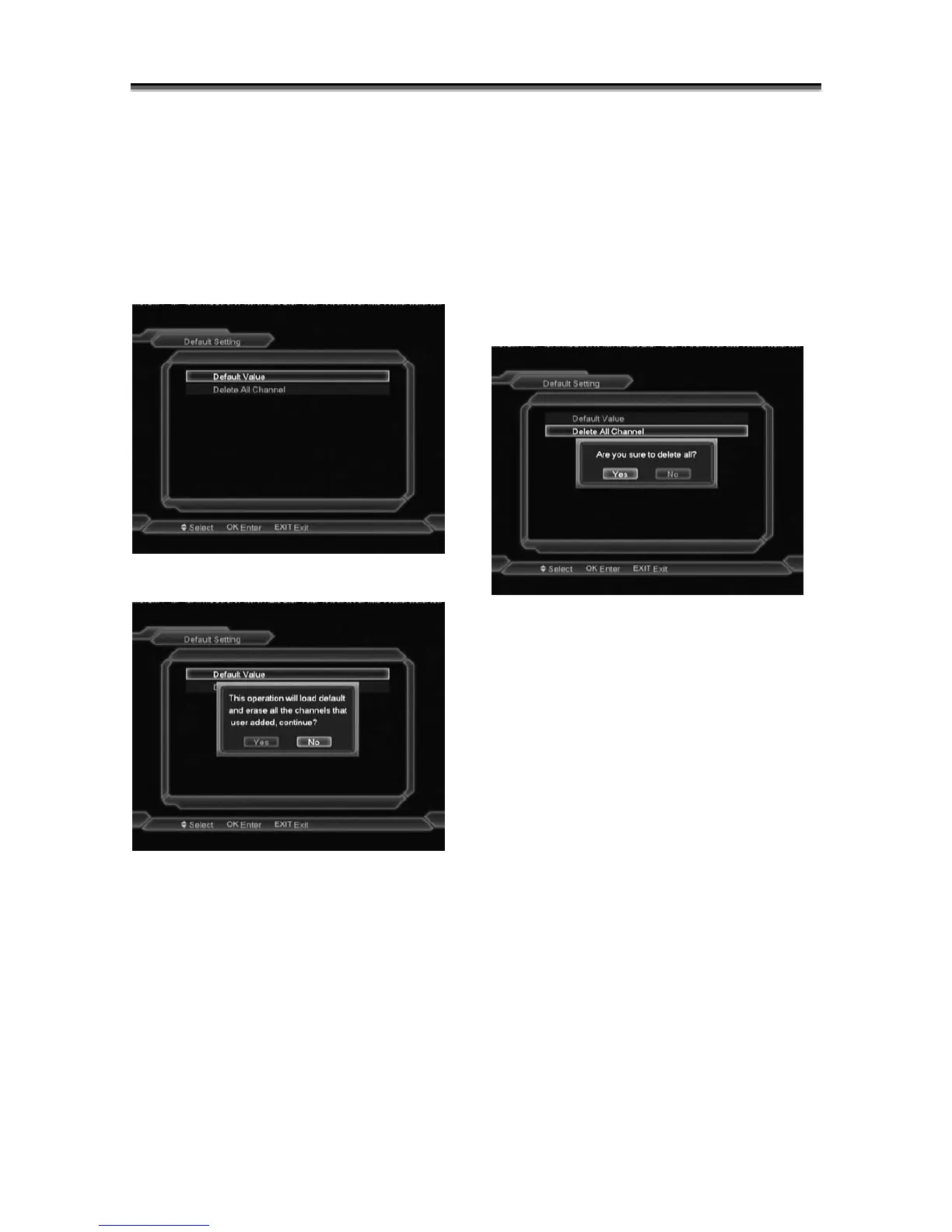
10.3 Default Value
Default Value:
When you press [OK] key In the “Default
Value” item:
1 There will pop a dialogue for you to enter
the password, and the default password
is “0000”.
2 After you input the correct password,
there will show a warning message to
inquiry you “The operation will load
default and erase all the channels that
user added, continue?”.
3 If you select “Yes” option, the all revised
parameters of the receiver will reset to
default value. Please carefully to using
this function.
4 In step 1 press[Menu] key or [Exit] key
can draw back from this item and without
saving.
Delete All Channel:
When you press [OK] key in the “Delete All
Channel” :
1 There will show up a warning message box
to inquire you whether delete all or not.
2 If you select “Yes”, all channels will be
deleted.
3 If you select “No” can exit the function
directly without save.
? Frequently Asked Question
Q: IF I incautiously delete all channels,
what should I do?
A: there are two ways to restore:
To re-search all channels in “Installation”
function.
Use “Default Value” function to restore all
channels in “Tools” function.
10.4 Software Upgrade
Upgrade by RS232:



 To Next Page