User manual [English]
17
1/4, 2/4, 3/4, 4/4: 4 ports DiSEqC
1/8, 2/8… 8/8: 8 ports DiSEqC
1/16, 2/16….16/16: 16 ports DiSEqC
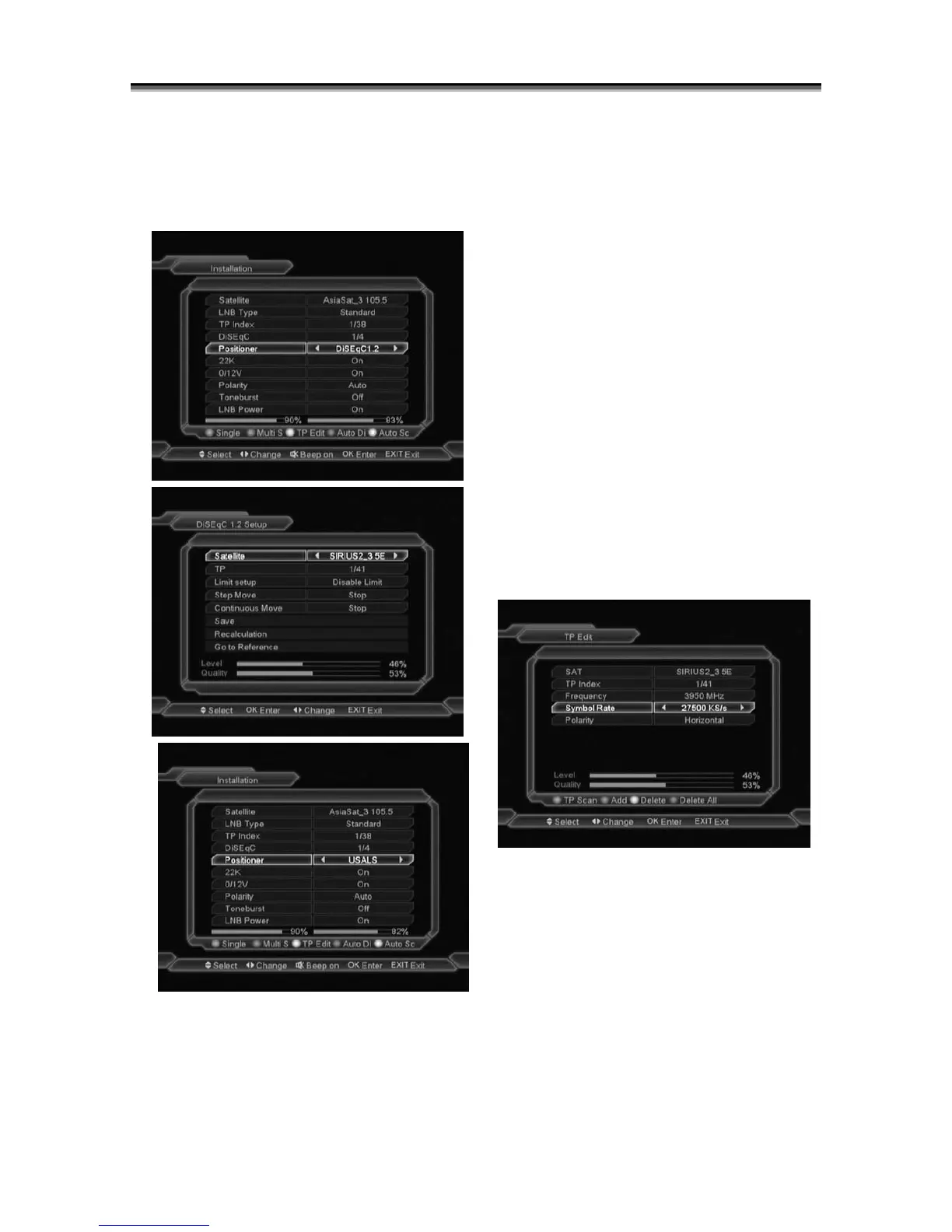
8.1.4 Positioner
Positioner: In “Positioner” item, you can press
[Volume Up/ Volume Down]key to switch
“None / DiSEqC 1.2 / USALS” functions.
8.1.5 22k
You can use[Volume Up/ Volume Down]key to
switch “ON / Off”. When this item is switched to
“ON”, receiver will receive TV and radio input
signal from 22K port. If the item is switched to
“Off”, the receiver will receive all signal from 0K
port.
! Notice
When you choose LNB type “Universal”, you
can not modify 22K.
8.1.6 0/12V
You can use[Volume Up/ Volume Down]key to
switch “0V / 12V”. When this item switches to
“12V”, receiver will receive TV and radio input
signal from 12V port. If the item switches to
“0V”, the receiver will receive all signals from 0V
8.1.7 Toneburst
In “Toneburst” item, you can press [Volume Up/
Volume Down]key to switch “Off/On” functions.
8.1.8 Polarity
In “Polarity” item, [Volume Up/ Volume
Down]key to switch “Auto / H / V” functions.
8.1.9 TP Scan
When you enter to “TP Edit” menu, there will
display the screen like below:
1
In “Satellite” item, press[Volume Up/ Volume
Down]key to switch satellite that you want to
scan or press[OK]key to enter satellite list for
selection.
2 In “TP Index” item, you not only can use
[Volume Up/ Volume Down]key to select
transponder but also can
use[Add]and[Delete]functions.
When you press[green] key, it will display
“New Carrier” in “TP Index” item; You should
set the parameters of “TP Frequency” and



 To Next Page