User manual [English]
24
Password or not. If the setting of “Menu
Lock” is “On” which means user have to key
in password, set “Off” means unlock.
3 Channel Lock determining that when user
wish to play the lock channels, whether have
to input the password or not. If the setting is
“Yes”, play the channels with lock mark will
show up a dialogue on the screen and ask
for the password. If the setting of “Channel
Lock ”is “No”, the Lock function will invalid.
4 New Password is used for revising password;
you can input the new password in this item
by using number keys directly. After you filled
in 4 digital numbers, the highlight will auto
skip to Confirm Password and ask you to
input the new password again. If the
password is correct, the screen will show up
a dialogue on the screen: “Change password
successfully!" and press [OK] key the
highlight will auto draw back from the
“System” menu, the revising is complete.
10 Tools
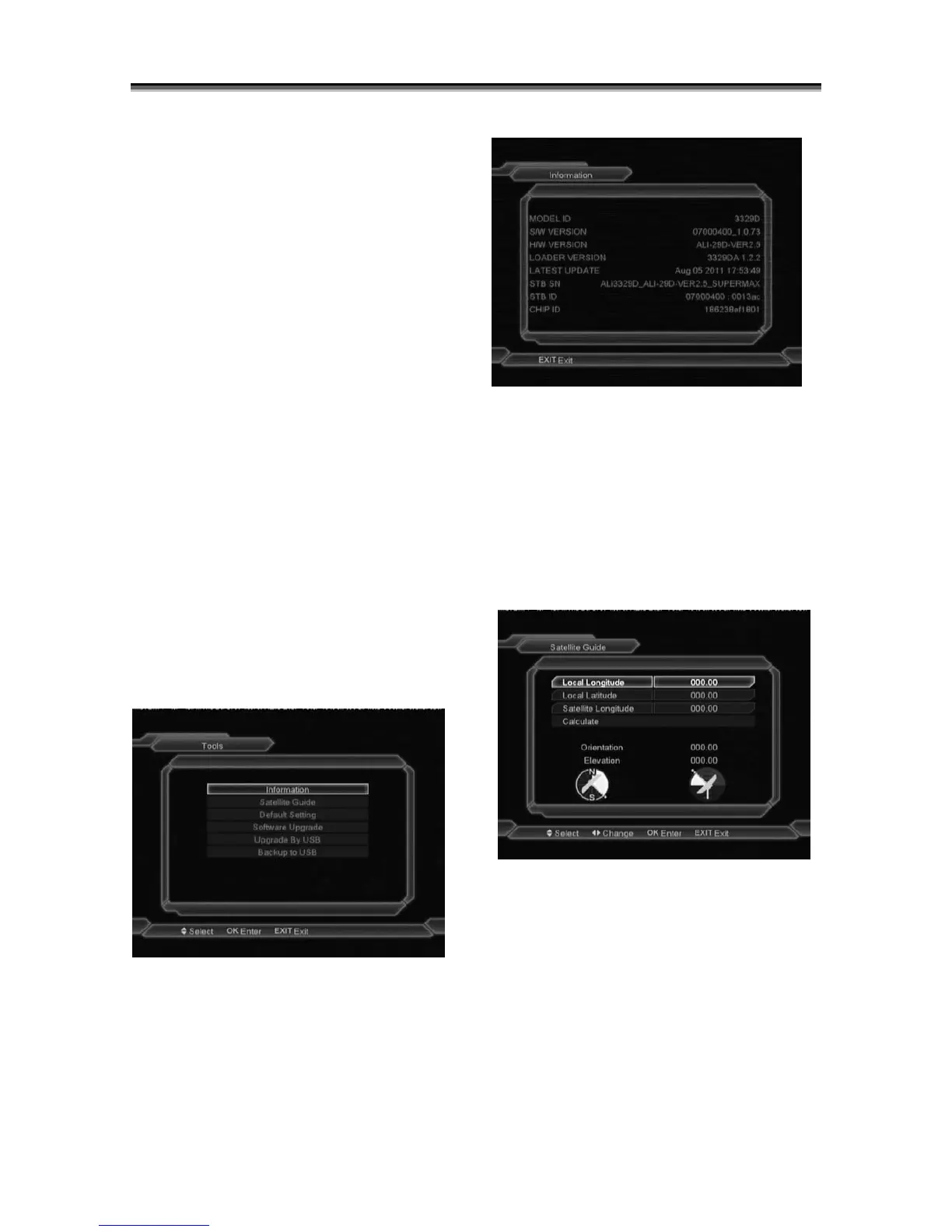
In “Tools” menu:
1 Press [Channel Up/Channel Down] key to
select menu items among Information, Satellite
Guide, Default Setting, Software
Upgrade.upgrade by USB,backup to USB.
2 Press [OK] key to enter the selected item.
10.1 Information
1
When you enter to “Information” menu, you will
see a screen like above. The screen displays
software and hardware information.
2 Press [Menu] key to draw back from “Tools”
menu.
10.2 Satellite Guide
When you enter to “Satellite Guide” menu, you
will see the screen like below:
“Satellite Guide” is use for user to enter local
longitude; local latitude and satellite longitude.
By the evaluation from the receiver evaluate the
antenna azimuth and antenna elevation; user
can follow this guidance to adjust antenna.
1 You can use number keys to input
parameters in “Local Longitude”, “Local
Latitude” and “Satellite Longitude”.
2 Moving highlight to “Calculate” item and
press [OK] key. The lower column on the



 To Next Page