User manual [English]
20
then the default language of current channel will
be played automatically. The selections of audio
languages include:English,French,German,
Italian,Russia,Spanish,Turkish,Portuguese,
Arabic,Polish,Ukraine,Persian,Romanian,
Hungarian,Kurdish,Bosnian,Croatian,Bulgarian,
Czech,Indonesia, Slovenian,Greek and
Sweden.
4 EPG: Press [Left/Right] key can select EPG
language.
5 Subtitle Language: Press [Left/Right] key can
select subtitle language.
6 Teletext: Press [Left/Right] key can select
subtitle language.
7 Press [Menu]key to draw back from “Language”
menu.
9.2 TV System
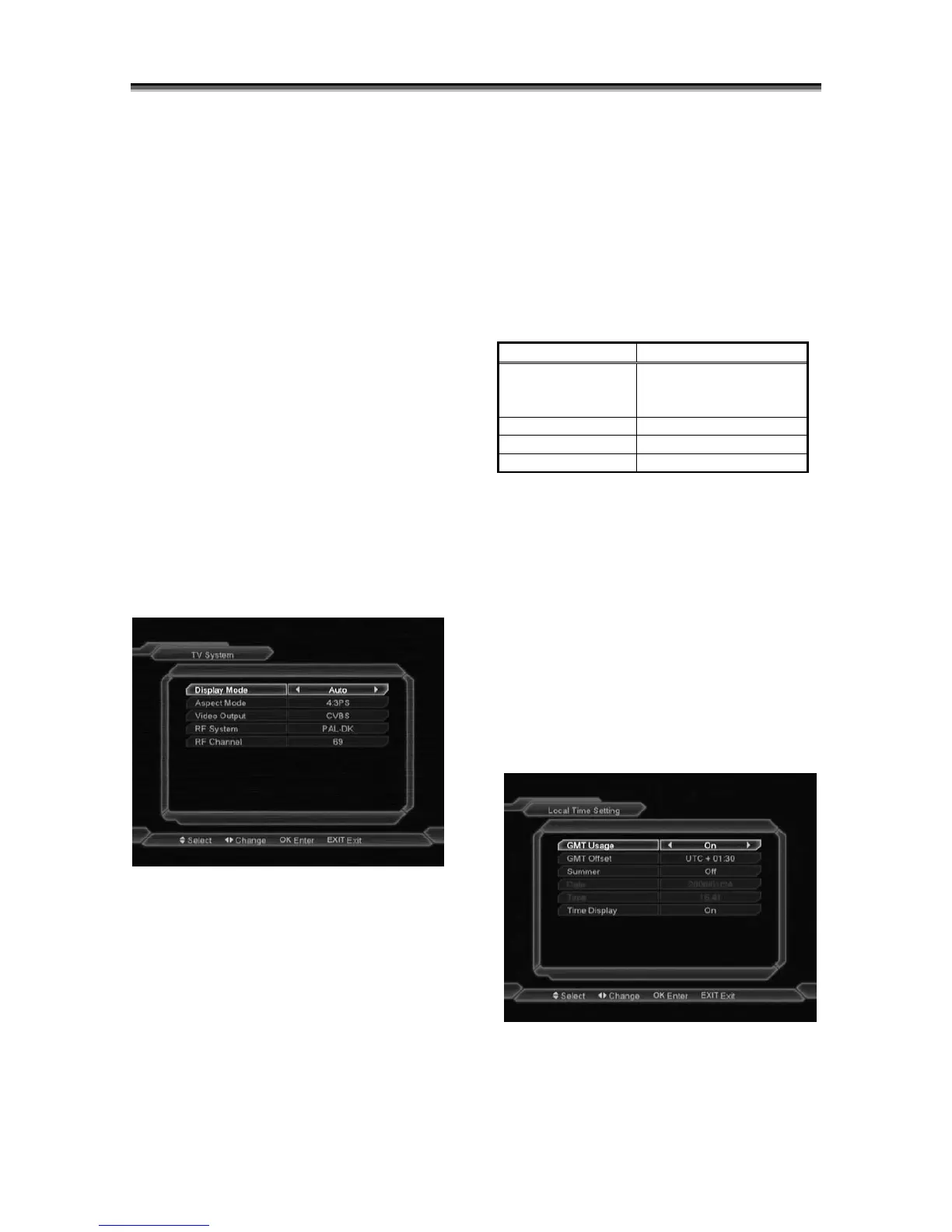
When you enter to “TV System” menu, you will
see the screen like below:
1 Display Mode is use for switching the
screen-displaying mode. Now we provide
below options: Auto / PAL-M / PAL-N / NTSC.
You can press [Volume Up/ Volume Down]
key to select each mode circularly.
2 Aspect Mode is used for switching the screen
aspect ratio mode. Now we provide below
options: 4:3 PS / 4:3 LB / 16:9. You can
press [Volume Up/ Volume Down] key to
select each mode circularly.
3 Video Output: Press [Left/Right] to select
RGB, CVBS and YUV (special cable required
for connecting YUV signal to TV set ).
4 (Optional)RF System is use for switching RF
format. Now we provide below options:
PAL-BG / PAL-I / PAL-DK / NTSC.
5 (Optional)RF Channel is use for setting TV
frequency range, please refer to the table as
below:
System Range
PAL-BG 21~69(Italian; default
value)
28~68(Australian)
PAL-I 21~69
PAL-D/K 21~69
NTSC 14~83
RF function can receive satellite TV channel
from receiver and add new channel to your TV
channel. After setting, while you want to see
the satellite channels, you can search the
channel in TV mode and needn’t switch video
to AV mode.
6 Press [Menu] key to draw back from “TV
System” menu.
9.3 Local Time Setting
1 When you enter to “Local Time Setting”
menu, you will see the screen like below:
GMT Usage: This item is use for open the
usage of GMT. You can press [Volume Up /
Volume Down] keys to switch “On/Off”.



 To Next Page