User manual [English]
8
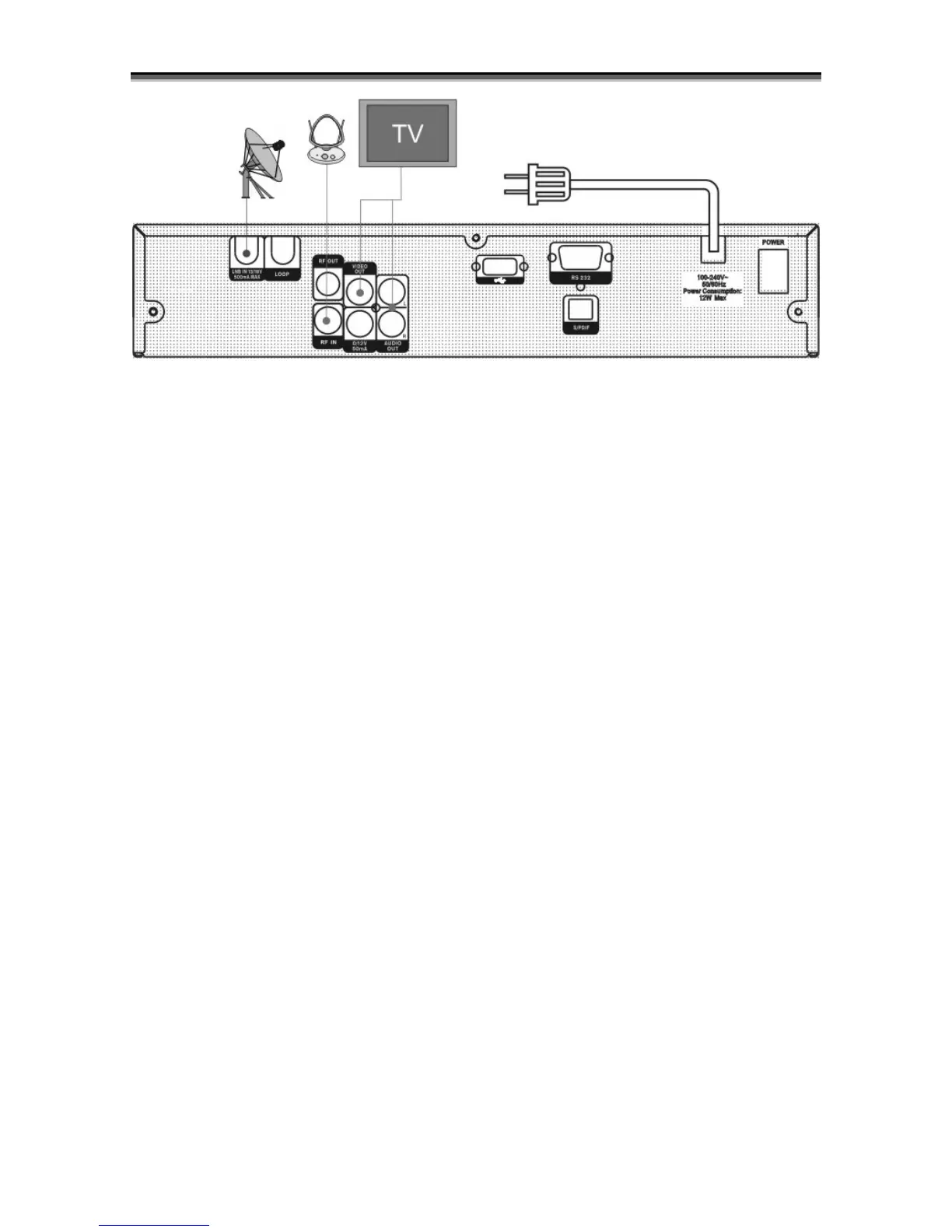
Finally connect the coaxial cable from the LNB to the LNB IN jack on the receiver.
Connecting with External Audio / Hi-Fi System
To connect any external Audio Hi-Fi system, the receiver has been provided with two RCA
connectors at the back of the receiver marked with Audio L and R.
Connect an RCA stereo cable from the AUDIO L, R jacks on the back of the receiver to the LINE,
AUX, SPARE OR EXTRA input jacks on your Hi-Fi System.
Connecting with Motorized System (DiSEqC 1.2)
Connect one end of your coaxial cable to the LNB IN connector on the receiver and the other end to
the REC or Receiver connector on the DiSEqC 1.2 motor.
Connect the coaxial cable from the LNB to the LNB connector on the DiSEqC 1.2 motor.
All our receivers are designed to be DiSEqC 1.0 and DiSEqC 1.2 compatible.
This allows multiple antennas to be connected to the receiver at the same time.
If you have two or more fixed antennas or LNBs, then we recommend you use a DiSEqC 1.0
switch.
Connect the coaxial cable from the first LNB to the LNB 1 or LNB A input connector of the DiSEqC
switch.
Do the same for any other LNBs that you have.
Connect one end of a coaxial cable to the RF output connector of the DiSEqC switch,
connect the other end to the LNB IN socket on the receiver.
To the digital receiver, you can connect either a single satellite antenna directly or LNB of
multi-feed equipment.



 To Next Page