Chapter 2: Installation
2-15
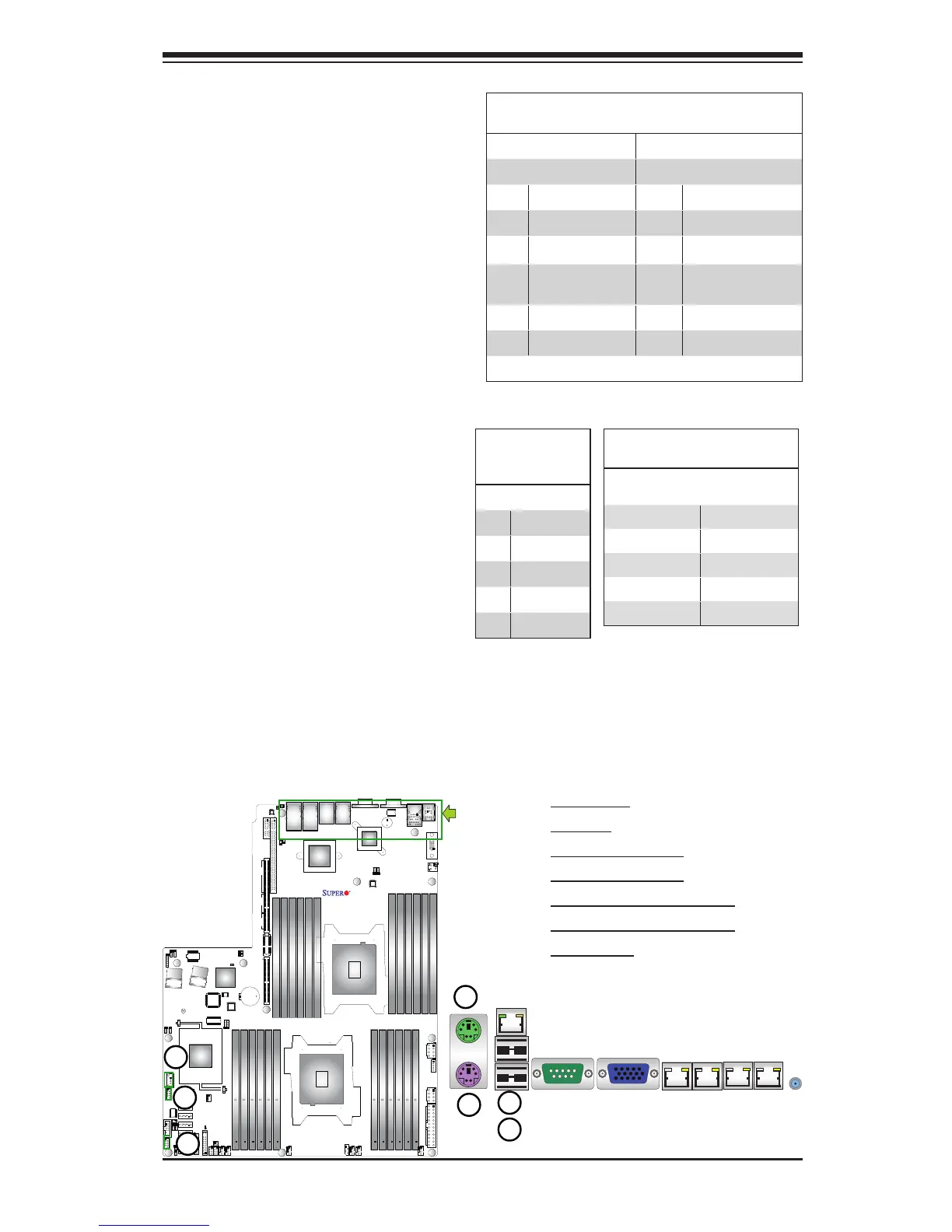
1. Keyboard
2. Mouse
3. Backpanel USB 0
4. Backpanel USB 1
5. Front Accessible USB 2/3
6. Front Accessible USB 4/5
7. FP USB 6
Universal Serial Bus (USB)
Two Universal Serial Bus ports (USB
0/1) are located on the I/O back panel.
In addition, two USB headers, located
close to the I-SATA ports, provide four
front-accessible USB connections
(USB 2/3, USB 4/5). A Type A con-
nector (USB 6) also supports front
panel USB connections. (Cables are
not included). See the tables on the
right for pin denitions.
FP USB (2/3, 4/5, 6)
PinDenitions
USB 2, 4, 6
Pin # Denition
USB 3, 5
Pin # Denition
1 +5V 1 +5V
2 PO- 2 PO-
3 PO+ 3 PO+
4 Ground 4 Ground
5 NC 5 Key
(NC= No connection)
Backplane USB
(USB 0/1)
PinDenitions
Pin# Denition
1 +5V
2 PO-
3 PO+
4 Ground
5 NA
X9DRW-3LN4F+
Rev. 1.20
ATX PS/2 Keyboard and Mouse
Ports
The ATX PS/2 keyboard and PS/2
mouse are located next to the Back
Panel USB Ports 0/1 and the IPMI
LAN port on the motherboard. See the
table at right for pin denitions.
PS/2 Keyboard/Mouse Pin
Denitions
PS2 Keyboard PS2 Mouse
Pin# Denition Pin# Denition
1 KB Data 1 Mouse Data
2 No Connection 2 No Connection
3 Ground 3 Ground
4 Mouse/KB VCC
(+5V)
4 Mouse/KB VCC
(+5V)
5 KB Clock 5 Mouse Clock
6 No Connection 6 No Connection
VCC: with 1.5A PTC (current limit)



 To Next Page