SXB1_3
SXB1_4
1
JUIDB1
CPU2_PORT2C
CPU2_PORT2A
CPU1_PORT2CCPU1_PORT2A
CPU1_PORT3C
CPU1_PORT3A
SXB1D
SXB1C
SXB1B
SXB2
SXB1A
P2-DIMME1
JPW4
CPU2_PORT3D
CPU2_PORT3C
CPU2_PORT3B
CPU2_PORT3A
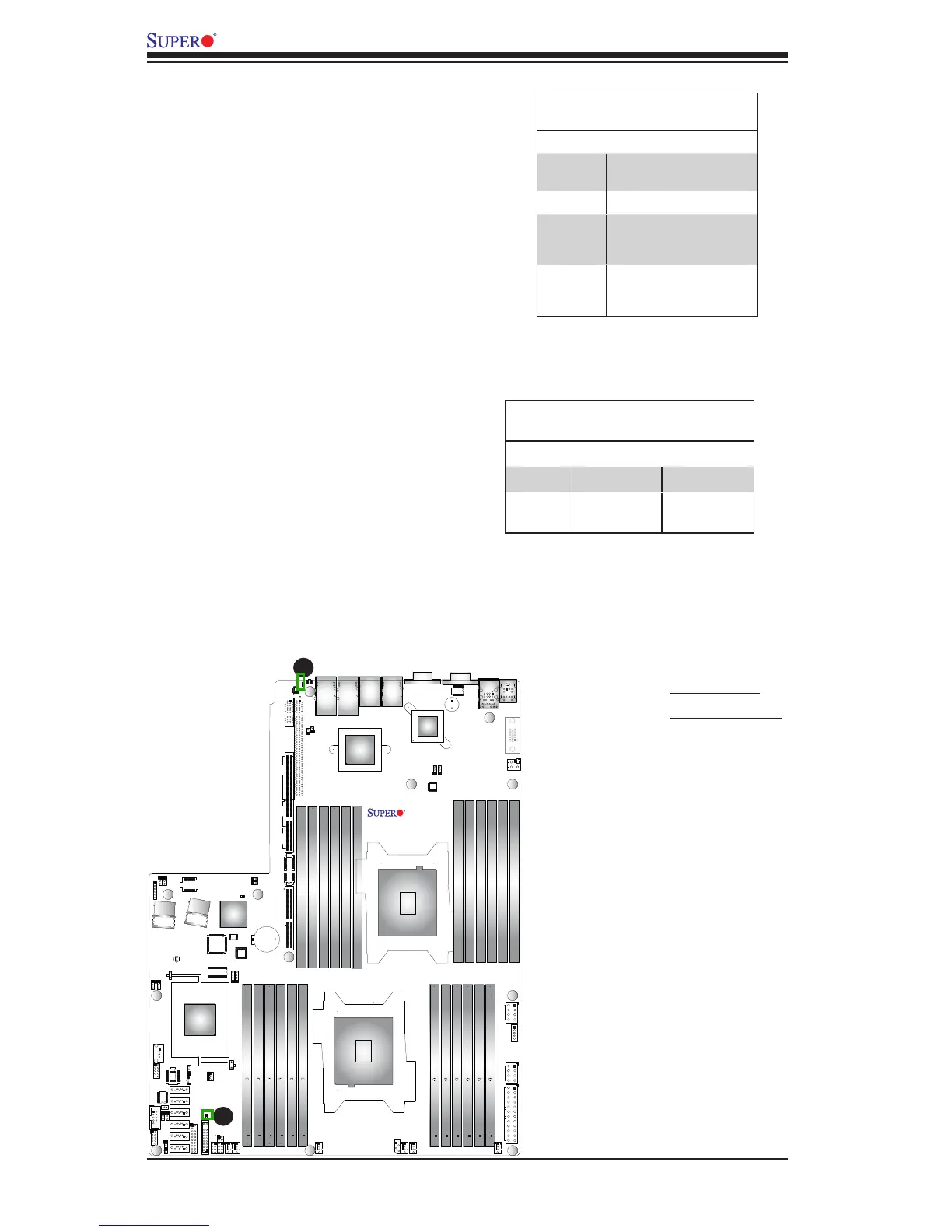
Onboard Power LED
An Onboard Power LED is located at LE1
on the motherboard. When this LED is on,
the system is on. Be sure to turn off the
system and unplug the power cord before
removing or installing components. See
the tables at right for more information.
Onboard PWR LED Indicator (LE1)
LED Settings
LED Color Status
Off System Off (PWR cable
not connected)
Green System On
Green:
Flashing
Quickly
ACPI S1 State
Green:
Flashing
Slowly
ACPI S3 (STR) State
A. PWR LED
B. Rear UID LED
A
B
Rear UID LED
The rear UID LED is located at LE2 on
the rear of the motherboard. This LED
is used in conjunction with the rear UID
switch to provide easy identication of a
system that might be in need of service.
Refer to UID Switch on Page 3-15 for
more information.
UID LED
Status
Color/State OS Status
Blue: On Windows OS Unit Identied
Blue:
Blinking
Linux OS Unit Identied



 To Next Page