B-2
X9DRW-3LN4F+/3TF+ Motherboard User’s Manual
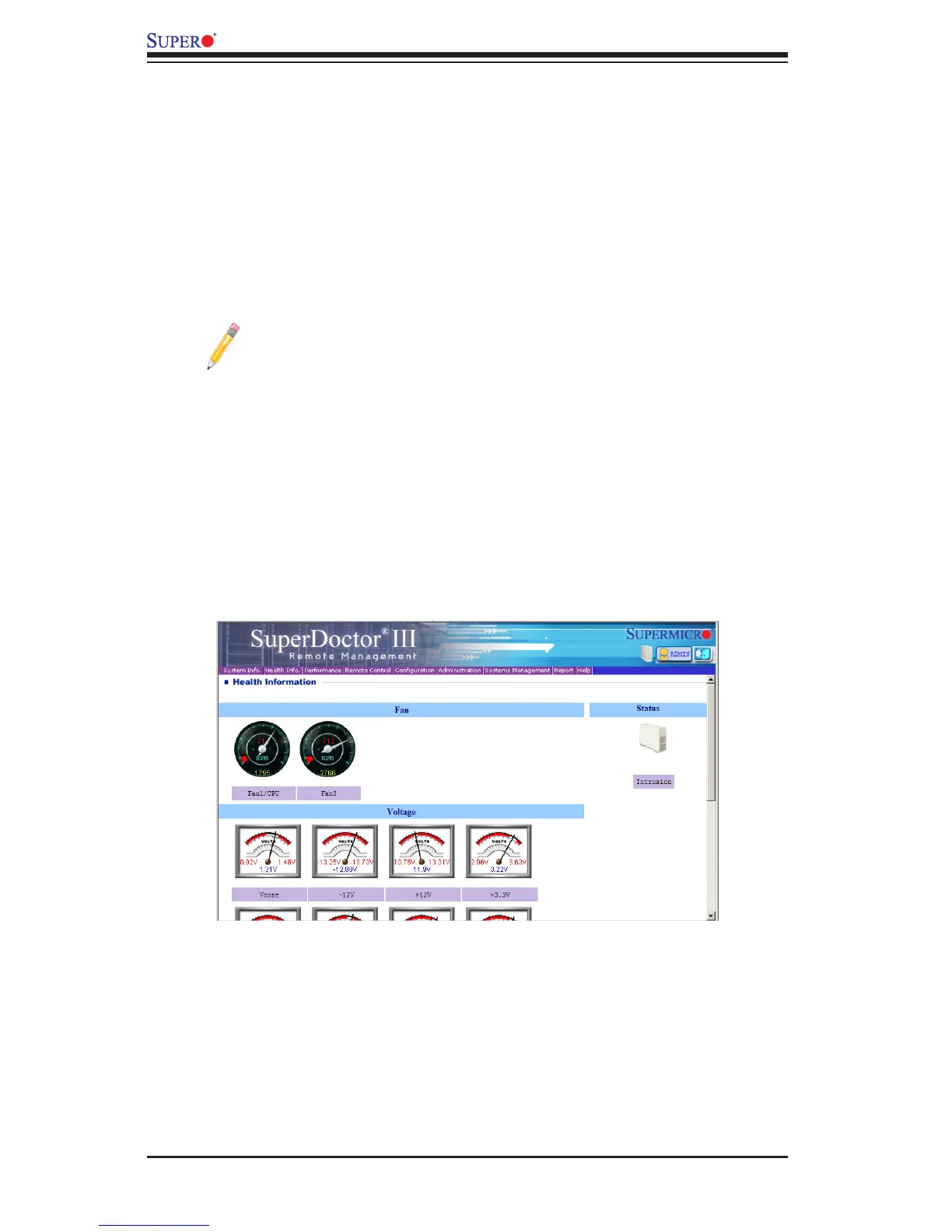
SuperDoctor III Interface Display Screen-I (Health Information)
B-2 ConguringSuperDoctorIII
The SuperDoctor III program is a Web-based management tool that supports
remote management capability. It includes Remote and Local Management tools.
The local management is called the SD III Client. The SuperDoctor III program
included on the CDROM that came with your motherboard allows you to monitor
the environment and operations of your system. SuperDoctor III displays crucial
system information such as CPU temperature, system voltages and fan status. See
the Figure below for a display of the SuperDoctor III interface.
Note: 1 The default user name and password are ADMIN.
Note 2: In the Windows OS environment, the SuperDoctor III settings
take precedence over the BIOS settings. When rst installed, SuperDoctor
III adopts the temperature threshold settings previously set in BIOS. Any
subsequent changes to these thresholds must be made within SuperDoctor
, since the SD III settings override the BIOS settings. For the Windows
OS to adopt the BIOS temperature threshold settings, please change the
SDIII settings to be the same as those set in BIOS.



 To Next Page