SXB1_3
SXB1_4
1
JUIDB1
CPU2_PORT2C
CPU2_PORT2A
CPU1_PORT2CCPU1_PORT2A
CPU1_PORT3C
CPU1_PORT3A
SXB1D
SXB1C
SXB1B
SXB2
SXB1A
P2-DIMME1
JPW4
CPU2_PORT3D
CPU2_PORT3C
CPU2_PORT3B
CPU2_PORT3A
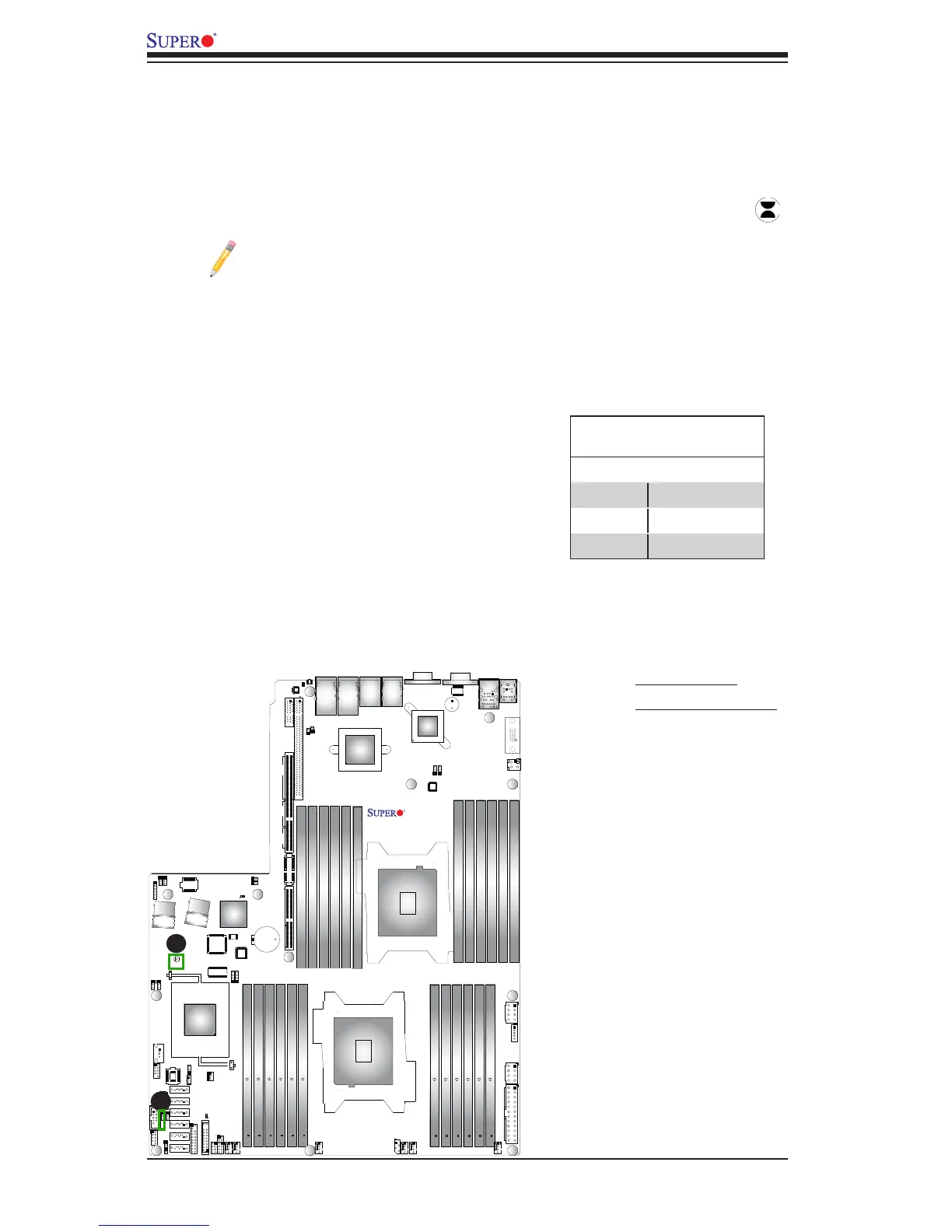
CMOS Clear
JBT1 is used to clear CMOS. Instead of pins, this "jumper" consists of contact pads
to prevent accidental clearing of CMOS. To clear CMOS, use a metal object such
as a small screwdriver to touch both pads at the same time to short the connection.
Always remove the AC power cord from the system before clearing CMOS.
Note 1. For an ATX power supply, you must completely shut down the sys-
tem, remove the AC power cord, and then short JBT1 to clear CMOS.
Note 2. Be sure to remove the onboard CMOS Battery before you short
JBT1 to clear CMOS.
Note 3. Clearing CMOS will also clear all passwords.
A. Clear CMOS
B. Watch Dog Enable
Watch Dog Enable/Disable
Watch Dog (JWD1) is a system monitor that
can reboot the system when a software appli-
cation hangs. Close Pins 1-2 to reset the sys-
tem if an application hangs. Close Pins 2-3 to
generate a non-maskable interrupt signal for
the application that hangs. See the table on
the right for jumper settings. Watch Dog must
also be enabled in the BIOS.
Watch Dog
Jumper Settings
Jumper Setting Denition
Pins 1-2 Reset (default)
Pins 2-3 NMI
Open Disabled
A
B



 To Next Page