SXB1_3
SXB1_4
1
JUIDB1
CPU2_PORT2C
CPU2_PORT2A
CPU1_PORT2CCPU1_PORT2A
CPU1_PORT3C
CPU1_PORT3A
SXB1D
SXB1C
SXB1B
SXB2
SXB1A
P2-DIMME1
JPW4
CPU2_PORT3D
CPU2_PORT3C
CPU2_PORT3B
CPU2_PORT3A
2-7 Jumper Settings
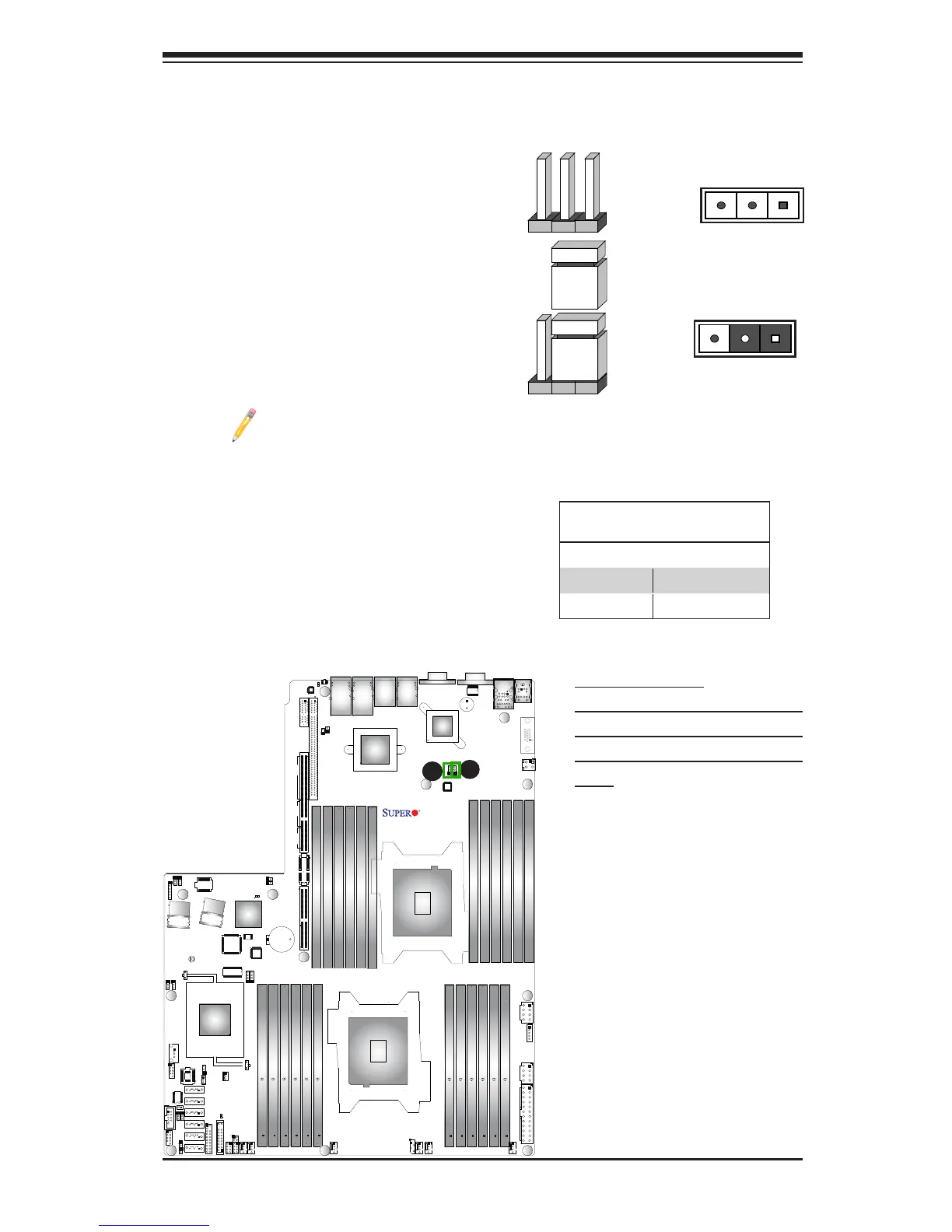
Explanation of Jumpers
To modify the operation of the motherboard,
jumpers can be used to choose between
optional settings. Jumpers create shorts be-
tween two pins to change the function of the
connector. Pin 1 is identied with a square
solder pad on the printed circuit board. See
the motherboard layout pages for jumper
locations.
Note: On two pin jumpers, "Closed"
means the jumper is on and "Open"
means the jumper is off the pins.
Pin 1-2 short
3 2 1
3 2 1
GLAN/10G_LAN Enable/Disable
Use JPL1 to enable/disable LAN Ports 1/2,
and use JPL2 for LAN Ports 3/4. See the
table on the right for jumper settings. The
default setting is Enabled.
LAN1/2, LAN3/4 Enable
Jumper Settings
Jumper Setting Denition
1-2 Enabled (default)
2-3 Disabled
A. GLAN1/2 Enable
B. 1G_or 10G_LAN 3/4 Enable
(X9DRW-3LN4F+ supports 1GLAN
ports, -3TF+ supports 10GLAN
Ports)
A
B



 To Next Page