AMI Codes-II
Maintenance
A-96.250.571 / 050517 49
6.4. Verification
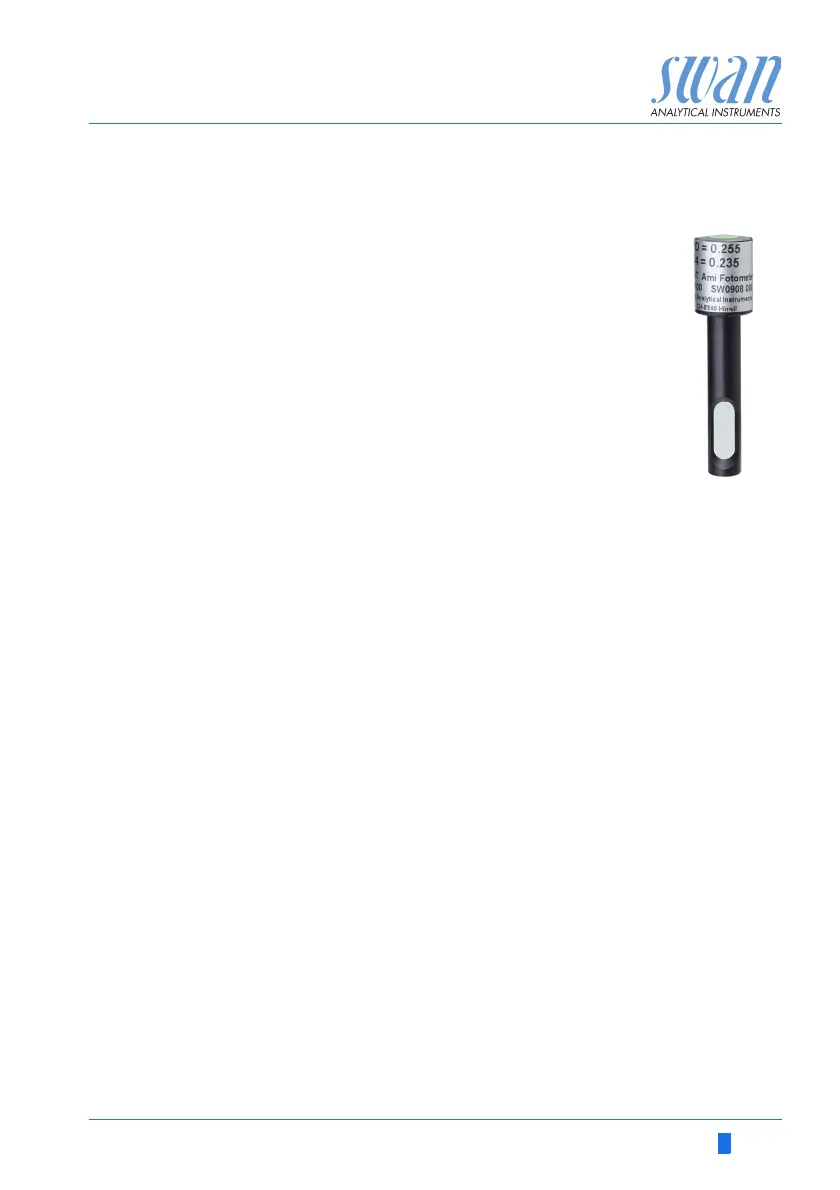
The “Verification kit for AMI Photometer” is available as
an accessory. An optical window with a precisely deter-
mined absorbance value is placed into the light beam
of the photometer. The actual measured absorbance
will be compared to the reference value labeled on
each kit.
Set reference
value:
Prior to performing the verification the DPD reference value, e.g.
0.255, needs to be set in menu 5.1.4
<Installation>\<Sensors>\<Ref. Verification>.
Verification
procedure:
Basically follow the dialog in menu 3.2.1
<Maintenance>\<Service>\<Verification>.
NOTICE: Start any time, if a measuring cycle is in progress wait
for next prompt.
1 Stop sample flow by closing regulating valve. Wait for next
prompt: Constant head will be drained and an automatic zero
will be defined.
2 Open cuvette of the photometer and insert the verification filter.
[Enter] to continue.
3 Align the triangle shape either to the front– or backside and ad-
just for minimal absorbance (see AMI Display).
4 Press [Enter] to save the verification measurement. The verifi-
cation is successful if the difference is within the limits. [Enter] to
continue.
5 Remove filter, close cuvette and open regulating valve. [Enter]
to finish and [Exit] to the main display.
Verification
history:
Can be reviewed in menu 2.2.1.5
<Diagnostics>\<Sensors>\<Photometer>\<Ver. History>


 To Next Page