AMI Trides
Installation
A-96.250.111 / 211019 21
3.5. Install the Temperature Sensor
The temperature sensor is fixed to the panel with an adhesive tape
and already connected to the front end PCB in the AMI transmitter.
To install the temperature sensor proceed as follows:
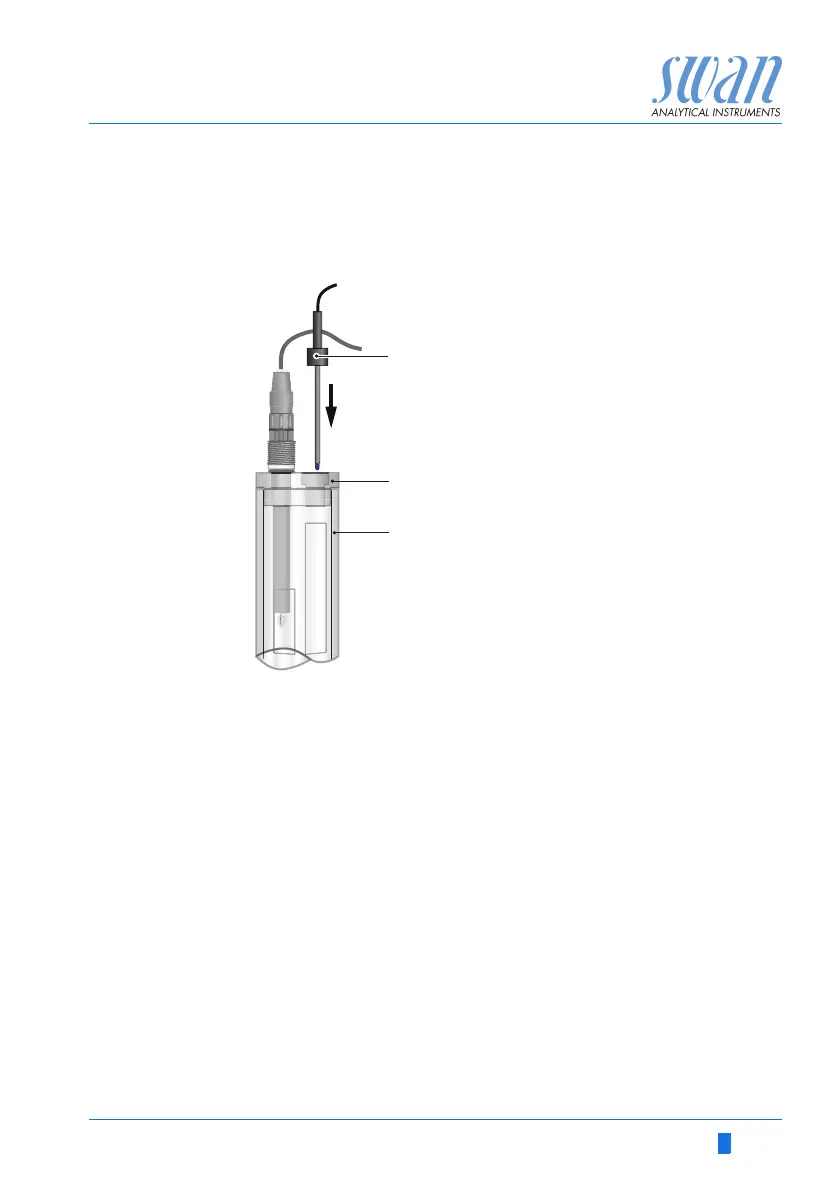
1 Remove the temperature sensor [A] from the panel.
2 Put the temperature sensor in the designated hole of the con-
stant head cover [B].
3 Push it into the hole as far as it will go.
3.6. Install the Optional pH or Redox Electrode
The following description assumes that the installation of the pH or
redox electrode takes place after commissioning of the monitor.
A
B
C
Temperature sensor
Constant head cover
Constant head


 To Next Page