AMI Trides
Maintenance
A-96.250.111 / 211019 45
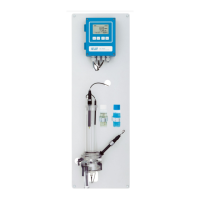
6 Hold the Trides sensor [F] with one hand while unscrewing and
removing the 2
nd
knurled nut.
7 Remove the Trides sensor from the flow cell.
Take care not to spill the sample remaining in the sensor.
8 Remove the rotor [C] from the Trides sensor.
9 Clean the tow orifices [E] with a pipe cleaner.
WARNING
Hydrochloric acid.
Hydrochloric acid may be used to remove strong calcareous de-
posits.
Hydrochloric acid causes severe skin burns and eye damage.
Carefully read the Safety Data Sheet before handling hydro-
chloric acid
Cleaning 1 Clean the rotor with a soft tissue.
2 Cautiously wipe the sensor with a soft tissue, mainly the plati-
num parts and the whole area which is in contact with water.
If necessary, strong calcareous deposits can be eliminated with
1% hydrochloric acid.
3 After cleaning rinse all parts well with clean water.
Install 1 Put rotor on the sensor.
2 Install the Trides sensor into the flow cell.
3 Fasten the knurled nuts hand-tight.
4 Connect the BNC connector to the Trides sensor.
5 Open the sample flow.
6 As soon as the rotor is turning, switch on power.
NOTICE: After cleaning the sensor, the measuring value may
be too high. Let the instrument run for about 24 h.


 To Next Page