GB.GOLDSK509.091101
We reserve the right to alter specifications without notice.
www.swegon.com 45
INSTALLATION
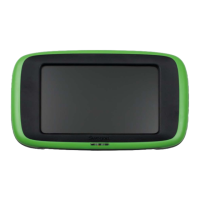
13 HAND-HELD TERMINAL
13.1 Language
The language desired can be set here. Normally this set-
ting is entered when the air handling unit is started for the
first time and the question ÄNDRA/CHANGE? automati-
cally appears in the hand-held terminal.
However, the language setting can be changed at any
time.
Settings:
Value Setting Factory
range settings
Language Current languages English
is listed in the menu.
13.2 Air flow unit
The air flow unit desired can be set here.
Settings:
Value Setting Factory
range settings
Flow unit l/s m3/s
m3/s
m3/h
13.3 Min/Max Adjustment
Used for restricting the setting range at user level for set-
points as well as for min. and max. temperature limits.
Settings:
Value Setting Factory
range settings
For EA and SA regulation
Setpoint, min 10-30°C 15°C
Setpoint, max 10-40°C 40°C
For EA regulation
Min SA, min 8-20°C 13°C
Max SA, min 8-20°C 18°C
Min SA, max 16-50°C 25°C
Max SA, max 16-50°C 45°C
For ERS regulation 1
Breakpoint, min 12-26°C 15°C
Breakpoint, max 12-26°C 23°C
EA/SA Diff, min 1-7°C 1°C
EA/SA Diff, max 1-7°C 5°C
EA = Extract air
SA = Supply air
ERS= Extract air temperature-related supply air temperature-
regulation
13.4 Base Settings
Used for saving and resetting the settings.
BASE SETTINGS 1 and 2 are two levels where the user
him-/herself saves current settings and activates them
when needed.
The two base settings can be used as a summer setting
and as a winter setting of the air handling unit.
The values in INITIAL SETTING 1 and 2 saved in the internal
memory can be transferred to the external MMC memory
by entering SAVE SETTINGS. EXTERNAL MEMORY.
The values can be transferred from the external MMC
memory to the internal memory by entering FETCH
EXTERNAL MEMORY.
INITIAL SETTING 1 and 2 must be downloaded into the
control unit by entering INTERNAL MEMORY, LOAD NEW
SETTINGS.
Under SAVE EXTERNAL MEMORY, there is a function that
can save current settings to the MMC memory.
Current settings can be stored directly in the control unit
under FETCH EXTERNAL MEMORY
FACTORY SETTINGS resets the air handling unit’s settings
to the original values it had when it was supplied (See
19.2 Commissioning Record).
The preset values for communication and alarm priority
are not reset if the factory settings are reinstated.
Settings:
Value Setting range
Save/fetch setting
Save setting – internal memory Save new setting 1
Save new setting 2
external memory Save setting 1
Save setting 2
Save current setting
Save all
Load/fetch – internal memory Load new setting 1
Load new setting 2
external memory Fetch setting 1
Fetch setting 2
Fetch current setting
Fetch all
Factory setting Activate
HAND TERMINAL
*HANDTERMINAL SET*
LANGUAGE
AIR FLOW UNIT
MIN/MAX SETTING
BASE SETTINGS




 To Next Page