14. Body Cover
14-7
Luggage Box
Removal
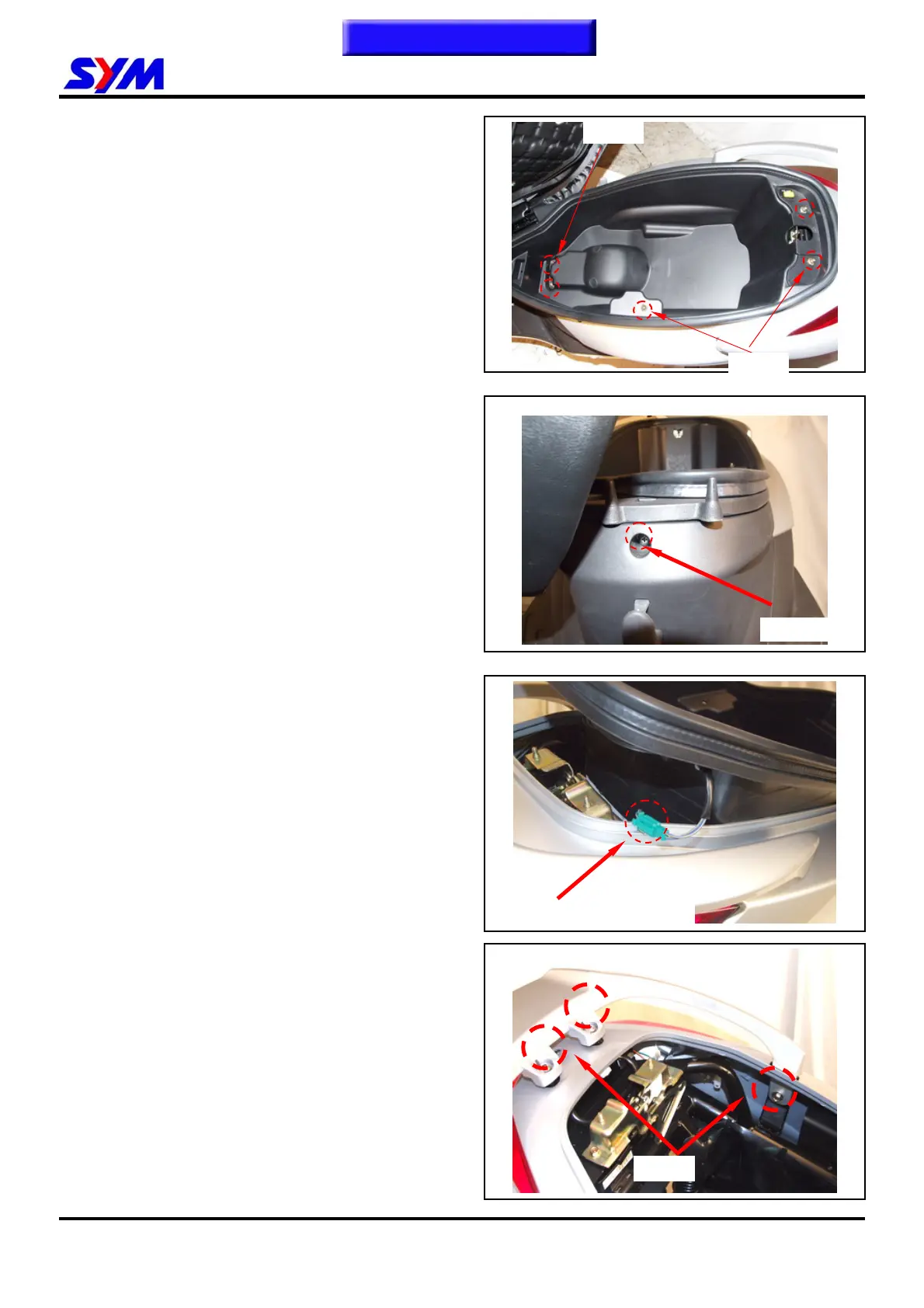
Remove the luggage box locknuts and bolts on
the inner side.
Remove the luggage box screw on the front
side.
Disconnect the engine start control switch.
Remove the luggage box assembly.
Installation
Install in the reverse order of removal.
Rear Carrier
Removal
Remove the rear carrier bolts.
Remove the rear carrier.
Installation
Install in the reverse order of removal.
3 nuts
2 bolts
1 screw
Engine start control switch
4 bolts
To this chapter contents



 To Next Page
 Loading...