Press [OK]. The shutdown progress screen will appear and once shutdown is complete analyzer
will turn off. Turn SP-series analyzer [OFF] at mains power switch. Perform analyzer start-up
procedure (see page 22)
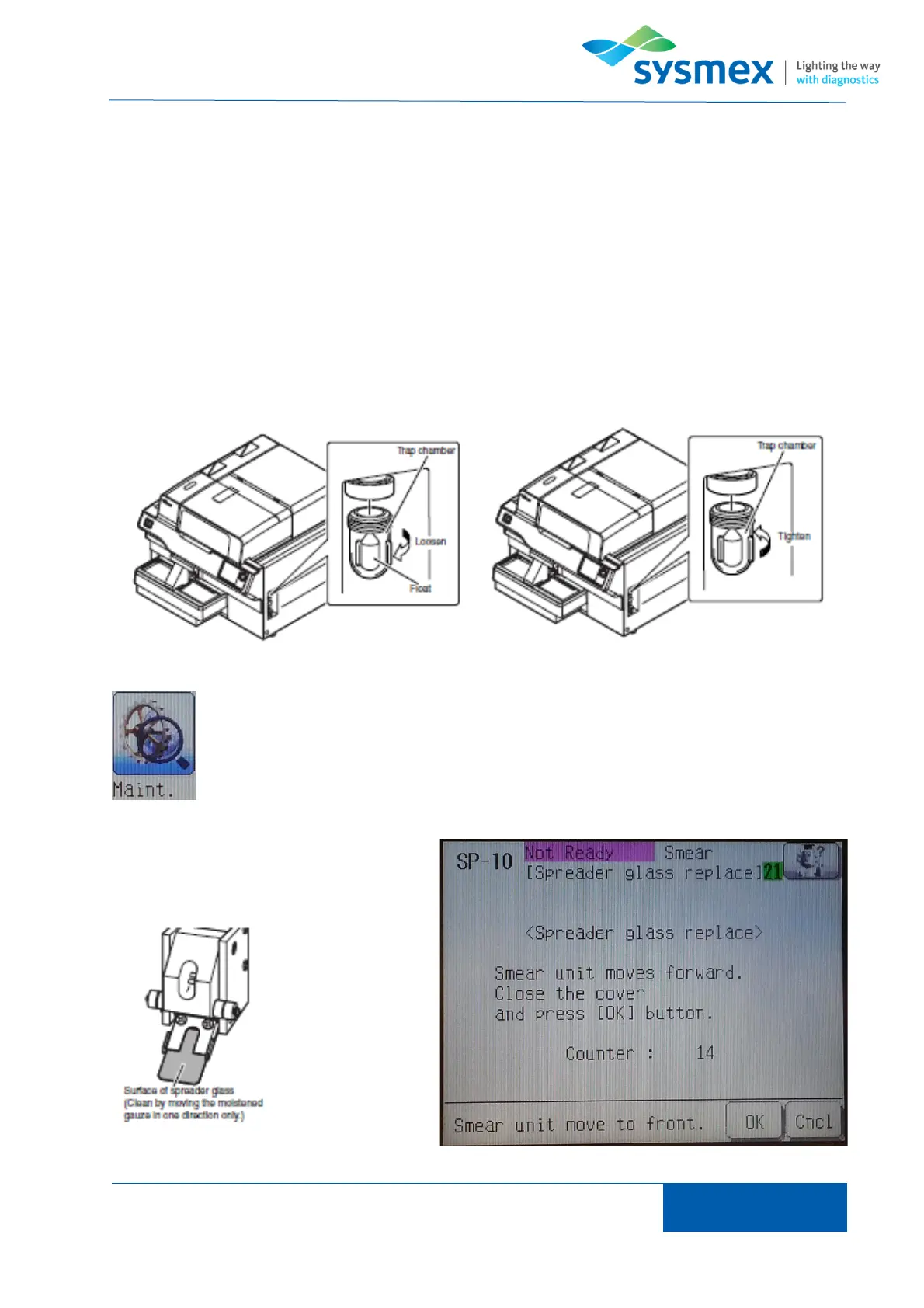
Check Trap Chamber
The trap chamber prevents fluid flowing back into the analyzer if a blockage should occur and
therefore should be checked on a daily basis.
While analyzer is shut down check trap chamber. The trap chamber should be free of fluid. If fluid
is found in trap chamber unscrew trap chamber and discard fluid. Clean and dry both trap chamber.
Place float back in trap chamber with the rounded end facing down and pointy end facing up.
Replace trap chamber.
Cleaning Spreader Glass
From main menu select [Maint.] and
[Spreader glass] to open ‘Spreader glass
replacement’ menu. Press [OK] to move
smear unit forward.



 To Next Page