8
Notice that:
The charging current passes through both the Charging Fuse and the 12v DC Fuse,
so if for some reason the 12v DC fuse is blown, there will be no battery charging,
although the charging voltage exists (yellow LED ON).
The backup battery should never left to be deeply discharged, it may harm the battery,
therefore if the charging source is expected to be disconnected for a long period, the
backup battery has to be disconnected as well, otherwise when the charging is
restarted, the deeply discharged battery may draw a high charging current that may
cause over heating of the Charge limit resistor or even blow the Charging Fuse
(F3).
The red LED of the USB will start lighting only after the Start Button is pushed, indicating
that the system is now up and running. Together with the USB LED of the power supply board,
the red LED on the Mother Board and the three red power LEDs on the CPU Board █ █ █
will start lighting as well.
The procedure of switching up and shutting down the DREAM 2 controller are explained in
details at paragraph 1.2 below.
1.1.2 The Mother Board
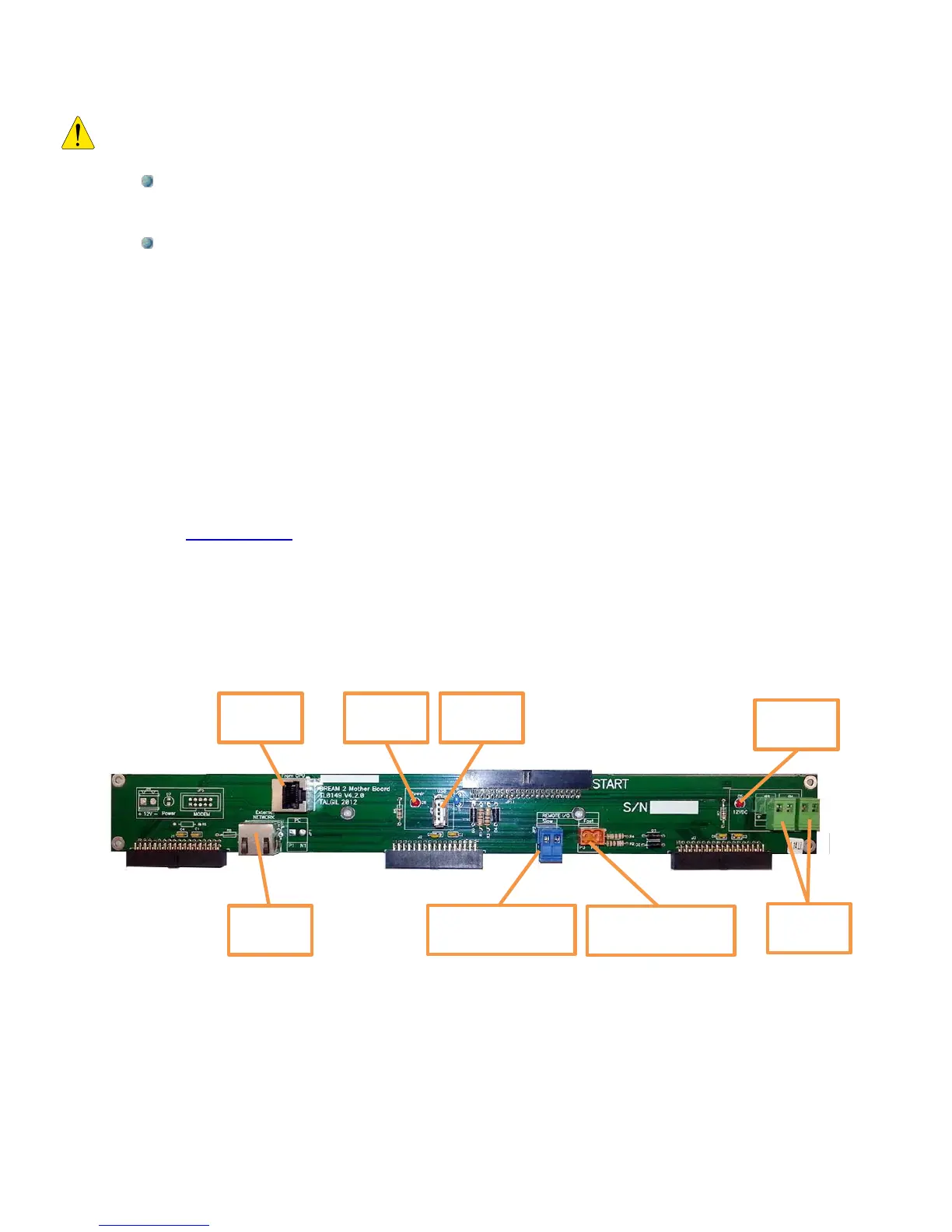
The following drawing shows the main components of the Mother board:
At the right side there are two green sockets from which 12v DC can be obtained. This voltage
is available after the Start Button has been pushed and as long as the DREAM 2 application
has not been shut down by the Shut Down command.
The Remote I/O RS485 sockets (blue and orange) are the connection points of the two wired
peripheral communication lines to all the interfaces which are installed externally to the DREAM
2 case. Here the polarity is important The P and N wires should not be mixed.
Remote I/O RS485
addresses 1 to 16
Remote I/O RS485
addresses 17 to 32



 To Next Page