9
The USB socket can be used for connecting USB memory sticks for uploading/downloading the
image files into the controller or for updating the software version. Another use of the USB
socket will be for connection of a Netsctick for cellular communication (see below).
In case the communication is meant to be through the Ethernet or LAN (Local Area Network),
the two Ethernet sockets will be used. The internal socket is for connection between the
Mother board and the Ethernet card (attached on top of the CPU board), the external
socket is for the cable that goes to the Ethernet source on site.
1.1.3 The CPU board
The CPU board can be found underneath the front panel, at the back of the LCD display.
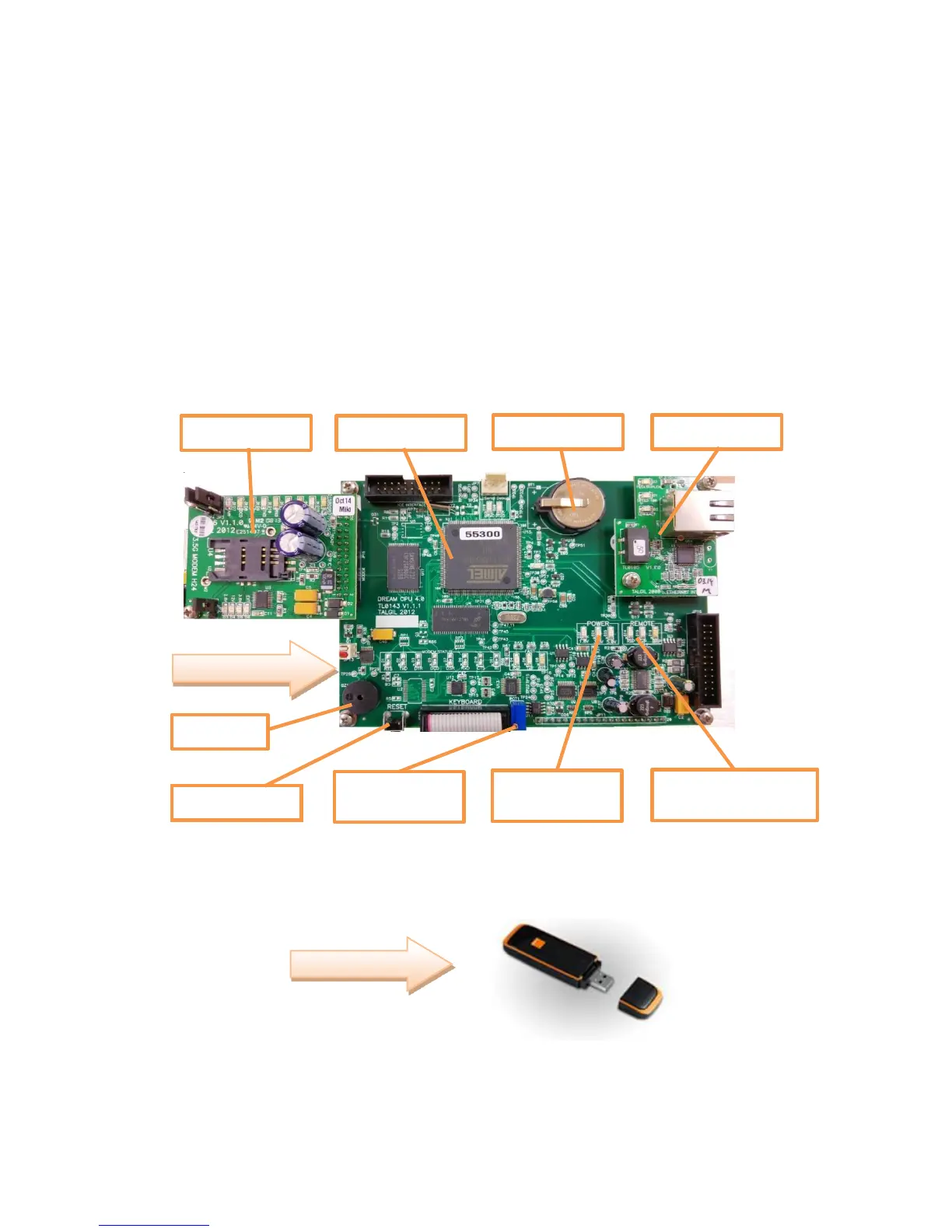
Let’s get familiar with some of the components on the CPU board:
The Cellular modem and the Ethernet card are two of the three options for connection to
the internet. The third is a USB Netstick that can be plugged into the Mother board.
The Lithium battery keeps the internal clock running while the CPU board is disconnected
from energy source.
Remote I/O
communication LEDs



 To Next Page