59
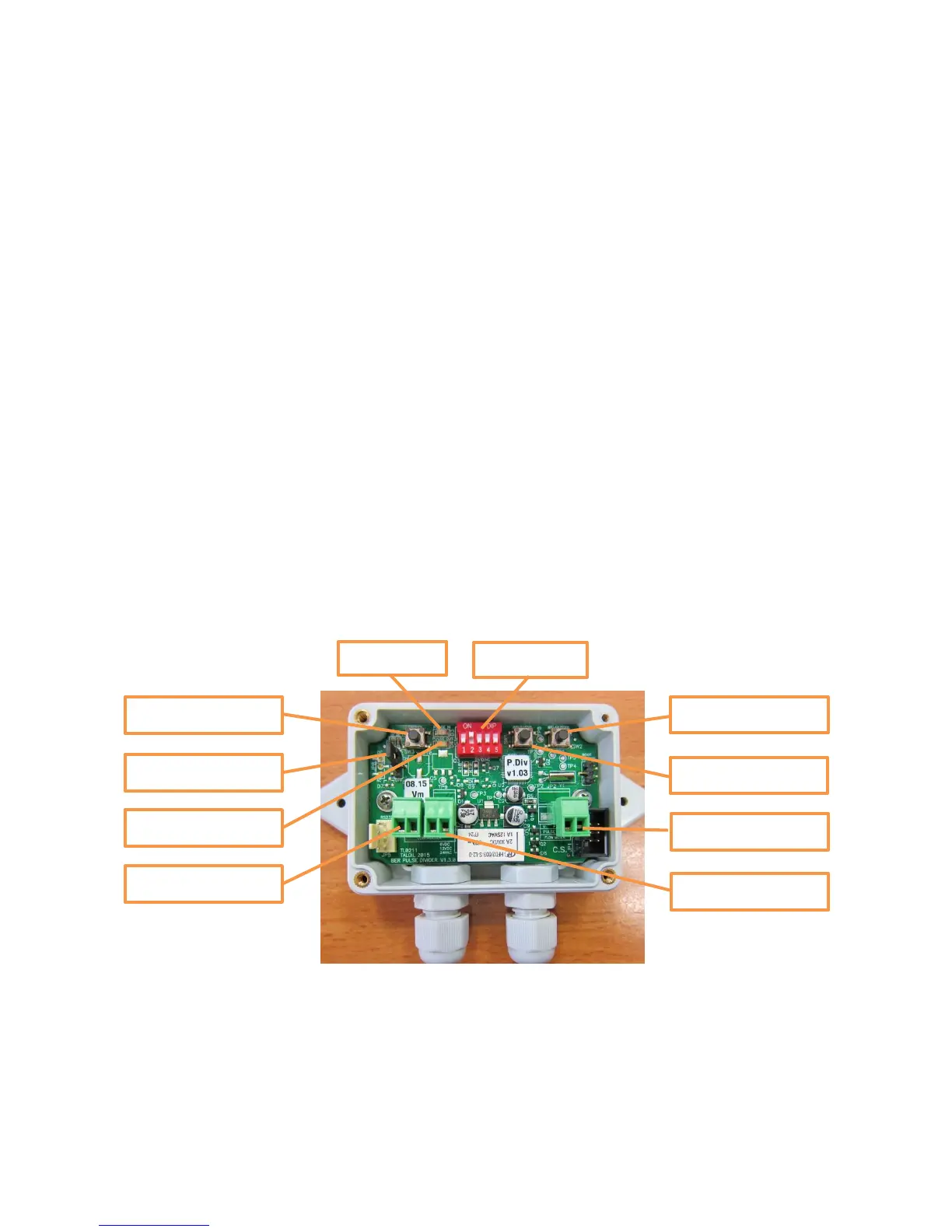
9.3.1 The Push Buttons
There are 3 push buttons with the following functions:
Reset button- restarts software.
Indicator button-changes the function of the indication LEDs (explained below)
Test relay button-turns the output relay ON and OFF repeatedly
9.3.2 LED indicators
There are 2 LED indications, the RED LED represents the input and the GREEN LED represents
the output.
The two LEDs behavior depends on the Indicator button:
Regularly when the Indicator button is not pushed, the blinks a short blink whenever a pulse is
emitted at the output. The RED LED will regularly remain off but it will blink a short blink when
the rate of input pulses is too high, in this case a higher division factor should be selected.
When the Indicator button is pushed and held down, the GREEN LED will show the actual status
of the input and the RED LED will show the actual status of the output, a closed contact will
turn the LED ON, and open contact will turn it OFF.
9.3.3 The Jumper
When in upper position, enables LEDs operation and when in lower position Disables the LEDs
operation.
Energy
The unit can be powered either by 6v DC or 12v DC or 24vAC. The current consumption is 15-
60 µA with LEDS off, 2.8 mA with one LED on, 5.6 mA with 2 LEDs ON.



 To Next Page