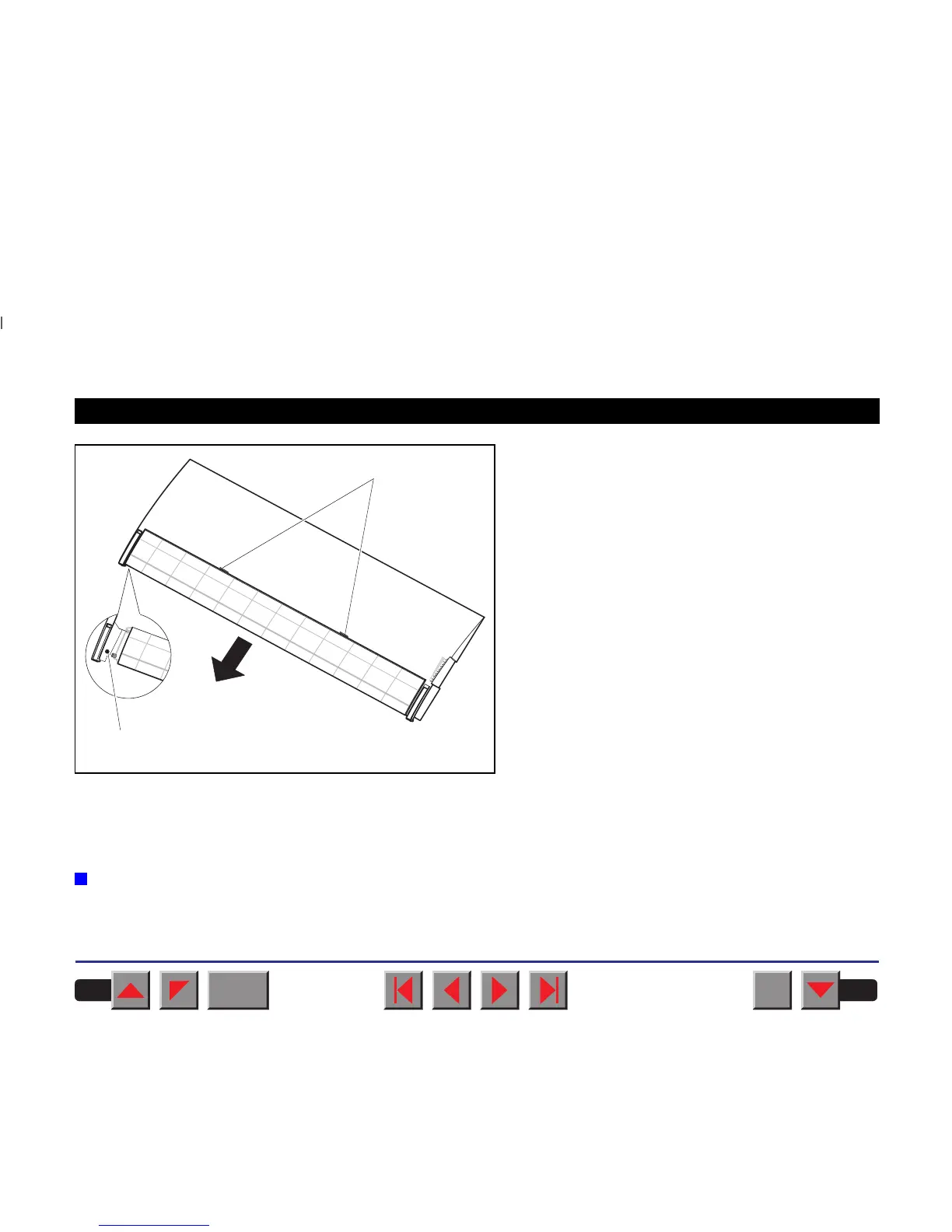
It is recommended to remove the tear edge from the
top cover when using thick forms. To remove the
tear edge, hold it in the middle and pull it towards the
rear until the locking tabs ➀ slide out of their loca-
tions. Then bend the tear edge slightly to remove it
from the left and right holders ➁.
Remount the top cover.
Press the Online key to set the printer to ready
status. When the printer receives data from the com-
puter, the first sheet is automatically loaded. Press
the Load key to load a sheet before starting the
printout.
➤ Tractor 2
Preparing the printer Select the Tractor2 parameter with the paper path quick selection
feature (see chapter
Settings [I]
,
Paper path quick selection
), in the
Setup menu of the printer (see chapter
The menu
) or via an application
program.
➀
➁
BACK
QUIT
?
PRINT
Reference manual Options and Accessories
182



 To Next Page