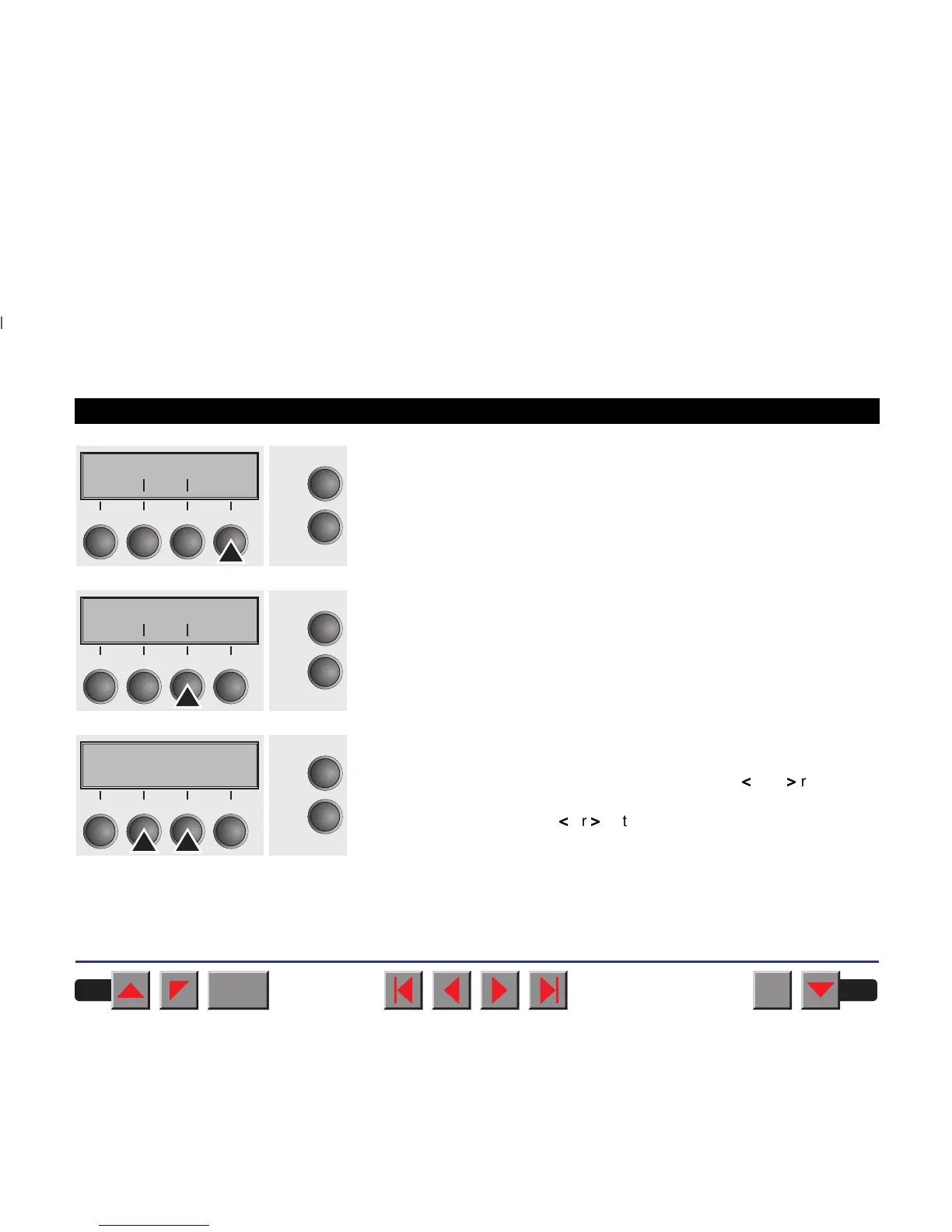
Press the key Next several times until the display indicates Language.
Select the key Language.
The display now changes to Parameter mode and indicates English in
the top line.
The lower line displays Set and Exit. The two arrows
<
and
>
represent
the symbols for parameter selection (“<” indicates descending and “>”
ascending). Press the key
<
or
>
until the desired language is displayed,
in our example German.
Print Menu
Online
Setup
Back Next
21
3
4
MenLock Language
Online
Setup
Back Next
21
3
4
English *
Online
Setup
Set < > Exit
21
3
4
BACK
QUIT
?
PRINT
Reference manual The Menu
49



 To Next Page