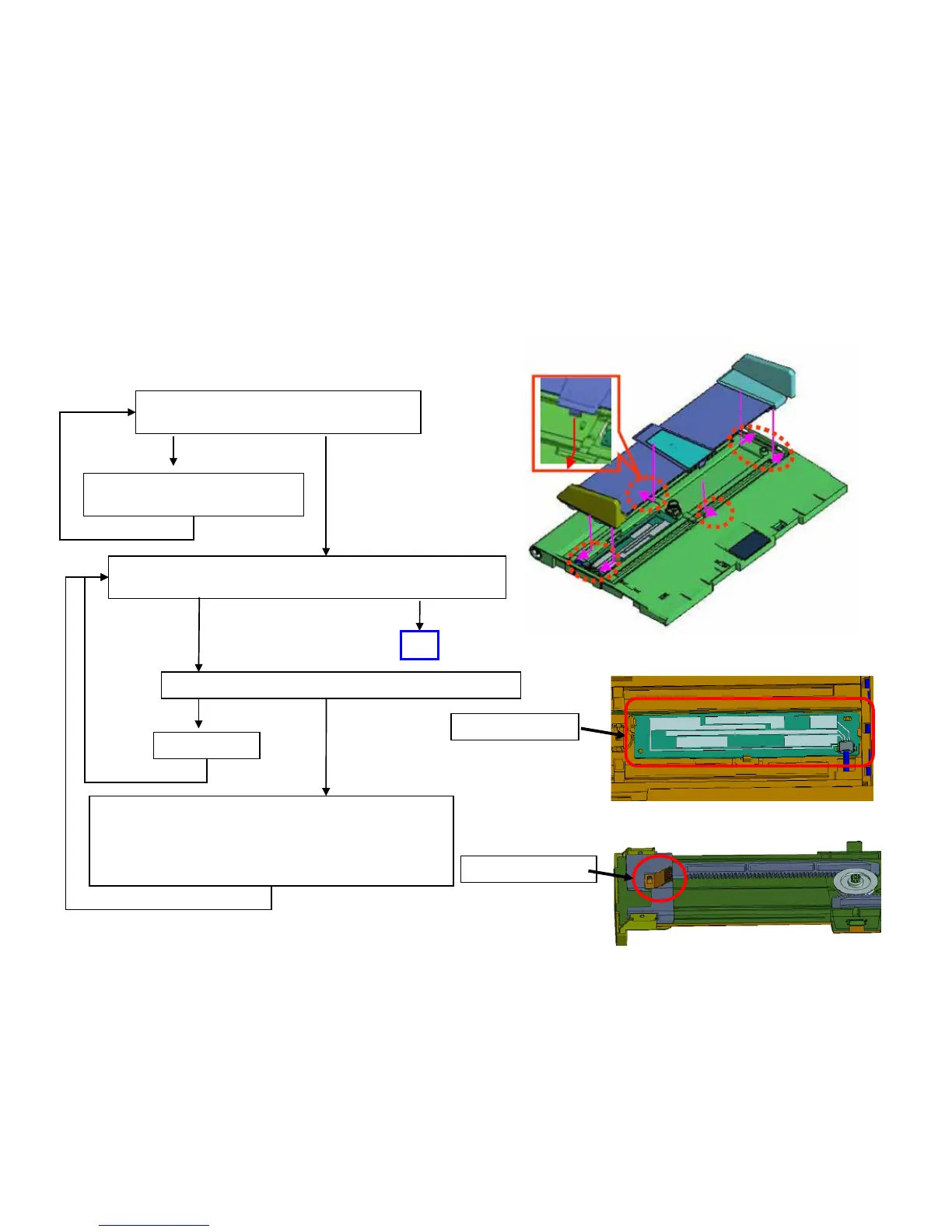
DP Size Detection Error
Set 1 sheet of A4R (or Letter R) on DP original tray, check the
original size displayed on the operation panel.
When the size detection error occurs at DP, check below item and take measure.
Check below after detaching 6 location of claws at Fig1, if
finding the problem, clean or replace the parts (Fig.2/3)
a. Deformation of terminal
b. Dust on the terminal, PCB
c. Peel off the PCB pattern, disconnection of connector
Check whether Claws (6pcs) is not detached or not (Fig.1)
Check the Scanner firmware version by U019
2LC_1200.004.003
Lower
Above
OK
OK
NG
Insert the Claws
OK
NG
Fig.1
Fig.2
Fig.3
Terminal:3HL06110
PCB:303M801030
Download firmware above service
Upgrade Pack Ver. VV3.01
107


 To Next Page