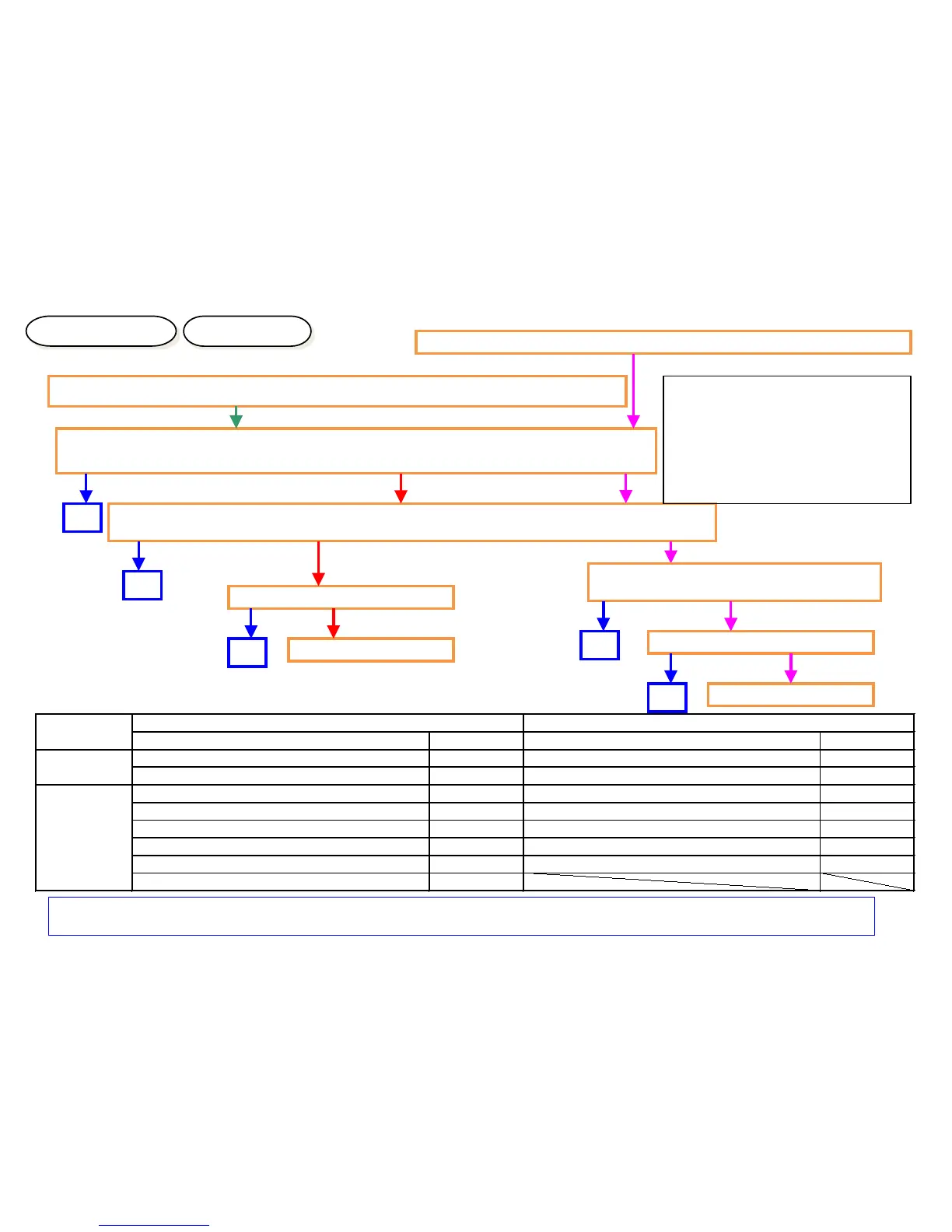
“Welcome” Screen Lock
Checking Method
Solution
Welcome Screen Lock (The screen is not changed more than 3 and half min.)
Check the connection condition of harness and connector Between the Panel and
Main PCB, between Main PCB and HDD.
1.Check the contact of DDR memory (detach and attach). (If possible, replace it.)
1.Check the contact of CODE DIMM (detach and attach). (If possible, replace it.)
Replace Panel PCB
Replace Main PCB
OK
OK
<Connector Check Points>
(Between Main and Panel I/F)
Main PCB :YC12、YC17、YC30
Panel PCB:YC1、YC2、YC3
(Between Main and HDD)
Main PCB:YC1、YC2、YC27、YC32
OK
NG
NG
NG
<Note> At appearance of CF000, if Panel LED is “light up” as stating right, DDR2 failure might be the cause.
Check the contact between YS1 or YS2 and this DDR memory.
Memory LED Light Up
Attention LED Light Up
Welcome Screen Lock (CF000 appears after 3 and half min.)
Replace Main PCB
Replace Panel PCB
OK
NG
NG
NG
NG
Check whether Panel Main PCB is
recovered by Boot mode.
OK
Product
Item Name Item Number Item Name Item Number
MAIN PCB PARTS PWB MAIN ASSY SP 302LH9414* PARTS PWB MAIN ASSY SP 302LF9417*
PARTS PWB MAIN ASSY SP EU 302LH9415* PARTS PWB MAIN ASSY SP EU 302LF9418*
PANEL PCB PARTS PWB PANEL MAIN ASSSY SP 302LC9425* PARTS PWB PANEL MAIN ASSSY SP 302K99484*
PARTS PWB PANEL MAIN ASSSY J SP 302LC9426* PARTS PWB PANEL MAIN ASSSY J SP 302K99485*
PARTS PWB PANEL MAIN ASSSY TW SP 302LC9456* PARTS PWB PANEL MAIN ASSSY TW SP 302K994B2*
PARTS PWB PANEL MAIN ASSSY CN SP 302LC9457* PARTS PWB PANEL MAIN ASSSY KR SP 302K994B4*
PARTS PWB PANEL MAIN ASSSY KR SP 302LC9458* PARTS PWB PANEL MAIN ASSSY KS SP 302K994B3*
PARTS PWB PANEL MAIN ASSSY KS SP 302LC9463*


 To Next Page