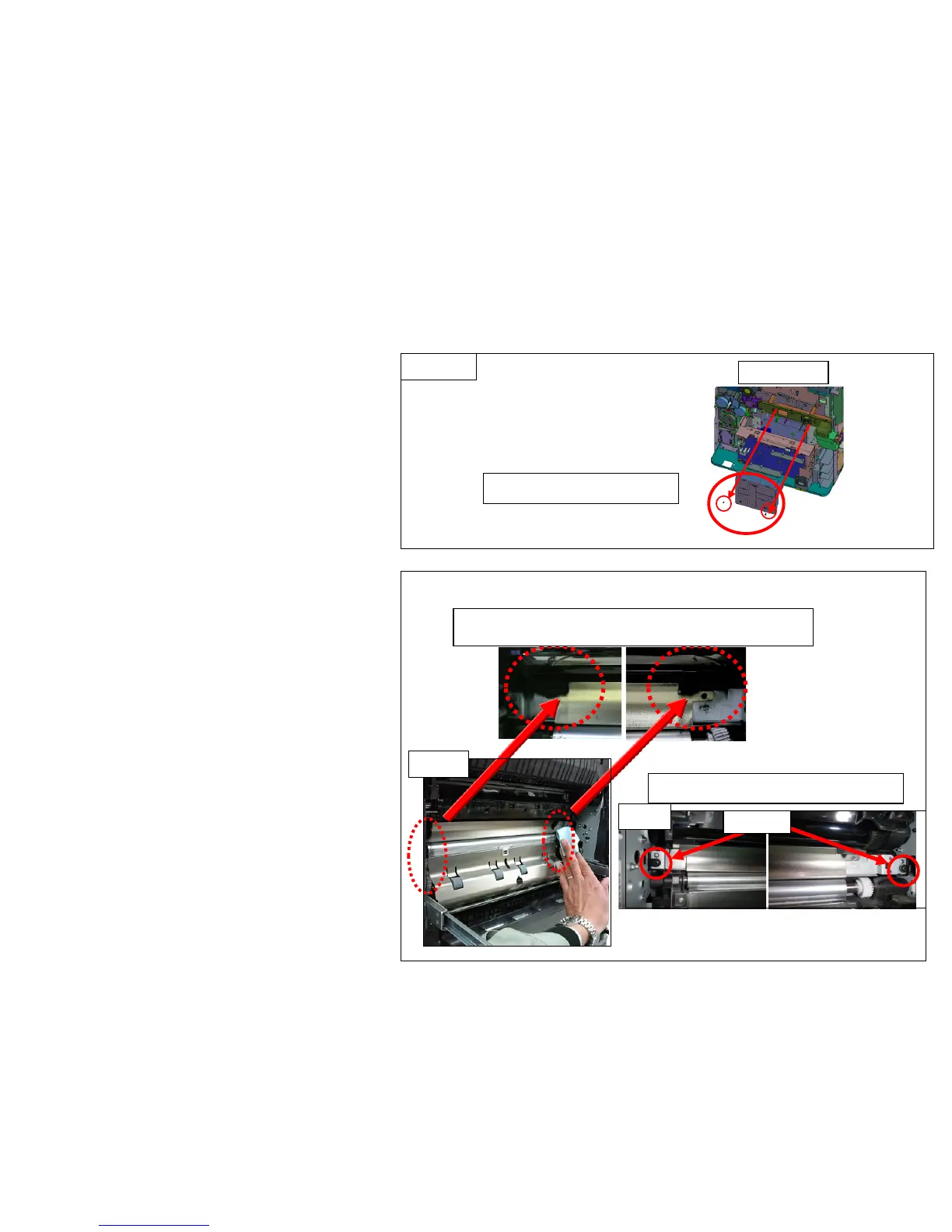
(Stains on the conveying guide)
The stains occur at the outside of paper path.
3. Cleaning Procedure
Image Smudges (2/13)
a. Preparation before cleaning
Remove the lower rear cover and toner box
(Fig.1)
Remove the developing unit and drum unit
after detaching the inner unit .
Remove the toner box.
2 screws
Fig.1
b. Clean the conveying guide .
Clean the paper feeding side of the
conveying guide (Fig.2)
At the next, remove the conveying guide
(one each at front and rear), clean the back
side of conveying guide (Fig.3)
* For cleaning, use the dry and soft cloth. (It
locates at the size indication plate slot on
1st cassette.)
Clean the conveying guide
Screw
Fig.2
Fig.3
12


 To Next Page