Black Dot / Black Mark
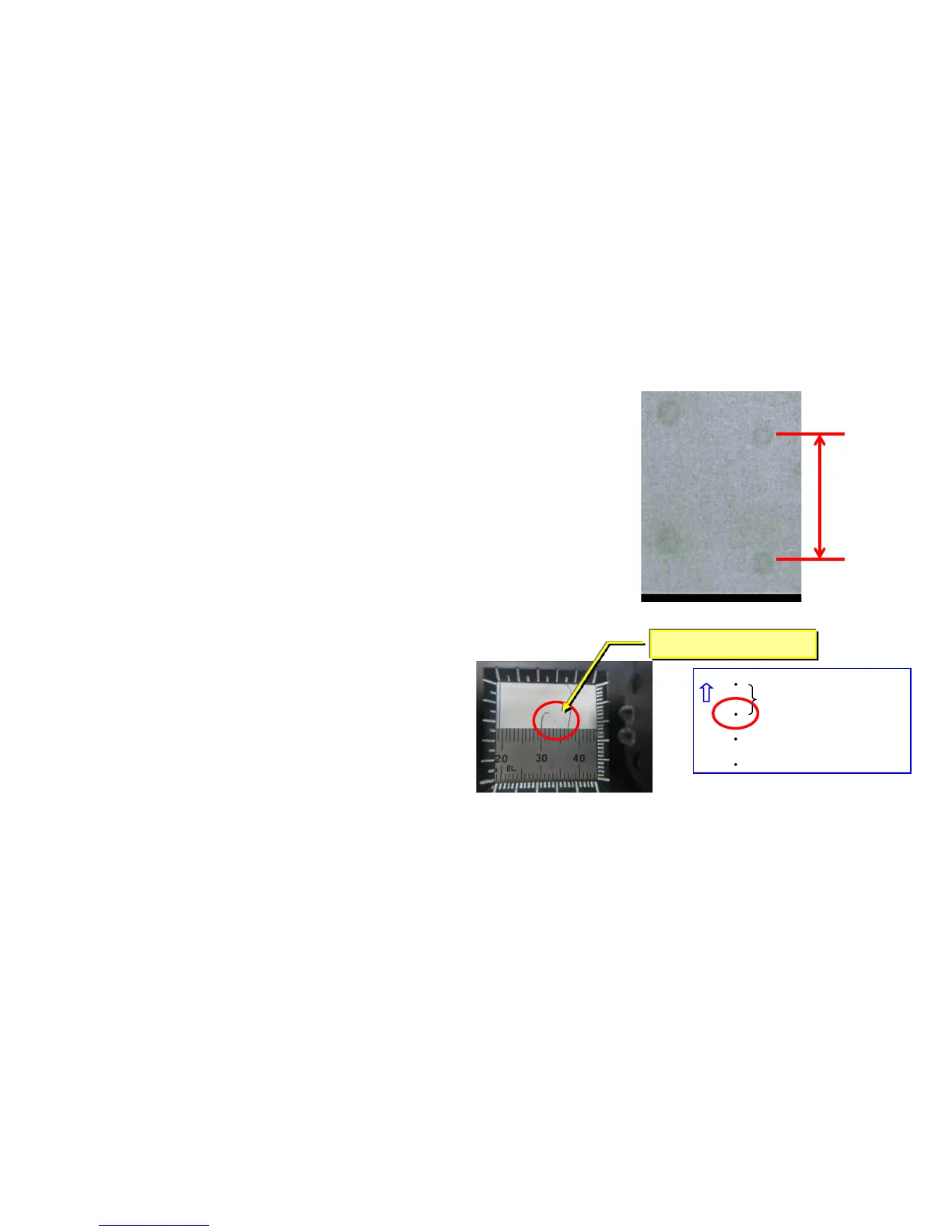
2. 45mm interval Black dots
If 45mm interval paper appears at image in the sub
scanning direction, take the following measure.
a. Check whether the foreign substance are attached
on the developing roller surface.
b. If the foreign substance attached, wipe off by the
clean cloth.
c. If no foreign substance attached or it will not be
disappeared after wiping off, replace the developing
unit.
Image
φ0.1~0.3mm
45mm
Above is to check the
black dots on the paper
by the Magnifying glass.
1. 38mm interval black dots, black marks (Charger roller)
Take the following measure if the 38mm interval black dots or marks appear
at the image In the sub scanning direction.
a. Check the 38mm interval to print out the test sample by U089 Mono4.
b. Replace the MC-6705 after confirming the dots appears 38mm interval.
c. Execute U930 charger roller counter reset after replacing MC-6705.
38mm
5


 To Next Page