oCare
TM
Pro 100
46
2.1 Spot-check
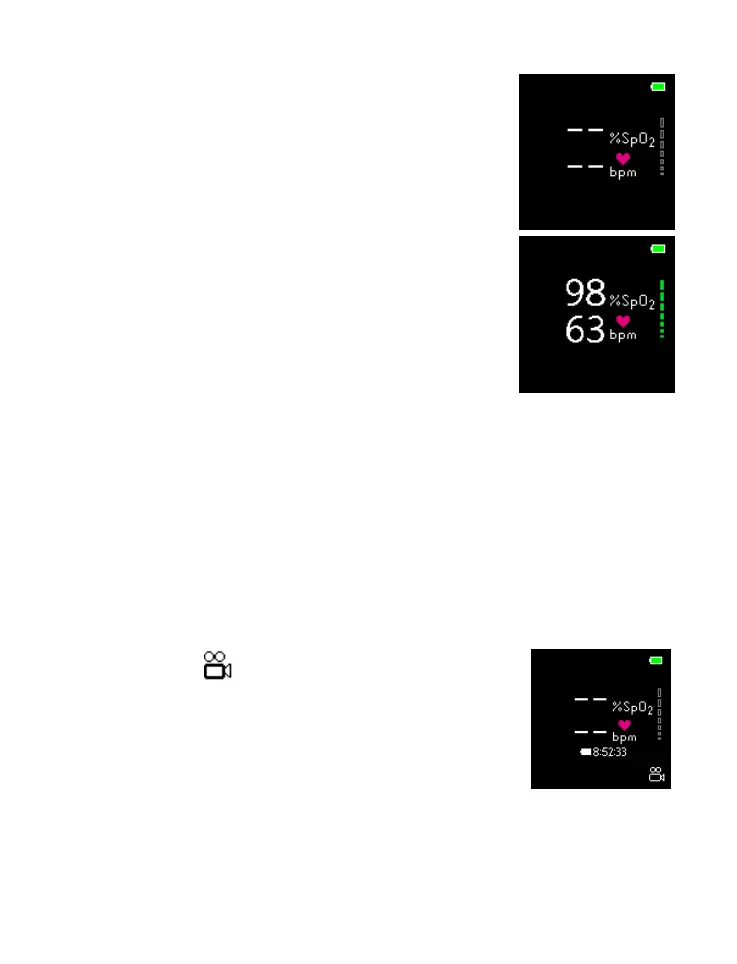
2.1.1 “--“ are displayed until the
measured reading are stabilized.
2.1.2 Once the reading is stabilized,
the PR and SpO
2
values are
displayed as right:
2.1.3 If longer observation of the
measurement value is required,
go to the Idle-Time-to-Sleep in
“SETTTING” to extend the
setting there.
2.1.4 If no button is pressed in designated time, the
device enters Sleep Mode.
2.2 Continuous Monitoring (for longer period of
monitoring)
2.2.1 Activate the continuous monitoring function in
the “CONTROL” (please refer to
“CONTROL” for details).
2.2.2 symbol is displayed in the
lower right corner of the
display as a reminder.
2.2.3 Lasting recording time would
be estimated and displayed
below the dash lines shortly for information
purpose.
2.2.4 LED INDICATOR flashes WHITE every 5



 To Next Page