Taiwan Biophotonic Corporation
51
2.4.1 Press ENTER button to enter the “SETTING”
menu.
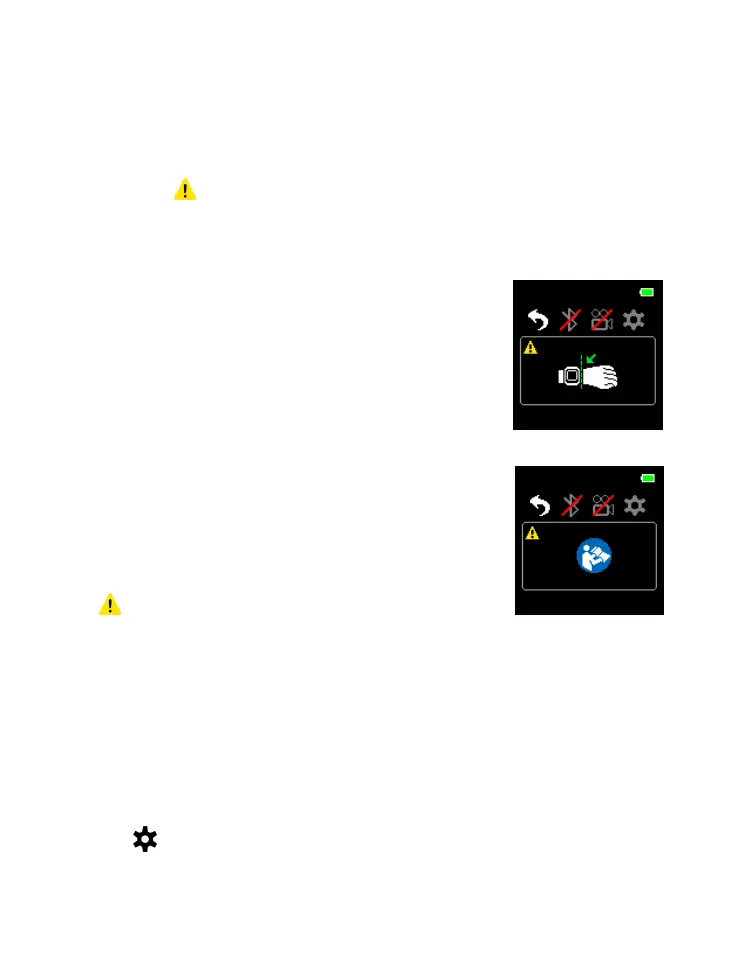
MESSAGE
1. When symbol is displayed (on the lower left corner of
the display), press ENTER button can switch to the
message directly.
2. There are two types of messages:
Poor Signal Condition
Suggest the user to adjust the
device position as illustrated in
Figure 8 for better signal reading.
Malfunction
Refer the user to “
Troubleshooting” for instruction.
NOTE:
1 symbol disappears when the situation
is resolved.
SETTING
The setting of the device can be adjusted here.
Select in “CONTROL” and press ENTER button to enter
the SETTING menu:



 To Next Page