oCare
TM
Pro 100
50
CONTROL and MESSAGE
CONTROL
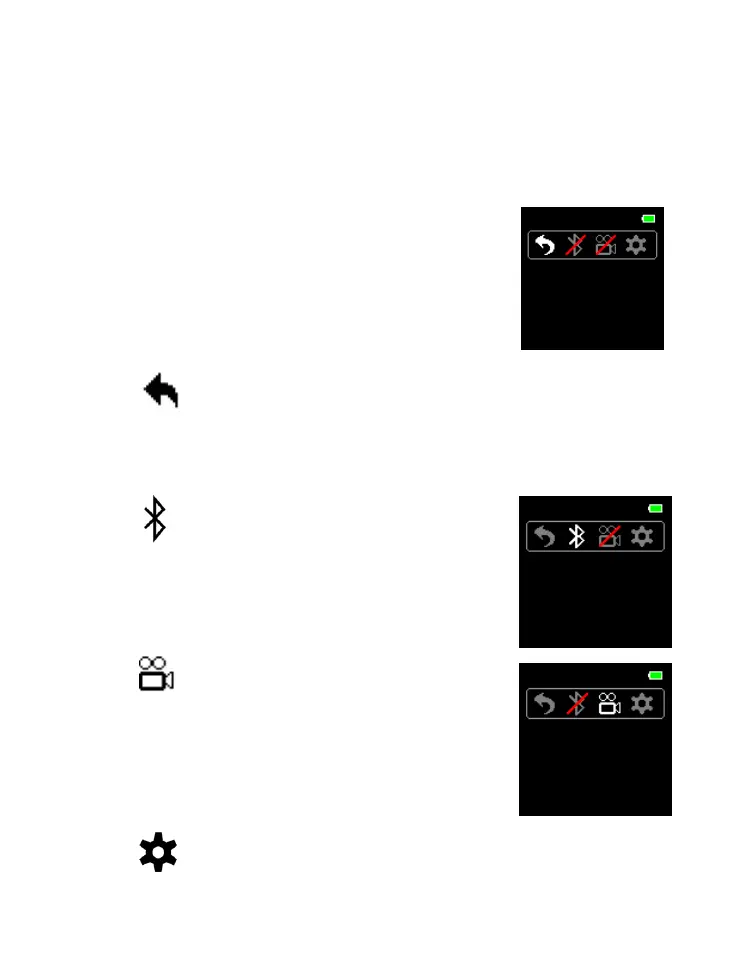
1. Press ENTER button any time to enter
CONTROL menu.
2. Press SWITCH button to select the target
symbol (the color of the unselected one
turn dark), and
2.1 Return
2.1.1 Press ENTER button to return to previous
MODE.
2.2 BLUETOOTH
®
2.2.1 Press ENTER button to
activate/deactivate the
BLUETOOTH
®
radio.
2.3 Continuous Monitoring
2.3.1 Press ENTER button to
activate/deactivate the
continuous monitoring
function.
2.4 SETTING



 To Next Page