oCare
TM
Pro 100
56
BLUETOOTH
®
Pairing Request
Before the device can be connected with other BLUETOOTH
®
master device, the devices must be paired.
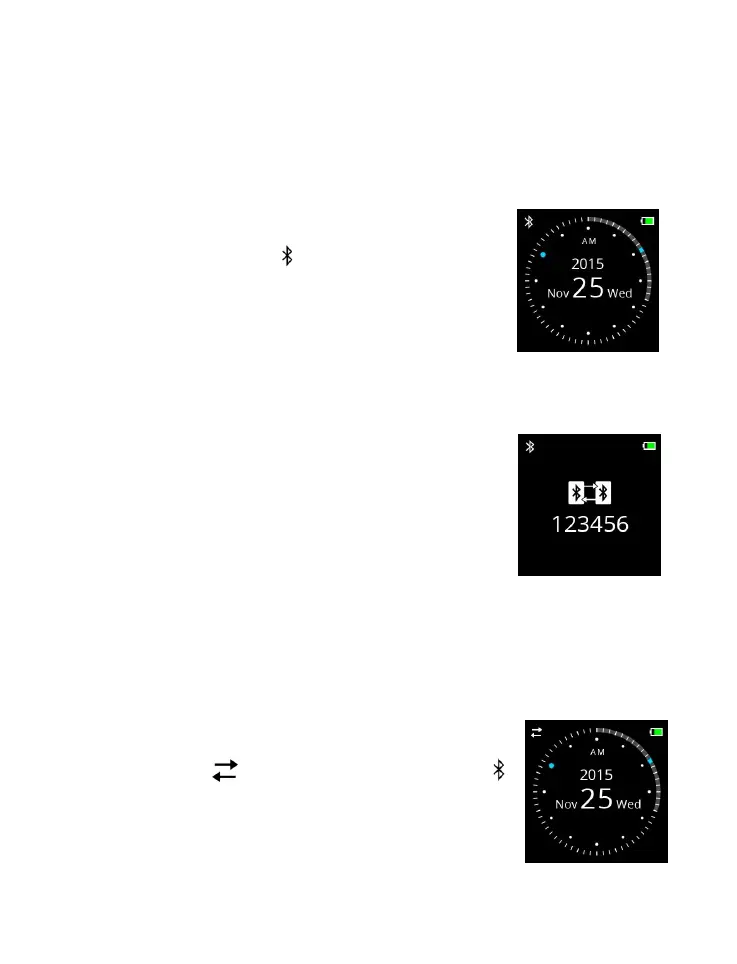
1 Turn on the BLUETOOTH
®
radio in
CONTROL. The symbol is displayed
(on the upper left corner of the display)
to indicate BLUETOOTH
®
radio ON
status.
2 When prompted with BLUETOOTH
®
pairing request
from other master device (within 10-m radius), the device
generates a random 6-digit passkey on
the display.
3 Enter the 6-digit passkey into the other
BLUETOOTH
®
master device.
BLUETOOTH
®
Connection
Once paired, the device will automatically connect to the
BLUETOOTH
®
master device when receives BLUETOOTH®
connection request.
1. Once the BLUETOOTH
®
connection is
established, symbol replaces the
symbol.
2. Start the data downloading process on the
BLUETOOTH
®
master device.



 To Next Page