16
HOLD MODE FOR 3 SECONDS to return to
Exercise Mode
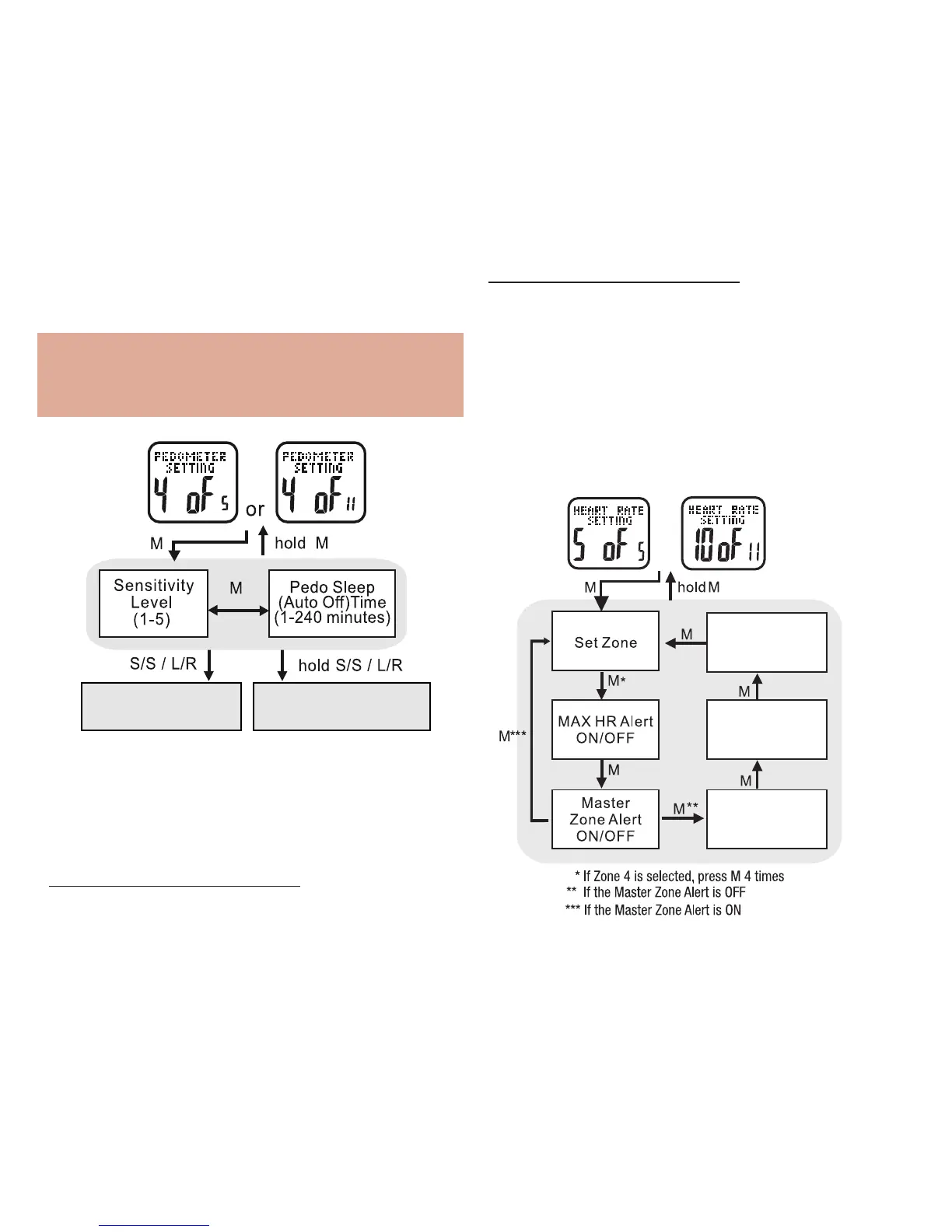
Heart Rate Setting: 5 of 5 See fig.20
Your Accelerator watch, along with the included
chest strap, provides these advanced features:
current, maximum, average, minimum and
continuous heart rates. See the following to
enter heart rate settings
fig.20
• PRESS ST/STP to adjust the pedometer’s
sensitivity level from 1-5
Note: Sensitivity range is from:
1=least sensitive to 5=most sensitive.
For most people, level 1 works best
• PRESS MODE to confirm
• PRESS ST/STP or LAP/RESET to adjust
pedometer’s sleep timer from 1 to 240 minutes
• PRESS MODE to confirm
HOLD MODE FOR 3 SECONDS to return to Exercise
Settings Menu



 To Next Page