31
3. Align the cover ARROW with the case
ARROW and gently press down until the
cover is level with the case
4. Turn the cover with a coin until the
cover ARROW again aligns to the case
DOT. See fig 37TROUBLESHOOTING
HOLD LAP/RESET FOR 5 SECONDS from
the home time display to put the watch in
power saving mode.
• PRESS any button to exit power saving
mode
BATTERY REPLACEMENT:
Your Accelerator watch requires 2 batteries:
WRIST WATCH - CR2032 Johnson Out-
doors recommends you take the wrist watch
to a jeweler for battery replacement
HEART RATE STRAP - CR2032 The battery
on the heart rate strap is user replaceable
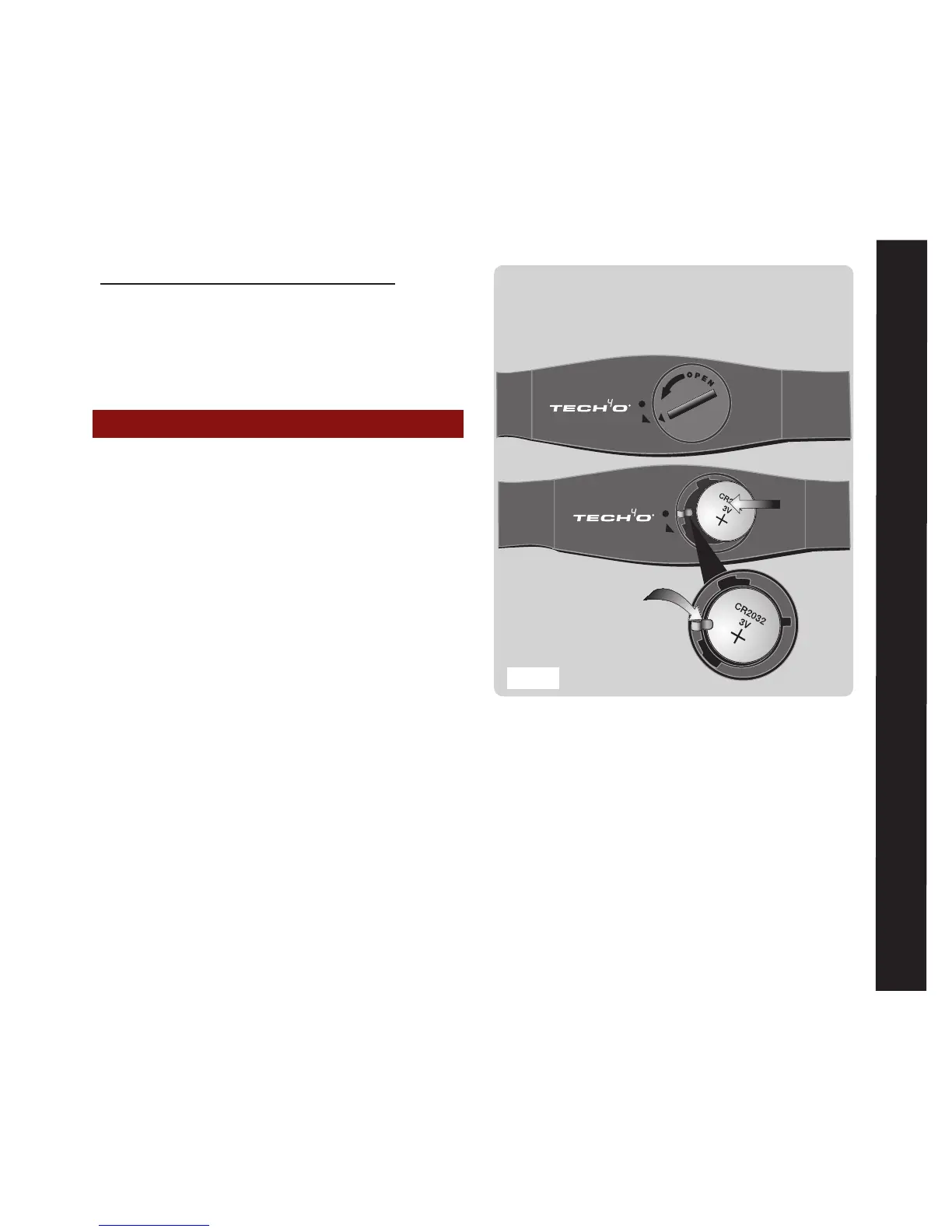
To Replace the Chest Strap battery:
1. Fit a coin into the slot on the back of
battery cover. Gently turn the cover from
the DOT towards the ARROW until the
cover pops out. Take out the old battery
and dispose of properly
2. Replace the battery with the [+] side up.
Take care to slide the battery under the
metal contact arm
Be sure to slip the
battery underneath the
metal contact arm
With a coin in the cover slot, turn the small
cover arrow just past the strap arrow and
the cover will pop up for easy removal



 To Next Page