19
HOLD MODE FOR 3 SECONDS to return to
the Main Settings Menu
HOLD MODE FOR 3 SECONDS to return to
return to the Home Time display
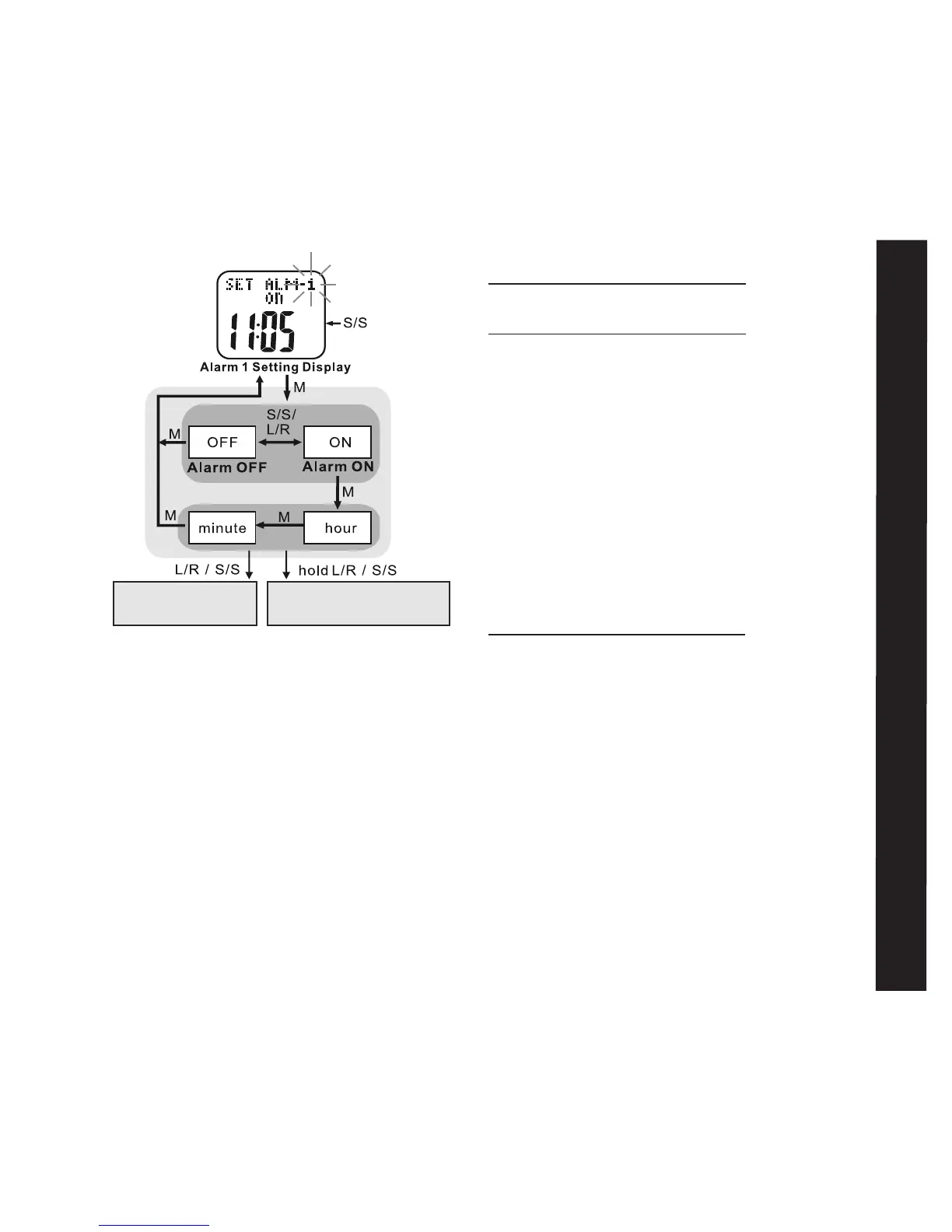
Exercise Schedule: 3 of 11 See fig. 23
Your Accelerator watch has a useful scheduling
feature for exercise mode. This allows you
to determine specific times of the day when
exercise mode will automatically turn on and
off so that you don’t accidentally forget to
record important data. Six start and/or stop
times can be set in the exercise schedule.
See the following to set your own schedule
HOLD MODE FOR 3 SECONDS in the Home
Time display to access Main Settings Menu
• PRESS ST/STP or LAP/RESET to scroll
to Exercise Schedule: 3 of 11
• PRESS MODE to enter Exercise Schedule:
3 of 11
• PRESS ST/STP to select from one of the
six exercise schedule start/stop times
• PRESS MODE to confirm
• PRESS ST/STP to select between
off/start/stop
• PRESS MODE to confirm
• PRESS ST/STP or LAP/RESET to adjust
the hour. Check whether the hour is for
AM or PM
• PRESS MODE to confirm
• PRESS ST/STP or LAP/RESET to adjust
the minute
• PRESS MODE to confirm
Repeat above steps to set the remaining
alarms
Exercise Schedule



 To Next Page