7
Countdown Timer
line for 10 seconds. After 10 seconds the
current lap time will display in the top line
and the current total elapsed time will
display in the bottom line
Repeat the above steps to record additional
lap times. A total of 50 lap times can be
recorded
• PRESS ST/STP to stop the Chronograph
To View the Recorded Lap Times: See fig.6
HOLD MODE FOR 3 SECONDS
• PRESS ST/STP to view first lap time
(REC–01
) Recorded lap time will display
in top line and Total elapsed time will
display in the bottom line
• PRESS ST/STP again to view additional
recorded lap times
HOLD MODE FOR 3 SECONDS to exit the
Chronograph memory
• PRESS MODE to exit Chronograph Mode
To Clear the Chronograph:
HOLD LAP/RESET FOR 3 SECONDS to
clear the chronograph memory
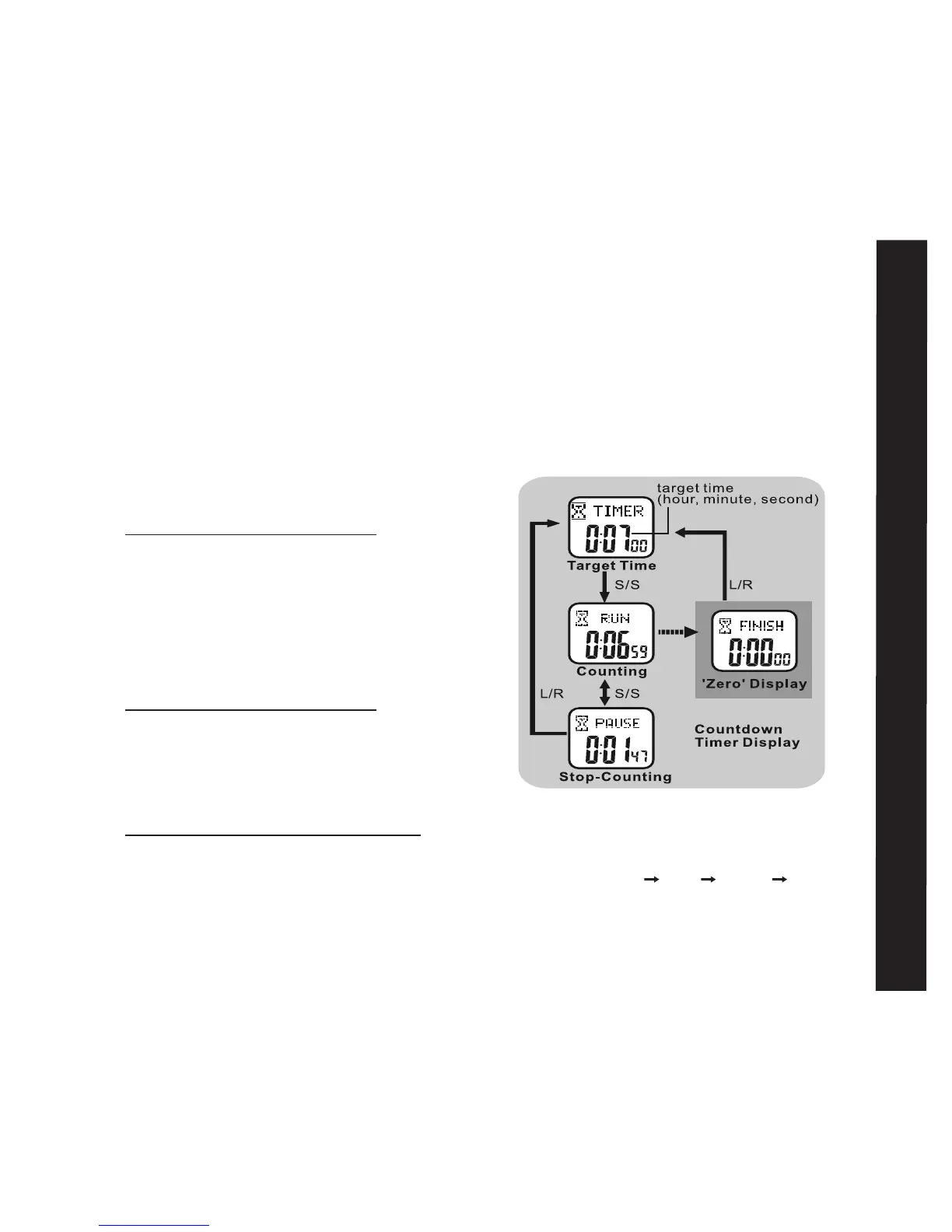
Countdown Timer Mode: See fig.7
Your Accelerator watch has a convenient
Countdown Timer. The timer can be
used for advanced training or as a quick
reminder. The timer counts backwards
from your programed time and beeps at
critical intervals. See the following to set the
Countdown Timer
Countdown Timer Mode Displays:
Top line: TIMER RUN PAUSE FINISH
Bottom line: hours, minutes, seconds
fig.7



 To Next Page