26
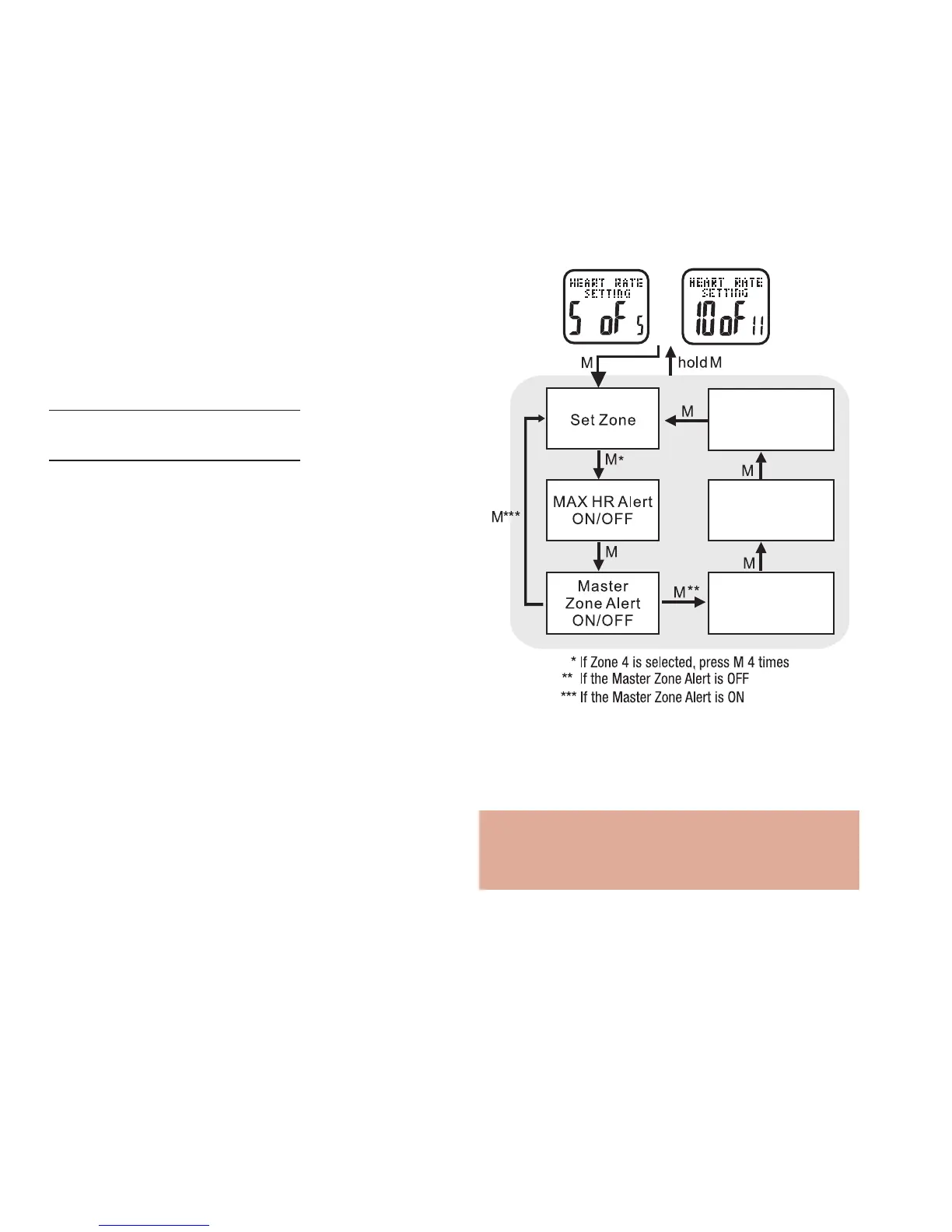
See the following 5 sections for detailed
instructions on how to set and adjust each
of the five alerts .
Note: You are able to change the limits in
zone 4 only. The setting range is 40-240
bmp. The limits in zones 1-3 are pre-set.
• PRESS ST/STP to turn the key tone on or off
• PRESS MODE to confirm
• PRESS ST/STP or LAP/RESET to adjust LCD
screen contrast
• PRESS MODE to confirm
HOLD MODE FOR 3 SECONDS to return to the
Main Settings Menu
HOLD MODE FOR 3 SECONDS to return to the
Home Time display
Heart Rate Setting: 10 of 11 See fig.30
The following five alerts can be customized for each
of the 4 heart rate zones. The active alerts will
beep every 10 seconds.
• MHR Alert - is 4 quick beeps when you exceed
your estimated maximum heart rate.
• Zone Alert - is the master volume ON/OFF for
all alerts in this zone
• Above Zone Alert - is 3 quick beeps when your
current heart rate exceeds the maximum beats/
minute for that zone.
• In Zone Alert- is 1 beep when you are in the
target zone.
• Below Zone Alert - is 2 quick beeps when your
heart rate drops below the minimum beats/
minute for that zone.



 To Next Page