20
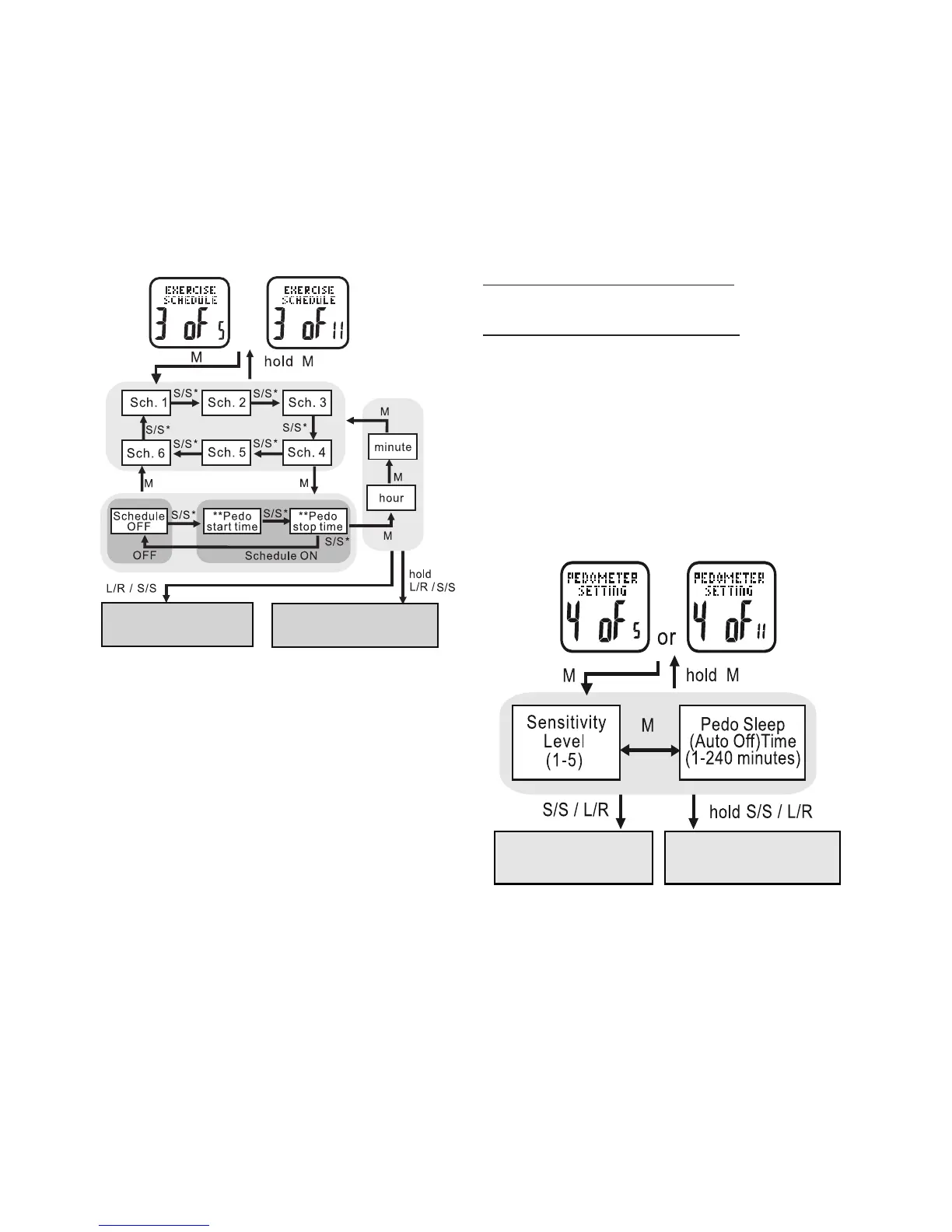
• PRESS ST/STP or LAP/RESET to adjust the
hour. Check whether the hour is for AM or PM
• PRESS MODE to confirm
• PRESS ST/STP or LAP/RESET to adjust the
minutes
• PRESS MODE to confirm
Repeat above steps to set the remaining exercise
schedule start/stop times
HOLD MODE FOR 3 SECONDS to return to
the Main Settings Menu
HOLD MODE FOR 3 SECONDS to return to
the Home Time display
Pedometer Setting: 4 of 11 See fig.24
Your accelerator watch is highly customizable;
just tailor the accelerometer sensor to
match your workout. See the following to
adjust the sensitivity and sleep timer of
exercise mode
* Press L/R to move the selection by a reverse direction
* * Either a “start” or “stop” time can be for a schedule
or
Increase or decrease
the setting
Continously increase or
decrease the setting



 To Next Page