18
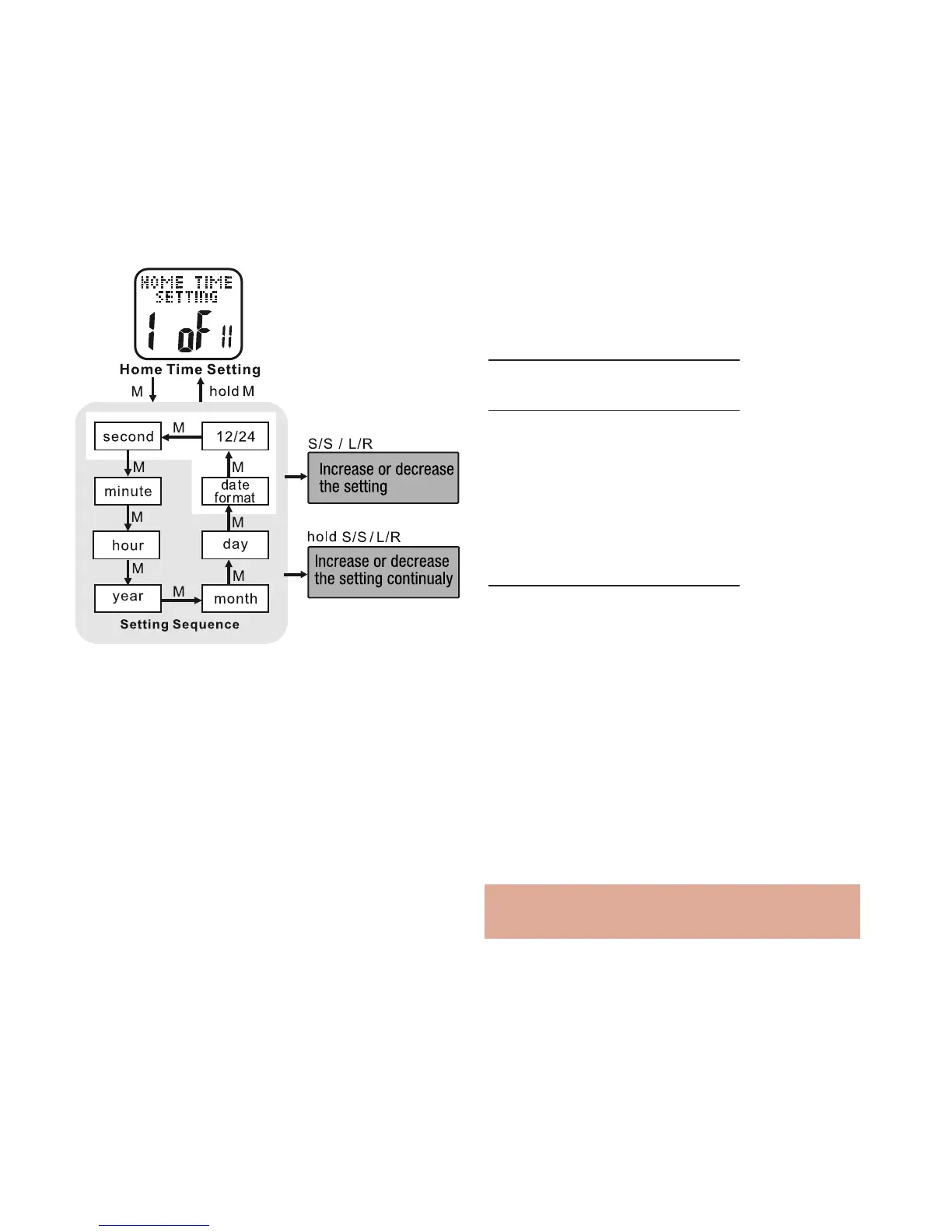
• PRESS ST/STP or LAP/RESET to adjust
the time format
• PRESS MODE to confirm
HOLD MODE FOR 3 SECONDS to return to
the Main Settings Menu
HOLD MODE FOR 3 SECONDS to return to
the Home Time display
Alarm Setting: 2 of 11 See fig.22
Your Accelerator watch has 5 Daily Alarm
Settings. See the following to set the daily
alarms
HOLD MODE FOR 3 SECONDS in the home
time display to access the Main Settings
Menu
• PRESS ST/STP or LAP/RESET to scroll
to Alarm Setting: 2 of 11
• PRESS MODE to enter Alarm Setting:
2 of 11
• PRESS ST/STP to select from 1 of the 5
daily alarms
• PRESS MODE to confirm
• PRESS ST/STP to toggle the alarm on /off
• PRESS MODE to confirm
Note: if alarm is off, you will not be able to
adjust the alarm time
• PRESS MODE to confirm
• PRESS ST/STP or LAP/RESET to adjust the year
• PRESS MODE to confirm
• PRESS ST/STP or LAP/RESET to adjust the
month
• PRESS MODE to confirm
• PRESS ST/STP or LAP/RESET to adjust the day
• PRESS MODE to confirm
• PRESS ST/STP or LAP/RESET to adjust the
day/month or month/day format
• PRESS MODE to confirm
fig.21



 To Next Page