30
HOLD MODE FOR 3 SECONDS in the Home Time
display to access Main Settings Menu
• PRESS ST/STP or LAP/RESET to scroll to Heart
Rate Setting: 10 of 11
• PRESS MODE to scroll through ABOVE ZONE,
IN ZONE, OR BELOW ZONE ALERTS
• PRESS ST/STP or LAP/RESET to turn an alert
ON or OFF
HOLD MODE FOR 3 SECONDS to return to Main
Settings Menu
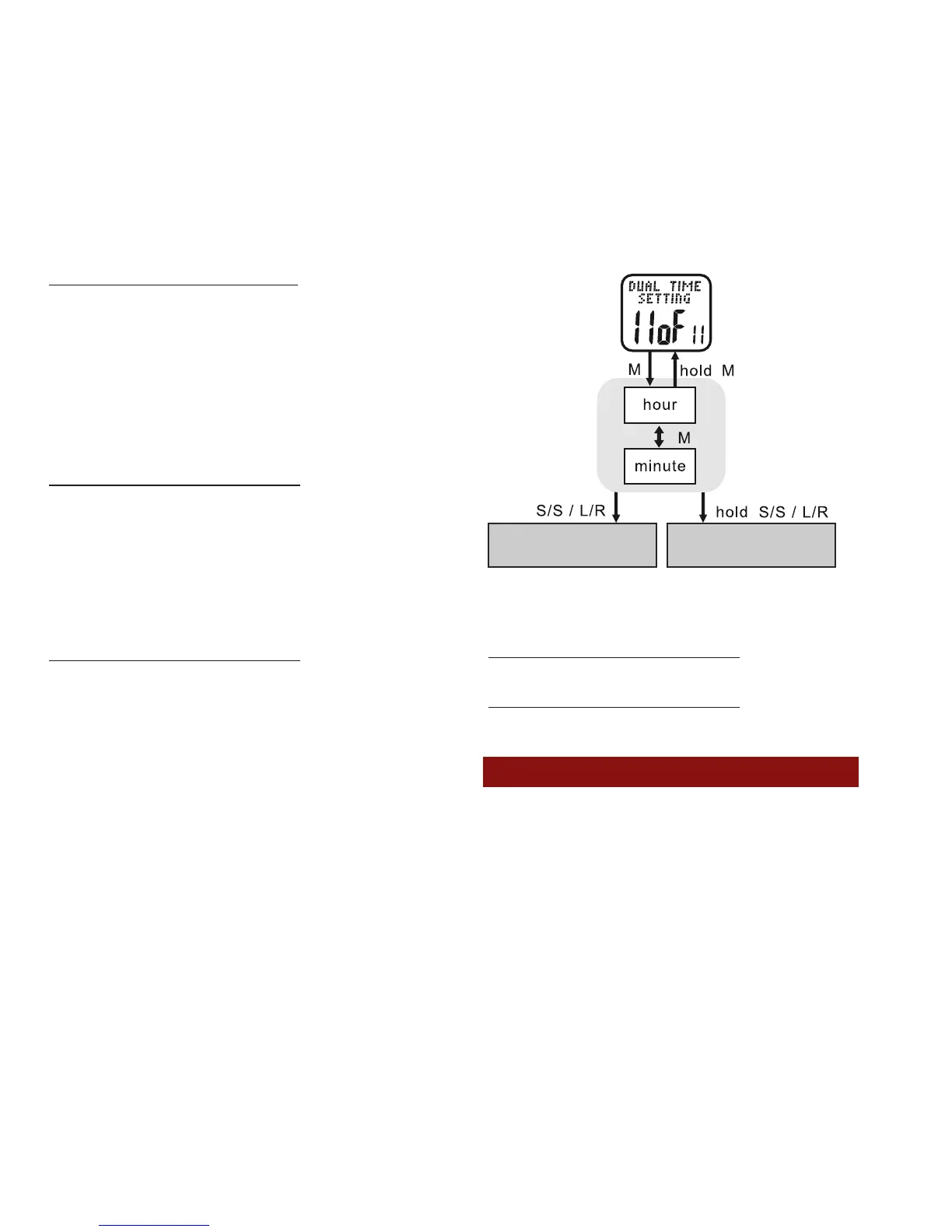
Dual Time Setting: 11 of 11 See fig.36
Your Accelerator watch is capable of storing an
alternate time zone. See the following to set up a
Dual Time and its display options
HOLD MODE FOR 3 SECONDS in the Home Time
display to access the Main Settings Menu
• PRESS ST/STP or LAP/RESET to scroll to Dual
Time Setting: 11 of 11
• PRESS MODE to enter Dual Time Setting: 11
of 11
• PRESS ST/STP or LAP/RESET to adjust the
hour. Check whether the hour is for AM or PM
• PRESS MODE to confirm
• PRESS ST/STP or LAP/RESET to adjust the
minutes
• PRESS MODE to confirm
HOLD MODE FOR 3 SECONDS to return to
the MAIN SETTINGS MENU
HOLD MODE FOR 3 SECONDS to return to
the Home Time display
POWER SAVING MODE:
All Accelerator watches have a power saving
mode to conserve battery life. The power
saving mode turns off the display but does
not turn off the watch functions



 To Next Page