29
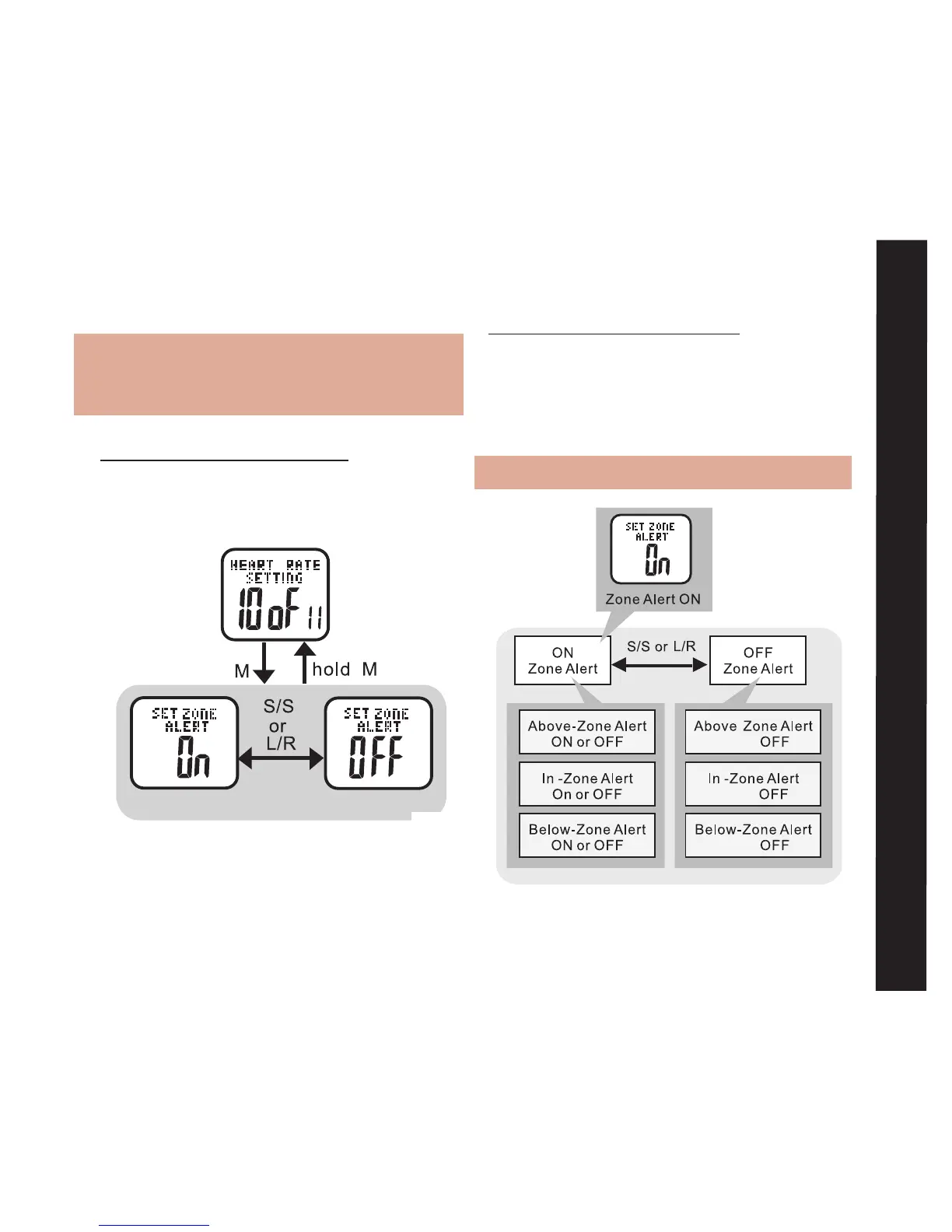
To Switch Heart Rate Zone Alerts On/Off:
See fig.34
Note: Setting this to OFF also turns OFF:
Above Zone, In Zone, and Below Zone
alerts
HOLD MODE FOR 3 SECONDS in the Home
Time display to access Main Settings Menu
• PRESS ST/STP or LAP/RESET to scroll to
Heart Rate Setting: 10 of 11
• PRESS MODE to scroll until SET
ZONE ALERT displays
• PRESS ST/STP or LAP/RESET to turn
alert ON or OFF
• PRESS MODE to confirm selection
HOLD MODE FOR 3 SECONDS to return to
Main Settings Menu
To Switch Individual Heart Rate Alerts
On/Off: See fig.35
Note: SET ZONE ALERT must be ON.
Heart Rate Alerts On/Off
fig.35



 To Next Page