6
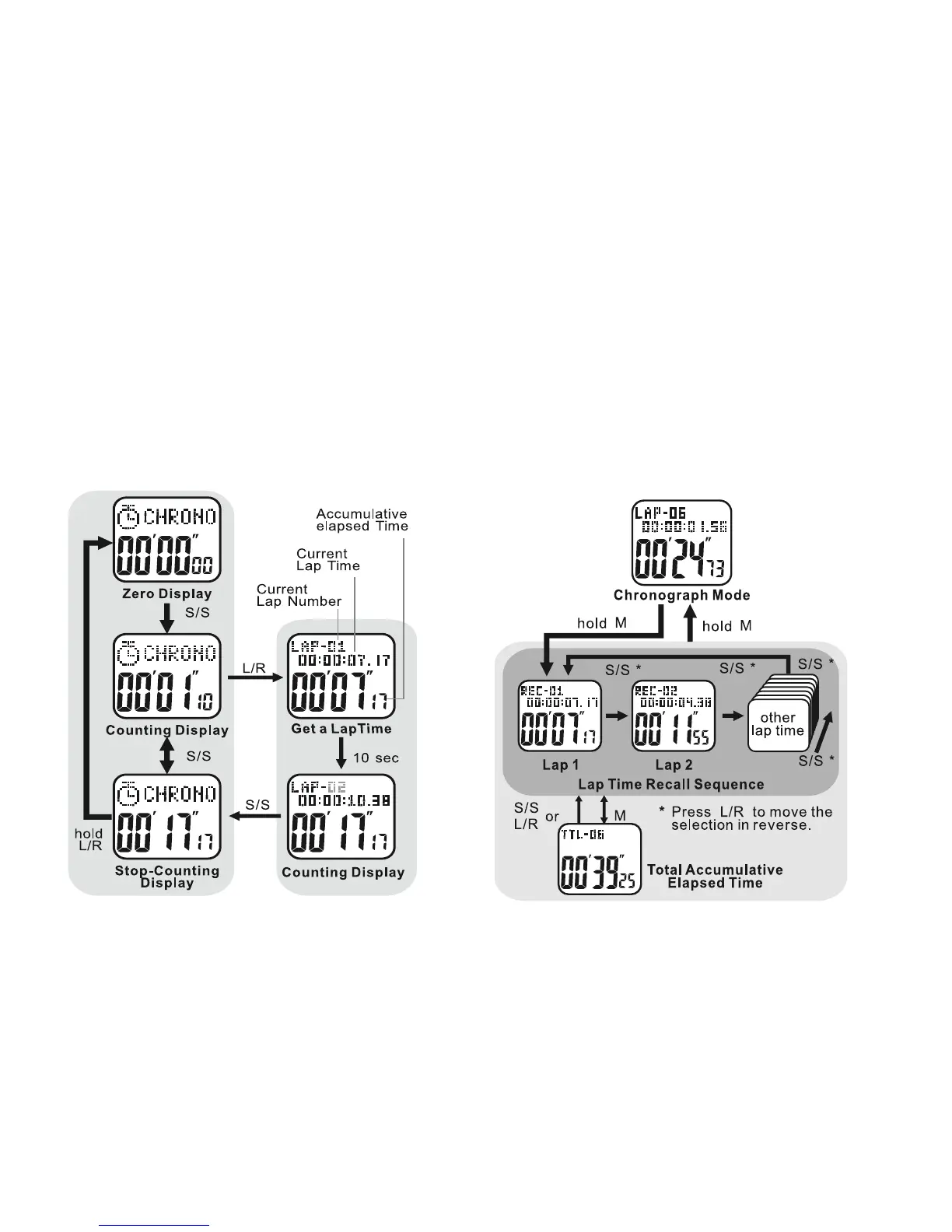
Chronograph Mode: See fig. 5
• PRESS MODE ONCE from the Home Time
display to access the Chronograph
Chronograph Mode displays:
T
op line: CHRONO
Bottom line: running time- minutes, seconds, and
hundredth seconds for the first hour
OR hours, minutes and seconds thereafter
To Use the Chronograph Mode:
• PRESS ST/STP to start the Chronograph
• PRESS ST/STP again to stop the
Chronograph
To Record Lap Times: See fig. 6
• PRESS ST/STP or start the Chronograph
• PRESS LAP/RESET to record a lap time
The recorded lap time will display in the top
fig.5 fig.6



 To Next Page