up record files based on time.
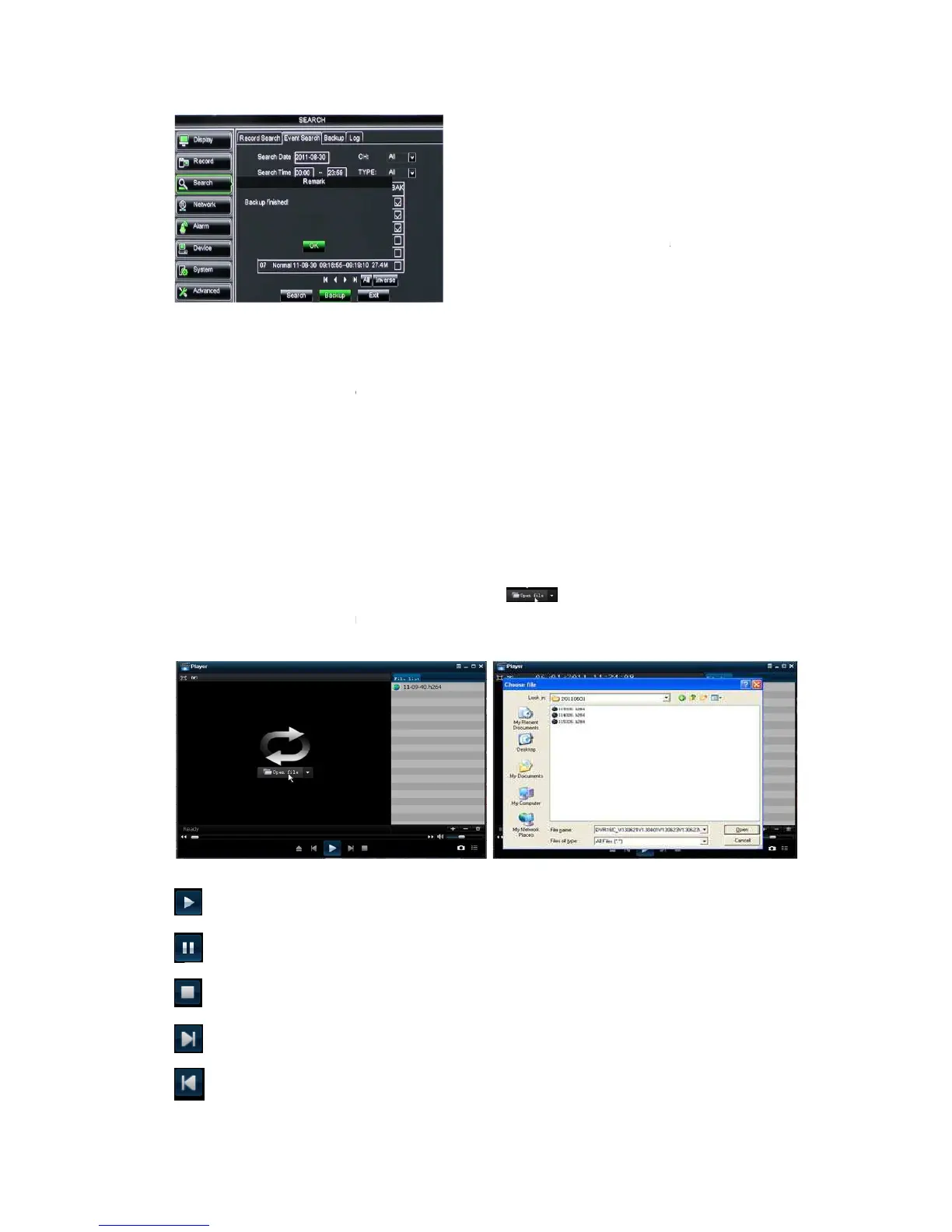
input start time and end time on the time edit box;
select all the files you desire to backup;
Click the [Backup] on the bottom.
file, and then click [open] button
Highlight the file you have selected and click [Play] button.
click the icon to playback the backup record;
Pause button: click the icon to pause the backup record;
Stop button: click the icon to stop the backup record;
Next: Click the icon to play next record
Click the icon to play previous record
up record files based on time.
lease follow below steps to back up these
input start time and end time on the time edit box;
select all the files you desire to backup;
Click the [Backup] on the bottom.
to find/select the backup
file, and then click [open] button
Highlight the file you have selected and click [Play] button.
click the icon to playback the backup record;
Pause button: click the icon to pause the backup record;
Stop button: click the icon to stop the backup record;
Next: Click the icon to play next record
Click the icon to play previous record
After backup finished, please click [OK]
button shown as Picture 5-24.
File will be saved as *.264
You could playback the record files via Dvr
Client player. When installing Dvrclient,
system will auto install the player.
connect well before backup.
lease follow below steps to back up these
to find/select the backup
After backup finished, please click [OK]
File will be saved as *.264
You could playback the record files via Dvr
Client player. When installing Dvrclient,
system will auto install the player.
connect well before backup.



 To Next Page