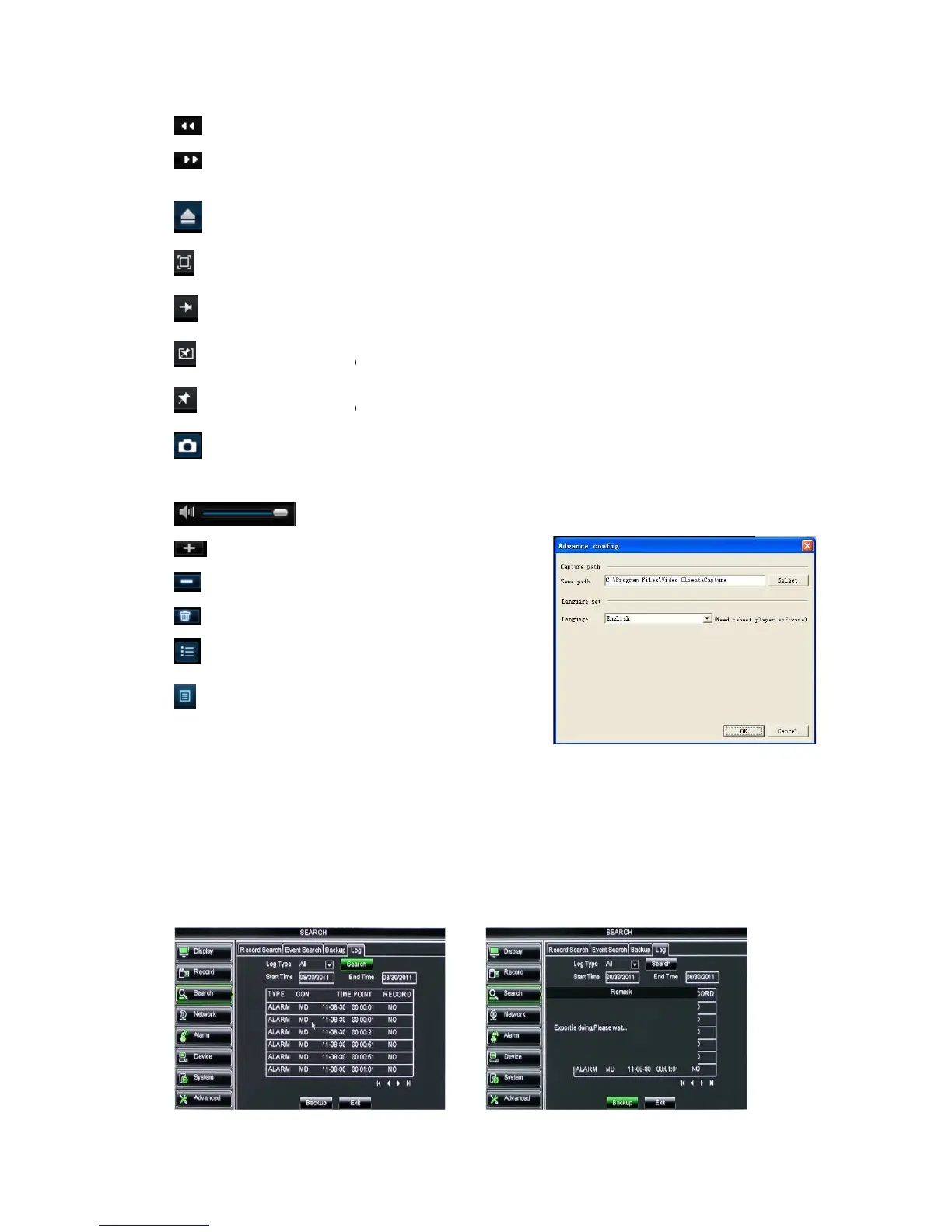
Slow button: click the icon to play the backup record
FF button: click the icon to
Open: click the icon to open one record file.
Click the icon to never place one target to top.
Click the icon to place one target to top
Snapshot button: click the icon to capture the live image
to directory:\\video client\
Volume Adjust: click the icon to adjust the volume.
Add fold or file to player.
Delete all the files in the list
nfold or fold the list files
Advance Configuration: click the icon to set
one capture path and language shown as Picture 5
option to enter into the Log search
interface shown as Picture 5
Slow button: click the icon to play the backup record
at 1/2, 1/4, 1/8 and 1/16 speed.
FF button: click the icon to
fast forward the backup record
Open: click the icon to open one record file.
Click the icon to never place one target to top.
Click the icon to place one target to top
the playing record to top.
Snapshot button: click the icon to capture the live image
and save the captured one
Volume Adjust: click the icon to adjust the volume.
Add fold or file to player.
Delete all the files in the list
nfold or fold the list files
Advance Configuration: click the icon to set
one capture path and language shown as Picture 5
option to enter into the Log search
Herein allow you preview the log information
export all the log information which is listed.
For other button functions please refer to
previous section 5.3.3.3-
at 1/2, 1/4, 1/8 and 1/16 speed.
and save the captured one
Herein allow you preview the log information
export all the log information which is listed.
For other button functions please refer to



 To Next Page