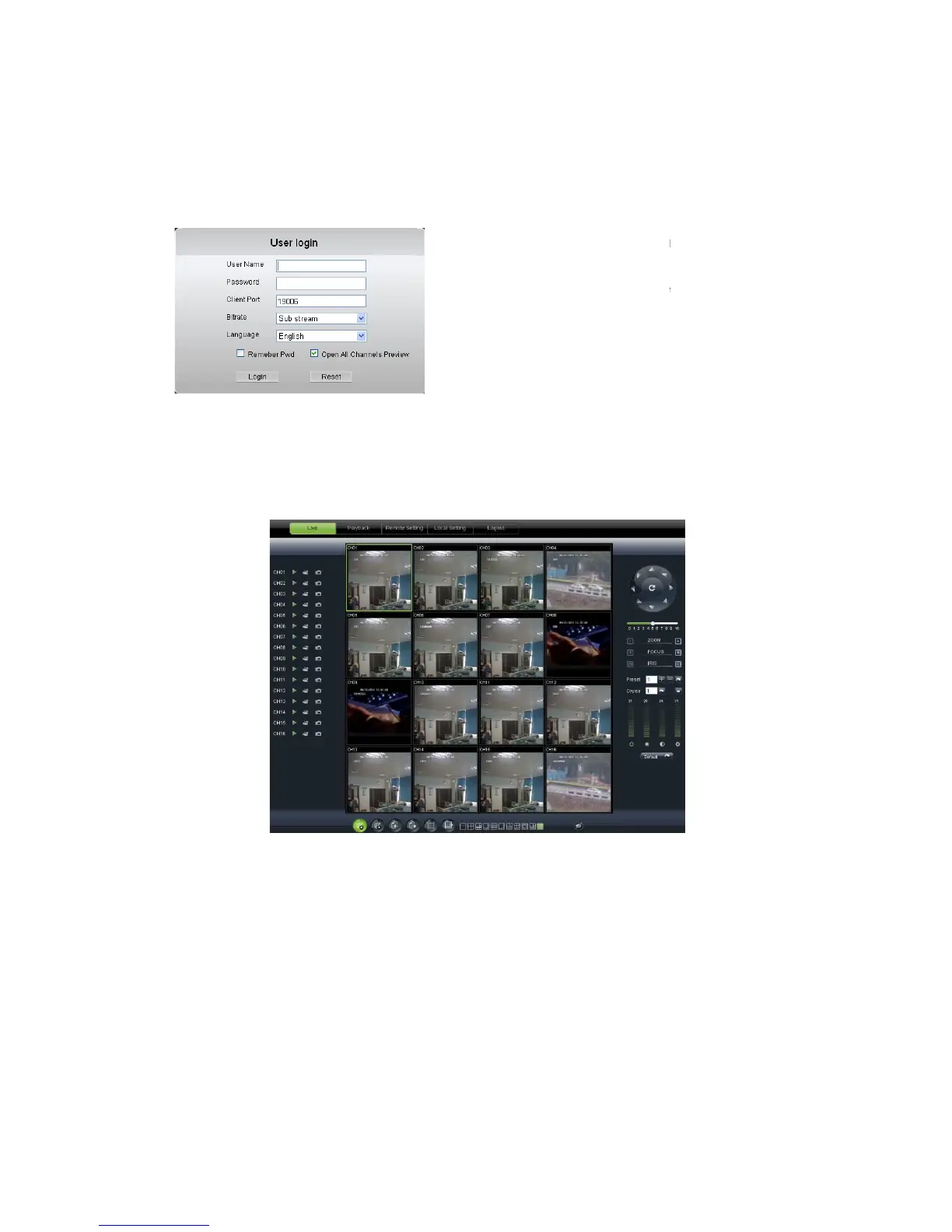
select <Main stream> or <sub stream>, and
Channels Preview>;
Picture 6-2
6.3
Picture 6-3
6.3.1 Menu Bar
Menu bar include [
options
6.3.1.1
6.3.1.1 6.3.1.1
6.3.1.1
Live Display
After
running the Web Application Manager on your local PC
defaulted to enter into <
to Open/close live images and enter into on
ode by operating the control bar on the bottom of screen.
, please input user name, password
select <Main stream> or <sub stream>, and
, you will enter into the Live interface
], [Replay], [Configuration], [Path
running the Web Application Manager on your local PC
> interface shown as Picture 6-3.
You can click [Play] button
to Open/close live images and enter into on
spot record and Capture, quad, 9
ode by operating the control bar on the bottom of screen.
are allowed to access a remote DVR and
monitor live video images using Web browser
anytime from virtually anywhere.
System allows Administrator to set new
password as per instructions in section
, you will enter into the Live interface
You can click [Play] button
spot record and Capture, quad, 9
are allowed to access a remote DVR and
monitor live video images using Web browser
anytime from virtually anywhere.
System allows Administrator to set new
password as per instructions in section



 To Next Page