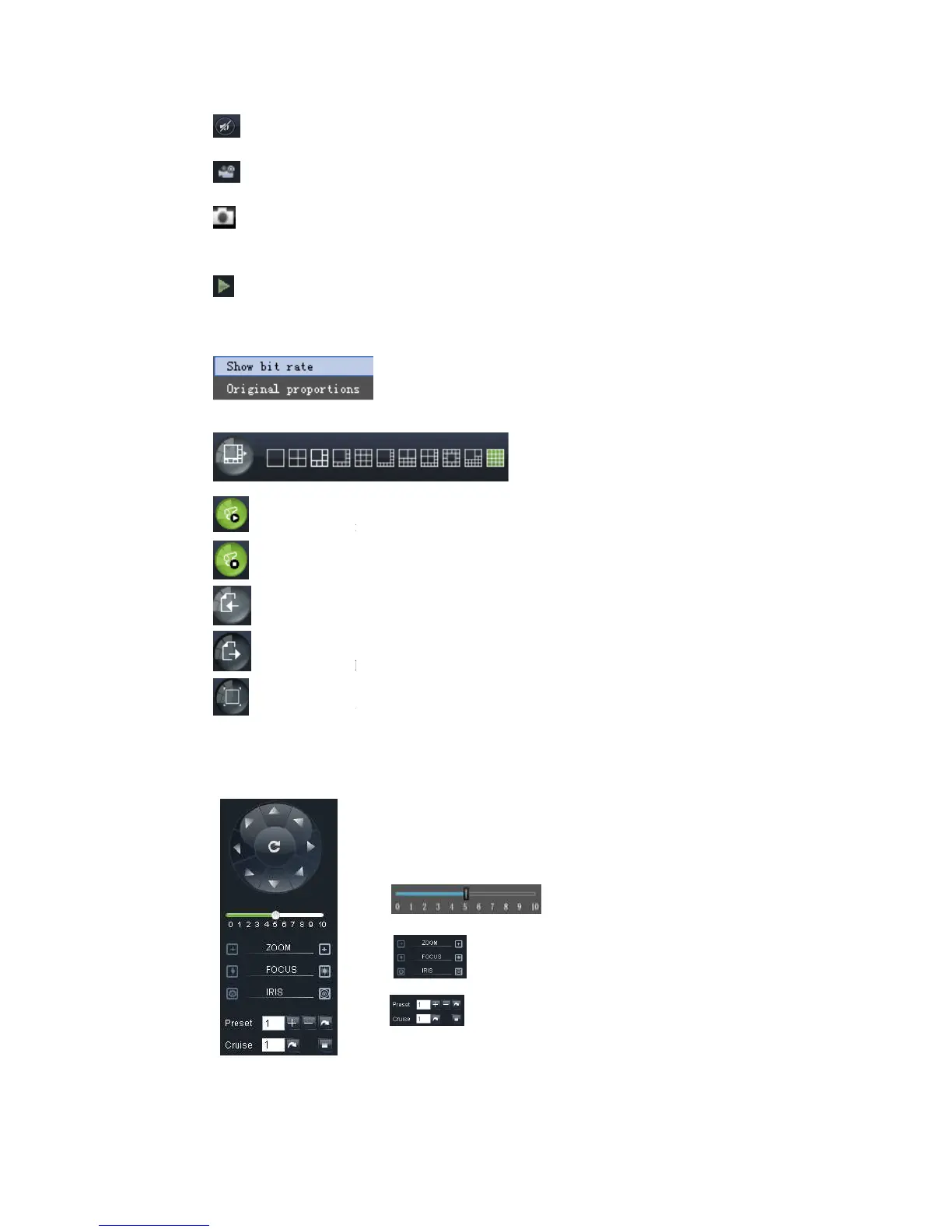
Record icon: record will be saved to a specified position after starting record.
Snapshot function: allow you capture the live images and save it to a specified position.
image should be saved as *.bmp format.
clicking the icon will close/open the current channel
Or click the right key of mouse on each <Live> window to
Picture 6-4.
Picture 6-4
:Allow
Display previous channels
Click the icon to enlarge current
options, now allow you select <Exit full screen>
6.3.1.2
6.3.1.26.3.1.2
6.3.1.2
Record icon: record will be saved to a specified position after starting record.
Snapshot function: allow you capture the live images and save it to a specified position.
image should be saved as *.bmp format.
clicking the icon will close/open the current channel
Or click the right key of mouse on each <Live> window to
pop up the interface shown as
Display previous channels
Click the icon to enlarge current
window to full screen; right-
options, now allow you select <Exit full screen>
Show bit rate: show current bit rate;
Original Proportions: show original proportions.
PTZ moving Direction control: allow you control PTZ
nd the middle button is called
③ : Iris, Focus and Zoom control
○
4 :
Preset setting/clear; Start cruise /stop cruise
Record icon: record will be saved to a specified position after starting record.
Snapshot function: allow you capture the live images and save it to a specified position.
pop up the interface shown as
Original Proportions: show original proportions.
PTZ moving Direction control: allow you control PTZ
nd the middle button is called
Preset setting/clear; Start cruise /stop cruise



 To Next Page