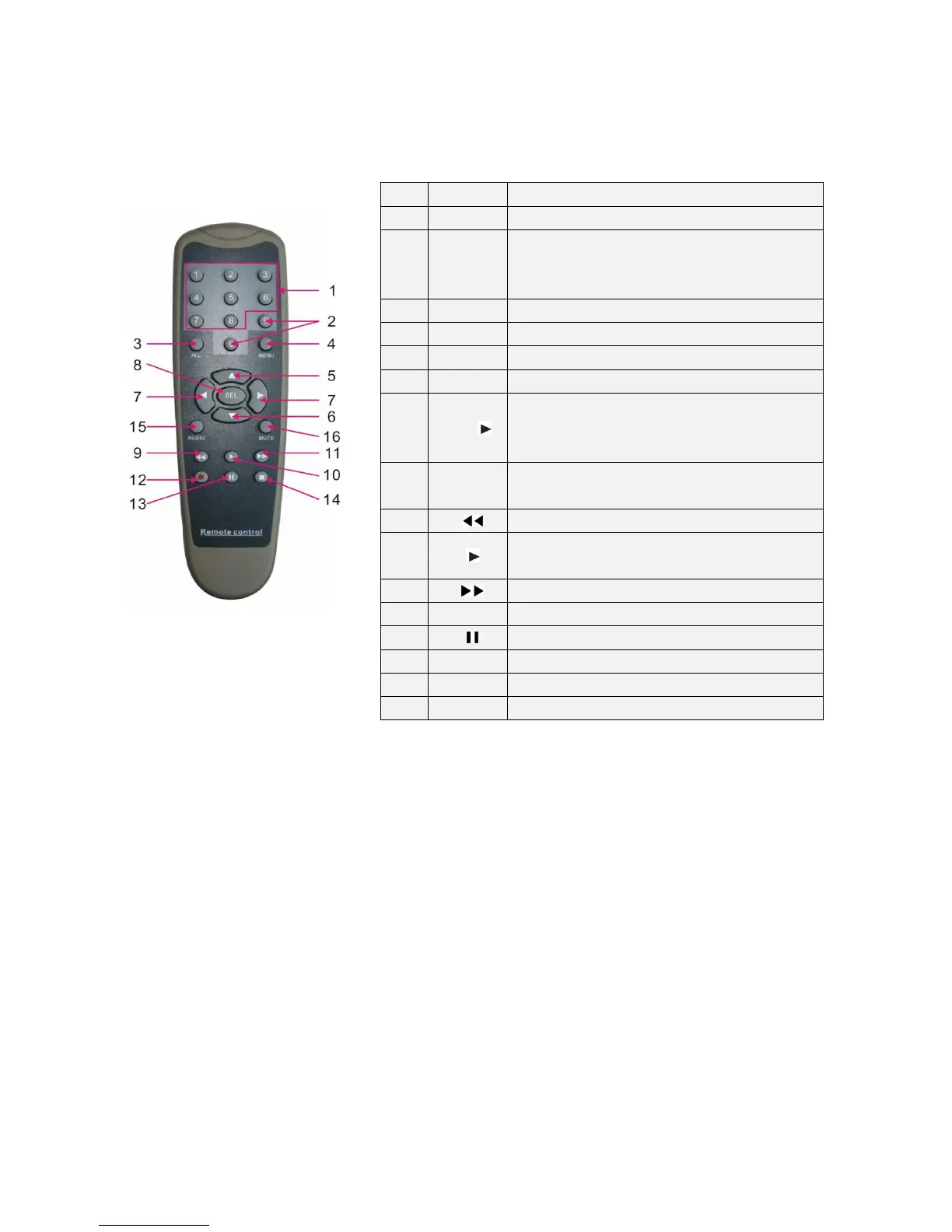
Key function
1 1-8
Channel select 1-8; Numeric key
2
9、
、、
、0
Numeric key; Clicking numeric “0” allow you
switch to GUI (Graphical user Interface)
function
3 ALL
Multiple display mode
4 Menu
Enter into Main menu/Exit
5 ▲
Up arrow key, Volume adjust
6
▼ Down arrow key, Volume adjust
7
◄/
Left/Down key,
Decrease/increase parameter value of
control bar
8
SEL
Select key/Edit key;
Confirm the selected operation.
9
Rewind key
10
Enter into record search menu;
Play key
11
Forward key
12
●
Record key
13
Pause/Sequence key
14
■
Stop manual record; stop playing
15 Audio
Testing
16 Mute
Mute on/off



 To Next Page